
Filter out photos without capture date and time
Hey guys.
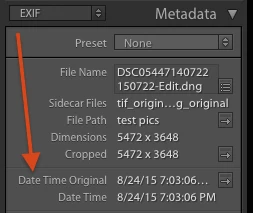
I have a library with photos from many different sources. Some of the photos lack time and date information, so that when I export them, and upload the exported images to Google Photos, they all get sorted under "today", as the date they are taken. In Lightroom I identify them by looking at the metadata panel to the right in library view. There they lack the lines that says "capture date" and "capture time", in other words, they do not have this information.
Lightroom has an idea about the capture date and time for these photos though, so they are placed in between photos that have date and time information when i sort on date and time. Even though it often is not the correct place for them, sometimes it is quite accurate. But again, in the metadata no information is given on capture date and time. Also lightroom suggest dates and times for many of them when I go into the "edit capture date" option, and it is sometimes off, sometimes quite accurate.
My question:
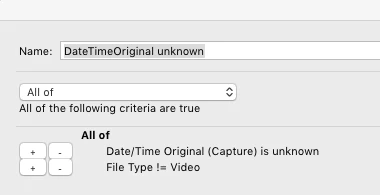
I want an easy way to find these photos. But I cant seem to get Lightroom to sort them out. I have tried the plug in "any filter" and did filter on all the "date time" + "unknown" variants I could find, but non of them locates only the photos without capture date and time in the metadata.
Anyone that have a solution for me?
Thanks in advance!
Mikkel S. Dahr
 AdChoices