Answered
Finding the preset that is applied on import
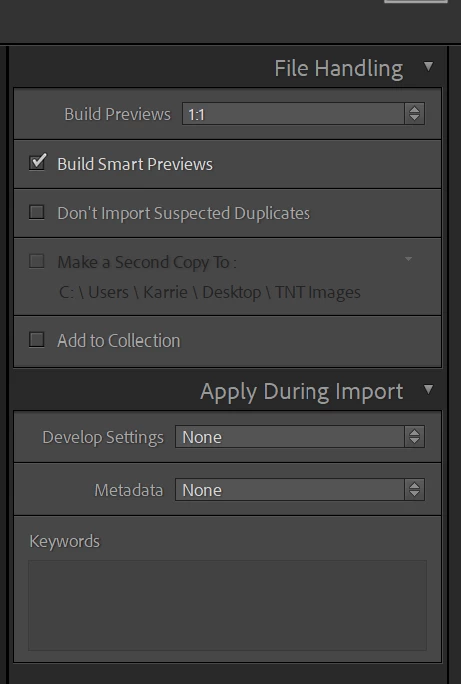
How do I find out which preset is applied on import?
My images automatically have the same settings applied when imported but nothing appears under Develop Settings.

How do I find out which preset is applied on import?
My images automatically have the same settings applied when imported but nothing appears under Develop Settings.
Assuming RAW files. What about /preferences/presets/raw defaults/
https://helpx.adobe.com/lightroom-classic/help/raw-defaults.html
Already have an account? Login
No account yet? Create an account
Enter your E-mail address. We'll send you an e-mail with instructions to reset your password.


 AdChoices