
Known Participant
January 9, 2023
Answered

Float panel

  • January 9, 2023
  • 2 replies
  • 436 views

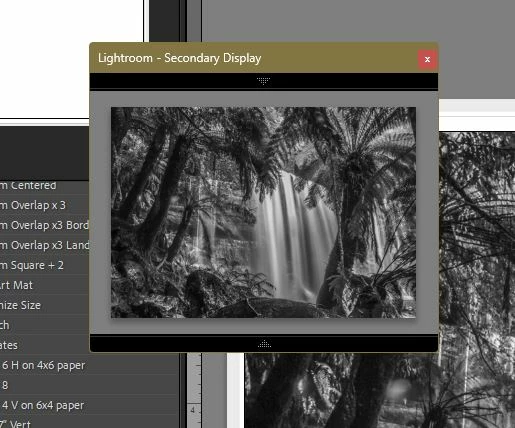
I'm using the latest classic, the 12.1 and I have seen a floating box somehow. Like a cropped box which you can move around in your frame. Is that a floating panel? But if not does anyone know what that is called or how to get Lr to do that? Thanks
This topic has been closed for replies.
Correct answer Rob_Cullen

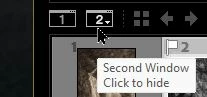
Or it could be the 'Secondary Display panel'- Activated by F11 (Function key 11) or the [2] button- 

2 replies

Rob_Cullen
Community Expert
Rob_CullenCommunity ExpertCorrect answer
Community Expert
January 9, 2023

Or it could be the 'Secondary Display panel'- Activated by F11 (Function key 11) or the [2] button- 

Regards. My System: Windows-11, Lightroom-Classic 15.1.1, Photoshop 27.3.1, ACR 18.1.1, Lightroom 9.0, Lr-iOS 10.4.0, Bridge 16.0.2 .
Known Participant
January 24, 2023

Rob, thanks, let me check this out. It wasn't the floating panel. Will get back to you etc. 

Known Participant
January 28, 2023

that's it. it also has a loupe function. Now can I put it in a box? Like a floating frame? Very cool. Very useful and thank you for solving this

Per Berntsen
Community Expert
Community Expert
January 9, 2023

LrC has one floating panel – the Masks panel – which you can drag to anywhere on your screen.