Participant
October 18, 2019
Question

Focus Point Plug In

  • October 18, 2019
  • 5 replies
  • 405 views

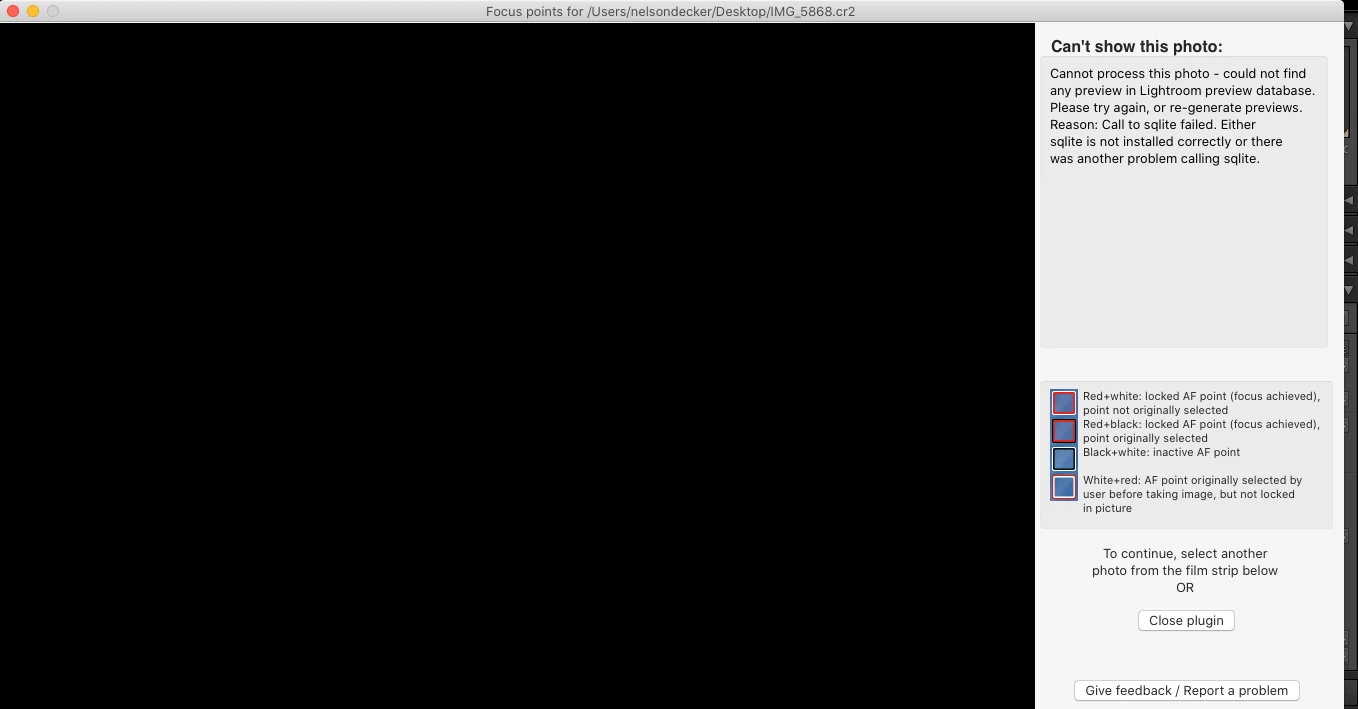
On focus point plug in I get this

 I get this on every image I am using latest LR Classic and MacBook Pro with Catalina any ideas on why it doesnt display image either DNG, CR2 or CR3

    This topic has been closed for replies.

    5 replies

    johnrellis
    Legend
    October 24, 2019

    "I contacted the app developer 6 days ago and have not heard a thing, oh well"


    The plugin hasn't been updated in 2.5 years.


    You could probably fix this bug yourself, with a small amount of effort, by updating the "mogrify" utility to the latest version. I haven't tested this, so there may be gotchas:


    1. Install Mac Ports: https://www.macports.org/install.php


    2. In Terminal, do this command:

    sudo port install imagemagick


    3. In Terminal, do this command:

    cp `which mogrify` FocusPoints.lrplugin/bin/imMac/mogrify


    [Use the reply button under the first post to ensure replies sort properly.]


    johnrellis
    Legend
    October 18, 2019

    I confirmed that the Show Focus Points plugin uses a third-party utility "mogrify" that is 32-bit:

    $ file FocusPoints.lrplugin/bin/imMac/mogrify 
    FocusPoints.lrplugin/bin/imMac/mogrify: Mach-O universal binary with 1 architecture: [i386:Mach-O executable i386]
    FocusPoints.lrplugin/bin/imMac/mogrify (for architecture i386):	Mach-O executable i386
    

     32-bit programs aren't supported by Mac OS 10.15 (Catalina), so you'll definitely have to contact the plugin developer for a new version with a 64-bit version of "mogrify".


    (Older programs with 32-bit addressing can use only the first 2^32 = 4 billion bytes of memory. Newer programs have 64-bit addressing and can use much, much more memory -- 2^64 = 10^19 bytes.  Prior to Mac OS 10.15, you could run both 32- and 64-bit programs on Mac OS. But with 10.15, you can only run 64-bit programs.  This isn't a security restriction per se but rather Apple deciding to save engineering costs by phasing out older technology.)


    [Use the reply button under the first post to ensure replies sort properly.]


    Conrad_C
    Community Expert
    Community Expert
    October 18, 2019

    You should definitely contact the plug-in author, because the tighter security restrictions in macOS 10.15 Catalina have interfered with or blocked some plug-ins for other Mac software, for example, Photoshop. If that is the problem with this Lightroom plug-in, the developer might need to release a version that has been properly "notarized" for Catalina.

    isle54Author
    Participant
    October 24, 2019

    I contacted the app developer 6 days ago and have not heard a thing, oh well

    Ian Lyons
    Community Expert
    Community Expert
    October 18, 2019

    In addition to the suggestion by Johan, it would likley be more beneficial to contact the plugin in vendor.

    JohanElzenga
    Community Expert
    Community Expert
    October 18, 2019

    This plugin could be partially 32 bits, which means it can't run on MacOS Catalina.


    -Moved to the Lightroom Classic forum-

    -- Johan W. Elzenga
    isle54Author
    Participant
    October 18, 2019

    What do you mean 32 bit?