
FrédéricChabot
Known Participant
September 13, 2024
Respondido

focus stacking in lightroom, is it gone?

  • September 13, 2024
  • 3 respostas
  • 5804 Visualizações

as mentionned in this page:

https://www.adobe.com/creativecloud/photography/discover/focus-stacking.html


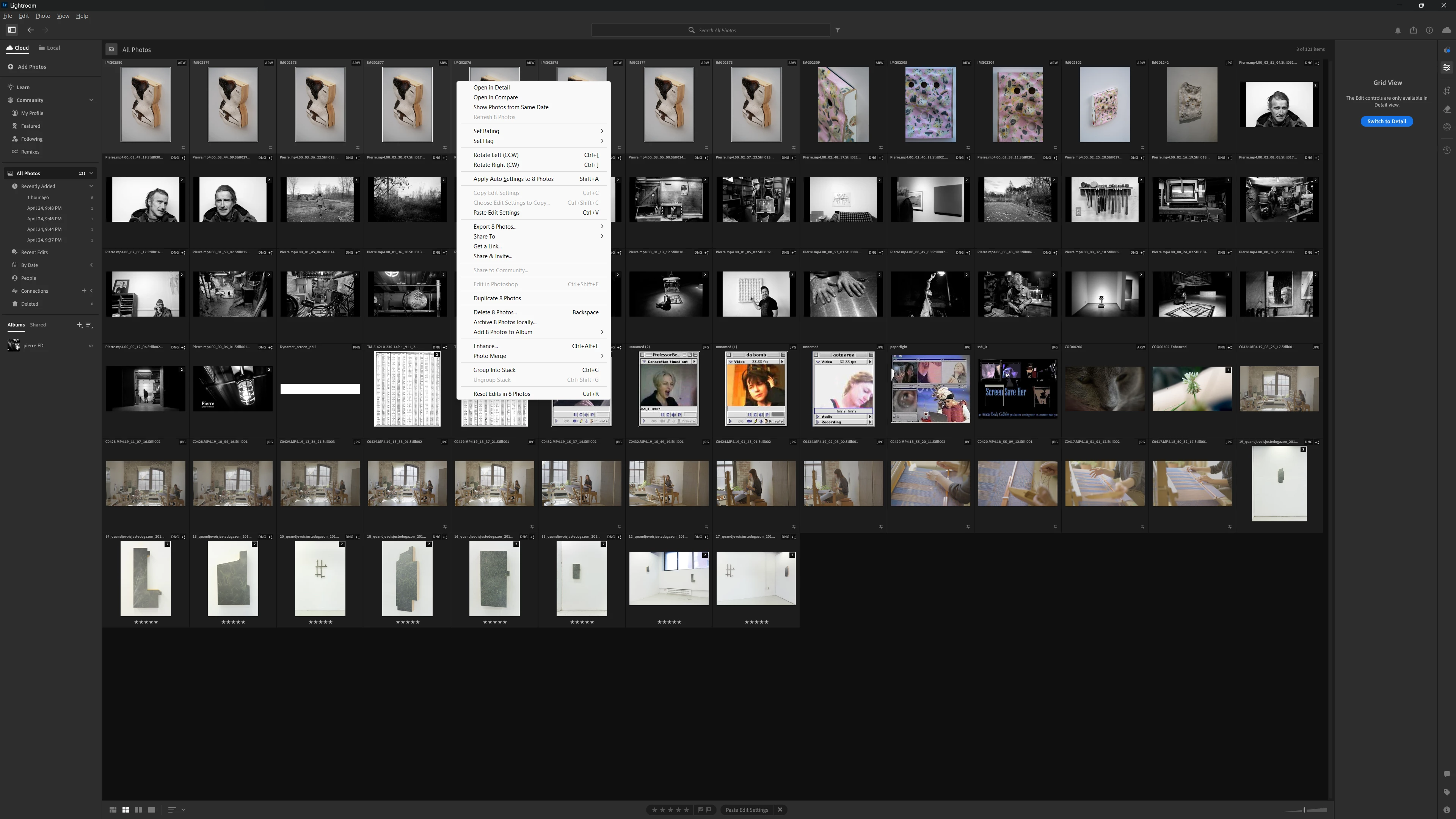
im trying to use the "edit in" (to go to photoshop) feature of lightroom, but it aint there.. its not in _Photo either.
 

edit:

trying in Classic now, i was using the other one..


Melhor resposta por JohanElzenga

Focus stacking isn't "gone", it was never there in any version of Lightroom. However, focus stacking is possible from Lightroom too, but requires more work. You can send the images to Photoshop one by one, and then create a new document with the images as layers (that is an option in Photoshop, you do not have to do that manually). After that, it is the same as in Lightroom Classic, but you will have to import the result in Lightroom yourself because it is a new image.


3 Respostas

GoldingD
Legend
September 13, 2024

So, were you able to select edit in Photoshop, from your LrC?


FrédéricChabot
Known Participant
September 15, 2024

Yes, thx for reminding me

JohanElzenga
Community Expert
JohanElzengaCommunity ExpertResposta
Community Expert
September 13, 2024

Focus stacking isn't "gone", it was never there in any version of Lightroom. However, focus stacking is possible from Lightroom too, but requires more work. You can send the images to Photoshop one by one, and then create a new document with the images as layers (that is an option in Photoshop, you do not have to do that manually). After that, it is the same as in Lightroom Classic, but you will have to import the result in Lightroom yourself because it is a new image.


-- Johan W. Elzenga
AxelMatt
Community Expert
Community Expert
September 13, 2024

Focus stacking in Lightroom isn't directly possible. You have to use the function "Open as Layers in Photoshop". 

This is only available in Lightroom Classic. In Lightroom (Cloud version) it isn't available.


My System: Intel i7-8700K - 64GB RAM - NVidia Geforce RTX 3060 - Windows 11 Pro 25H2 -- LR-Classic 15 - Photoshop 27 - Nik Collection 8 - PureRAW 6 - Topaz Photo AI