


Inspiring
July 26, 2025
Answered

Folder color labels disappear after restart

  • July 26, 2025
  • 3 replies
  • 182 views

Hi there Adobe Team,


I believe I found a bug in v. 14.4 (build [202506051112-5918896a]).


My folder color labels are disappearing between restarts.


Here are the colors on the left pane:
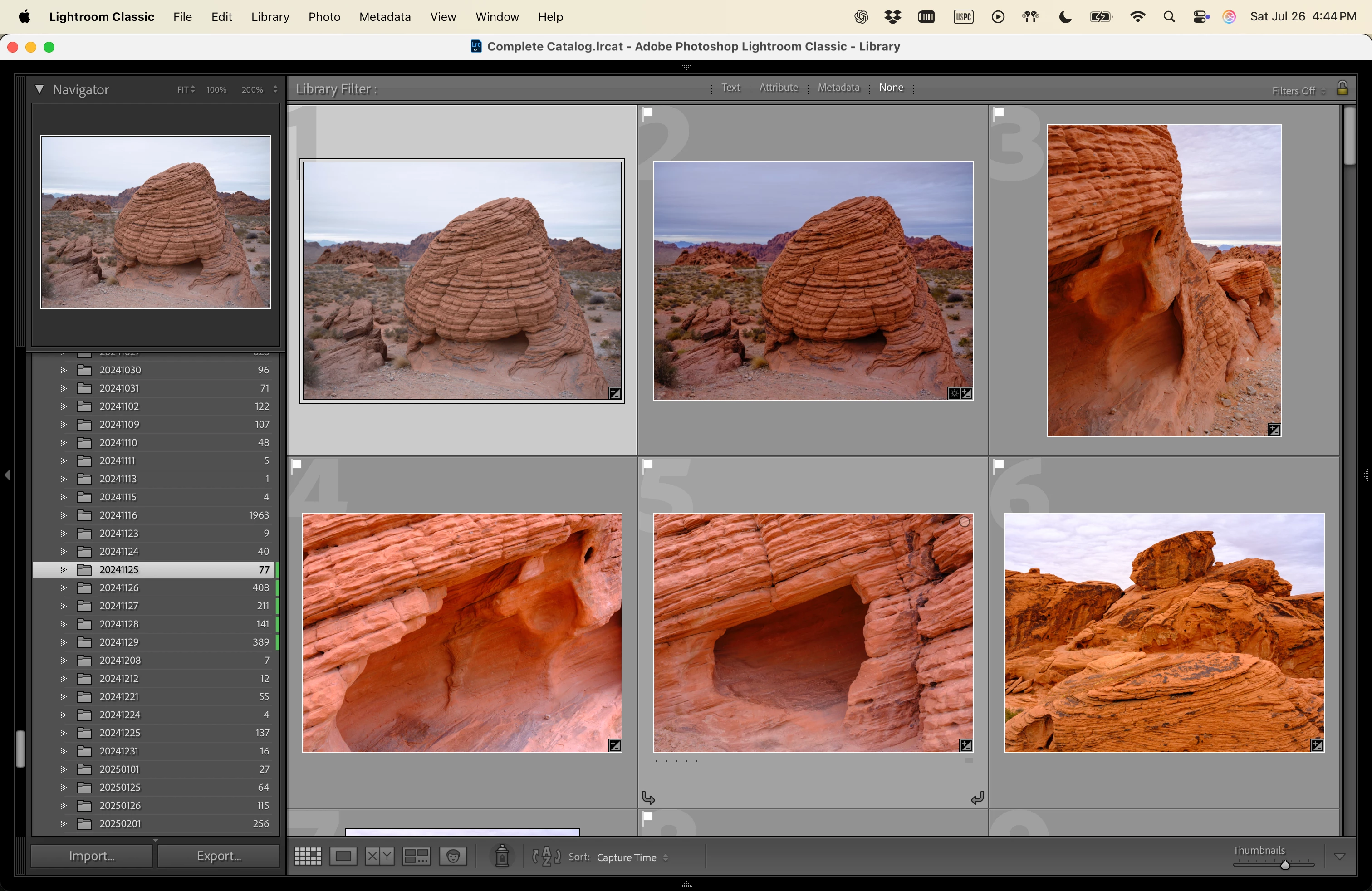


And here the color labels gone after restarting Lightroom:
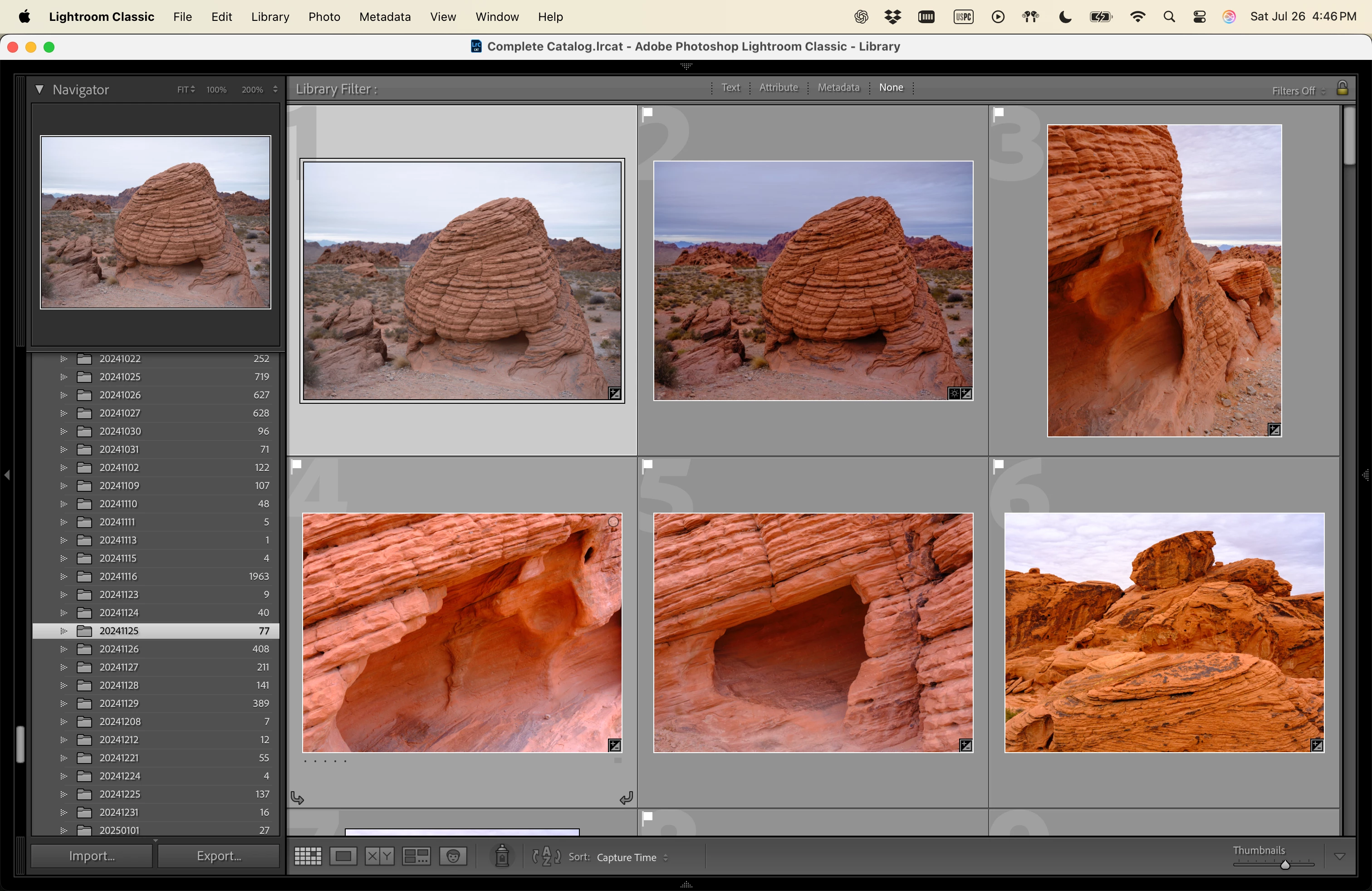


Notice the time on the top right.


Any ideas how to solve this?


Thanks,
Marcelo

Correct answer joesao

Thanks @johnrellis, uh, I didn't do this, but opened up LRC today and my color tags were there. Quit, reopened, still there. 


Hopefully it doesn't break again, but Adobe should def look into this very sus behavior 🙂 

3 replies

johnrellis
Legend
July 27, 2025

Another magic spell to try: First, restart your computer. If the problem persists, try resetting LR's preferences:
https://www.lightroomqueen.com/articles-page/how-do-i-reset-lightrooms-preferences/

LR sometimes soils its preferences file, and resetting it can fix all sorts of wonky behavior. That article explains how to restore the old preferences if resetting doesn't help.

joesaoAuthorCorrect answer
Inspiring
July 27, 2025

Thanks @johnrellis, uh, I didn't do this, but opened up LRC today and my color tags were there. Quit, reopened, still there. 


Hopefully it doesn't break again, but Adobe should def look into this very sus behavior 🙂 

joesaoAuthor
Inspiring
July 27, 2025

Thank you @johnrellis -- I did as you suggested: deleted the helper.lrdata file, opened the catalog, added my color tag, restarted, and the color is gone again.


Didn't work. So I did it again... deleted the re-created helper.lrdata folder... still no luck.


Sadly, this did not work.

johnrellis
Legend
July 26, 2025

Try deleting the Helper.lrdata folder:

a) Do Catalog Settings > General > Show to open Finder / File Explorer on the current catalog folder.
b) Exit LR.
c) In that folder, delete the folder "<catalog> Helper.lrdata".
d) Restart LR, and it will rebuild the folder.

The Helper.lrdata folder caches information about metadata, keywords, folders, collections, and other things to speed the performance of LR and it can sometimes get corrupted. In recent versions, LR has used it more heavily to improve the speed of displaying metadata, and there have been a fair number of bugs with it.