
Folder Not in correct place in LR Navigator
Hello,
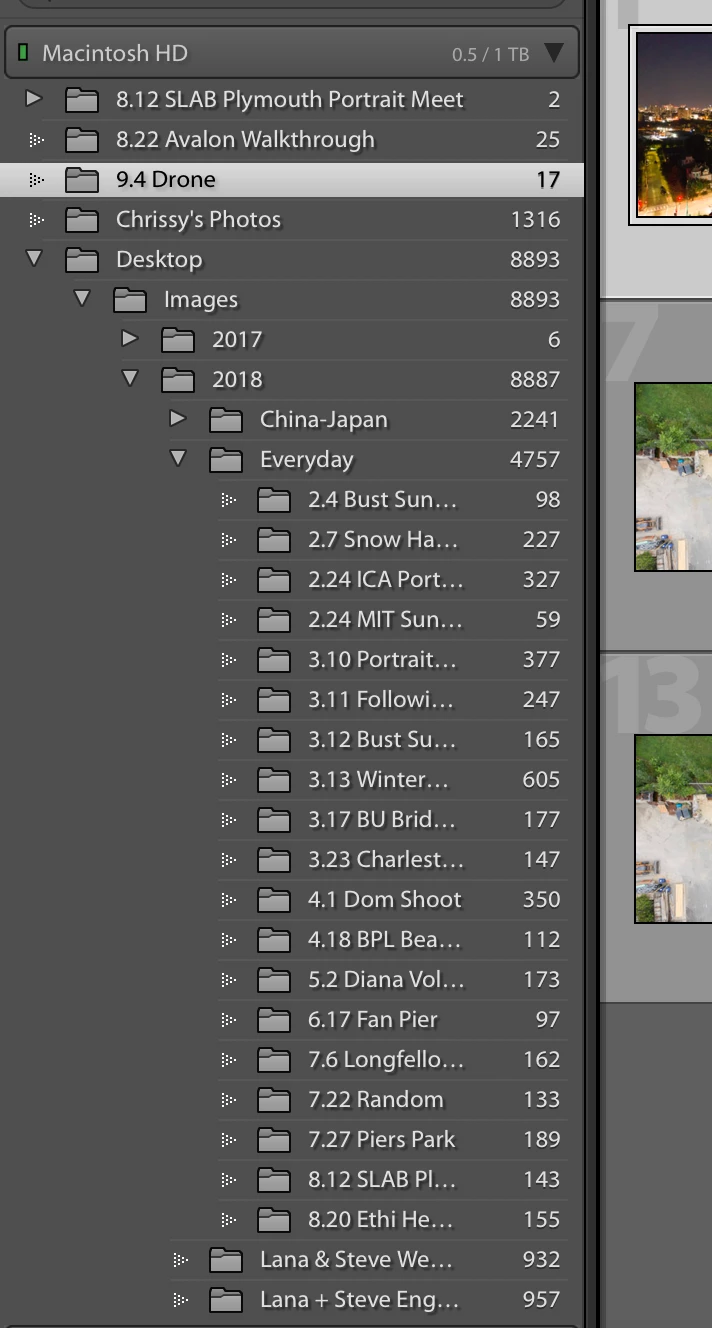
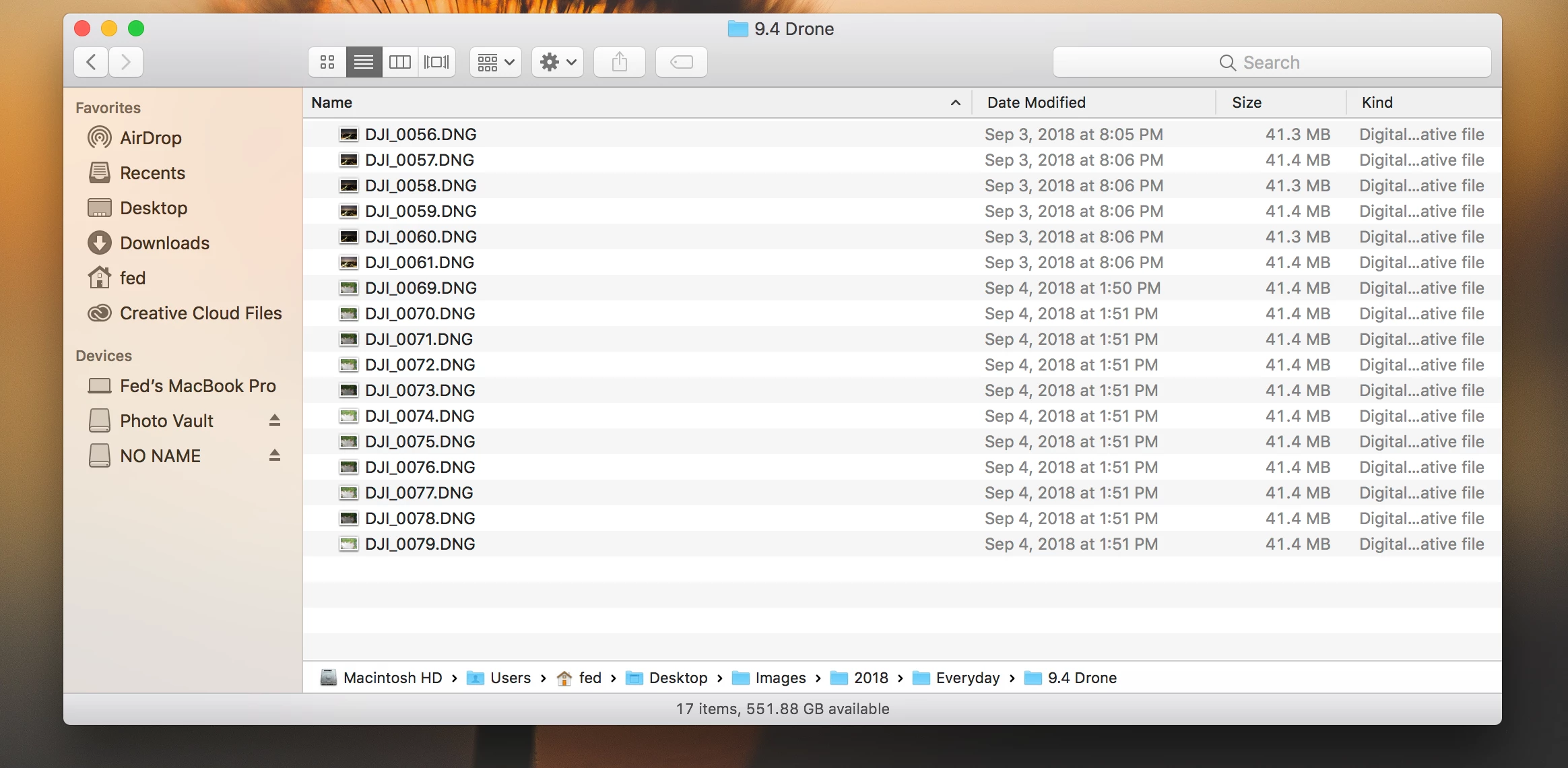
I purchased a brand new 2018 maxed out i9 Macbook Pro with 6 cores about a month ago. I transferred my lightroom catalog from my old computer to the new one. No problems there. However, I've noticed that every time I import a new set of images into a folder, it's not showing up under the parent folder in the left Navigator panel in Lightroom. Essentially, in my computer, I place all of my images in a folder labeled IMAGES. Under IMAGES there are different folders per year; one for 2015, 2016, and so on. For this question, the path so far is IMAGES > 2018. Under each year I place a folder labeled EVERYDAY, which contains most of my images. So far the path is IMAGES > 2018 > EVERYDAY. The folders placed in EVERYDAY are labeled by date and then a small description. Let's take a recent example, and let's talk about the folder labeled 9.4 DRONE. The path so far is IMAGES > 2018 > EVERYDAY > 9.4 DRONE.
Now that you have my system, here's the problem:
I've imported images into the folder 9.4 DRONE, and I see them in the physical folder on my computer as being in the correct spot. I see the folder in the Finder window with that path. However, when I go into lightroom in the left Navigator panel, the 9.4 DRONE folder isn't under the correct folder, instead it's all the way towards the top outside of its correct place. When I try to drag and drop the folder in its correct place in LR (I am not dragging and dropping in the Finder window as that will definitely confuse LR), it gives me the message "A folder named "9.4 DRONE" already exists at this location". It then only gives you the options to "Show in Finder" and "OK". It's true that the folder is in my Mac are under the correct place, but in LR it's not under the correct parent folder. I tried synchronizing the folder in LR, but it didn't resolve anything. I've noticed that I have 4 other folders with the same problem, and they're all the new sets of images that I've imported into my new computer since I've acquired it.
This problem is extremely annoying as it makes me shift from folder to folder if I'm trying to work with images from a wedding where I tend to label the event, and then put a folder under it for my photos, and then another folder for my second shooter. Now I don't have all of those images in the same place and it creates havoc on my efficiency.
I'm attaching a photo of my LR Navigator panel, and one from my Finder window that shows the path at the bottom so you guys can see.
Has anyone gone through this before? I feel like perhaps there are some settings I have no idea about that have been switched because of the migration to the new computer. Any help is extremely appreciated.
Thank you!
-Fed
 AdChoices