

Folder of imported photos are not showing in their parent folder in Develop-Folder view.
Using the current version 12.3 of Lightroom Classic, I created a destination folder in a "parent" folder that has sub-folders of previously successfully imported and developed images. Into the destination folder I imported about 20 DNG files. They imported successfully, except that the destination folder isn't in the "parent" folder, but the folder can be seen in the FOLDER view in the left column of the Develop module.
If I try to move the destination folder to the "parent" folder, in Lightroom, I get a message that the folder is already present in the "parent" folder, but in the FOLDER view that destination folder can't be seen. In my to iMac's Finder (in the current MacOS updated last week), I can correctly see the destination folder that I created before importing.
I will add that the above happened after I had updated Dropbox to the current version. That is where I have my folders of imported images. Below is an image of the FOLDER view in my Lightroom Classic 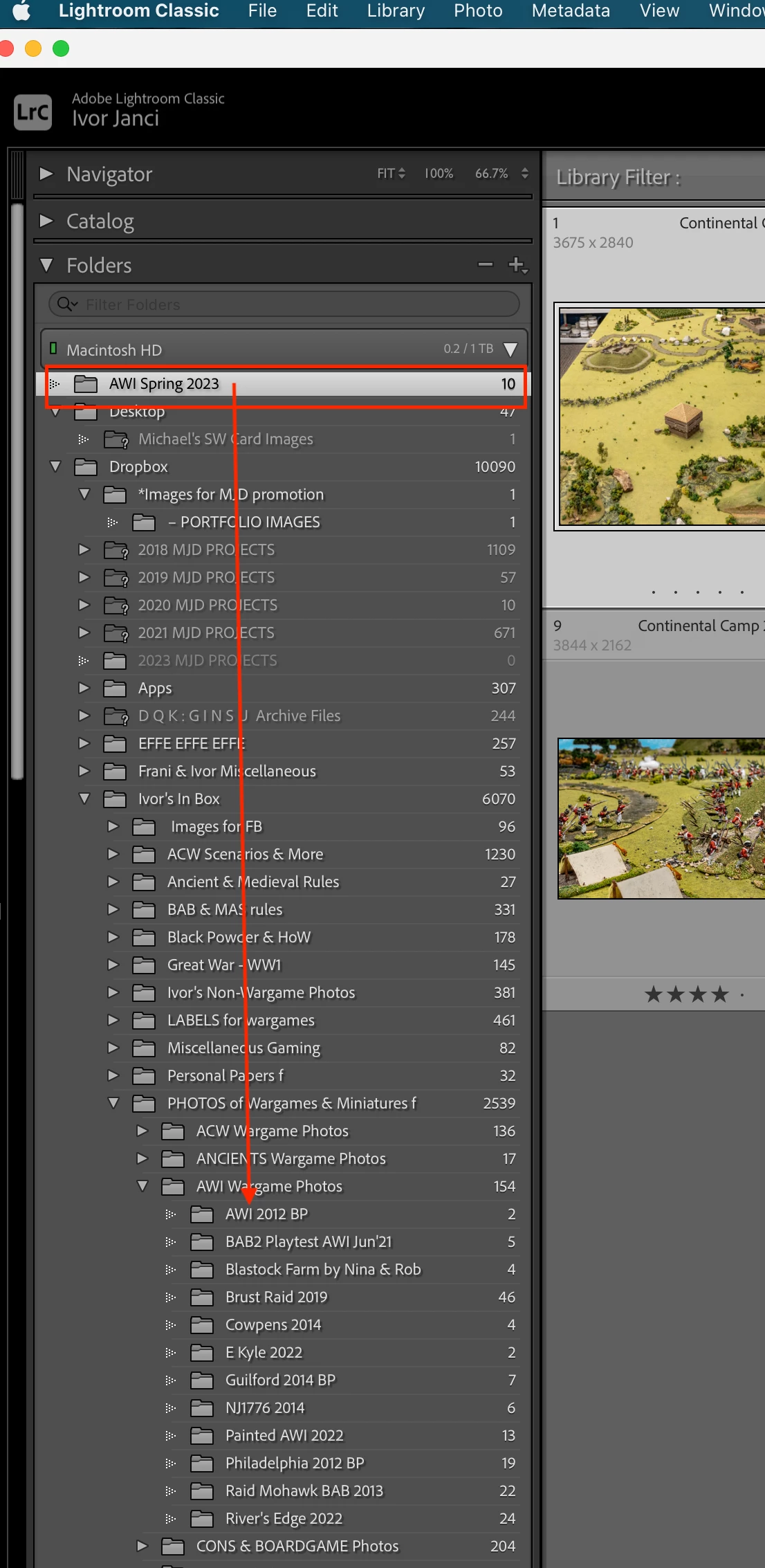
This image shows where the folder should be.
 AdChoices