jclin10
Known Participant
February 28, 2017
Answered

For video - the "capture date" is often the date I imported the video and not the day I shot the video. Is there a way to change it to day I shot it?

  • February 28, 2017
  • 2 replies
  • 8217 views

In my video files, Lightroom often arranges my videos on the basis of when they were imported, not when they were shot. Is there a way to fix this?

    Correct answer johnrellis

    Thanks

    Under EXIF data, it shows Date Time Digitized and Date Time, but those just seem to reflect when the videos were imported. They don't show when the video was originally shot (which I can find using Photos, but not Lightroom). Any ideas on how I can find that data using LR?


    LR often has problems with video capture times and can behave inconsistently.  To see if you're encountering this bug, use the View > View Options command to show the capture time under thumbnails in Library grid view. Then check the time under the thumbnail with the capture time shown in the Metadata panel:
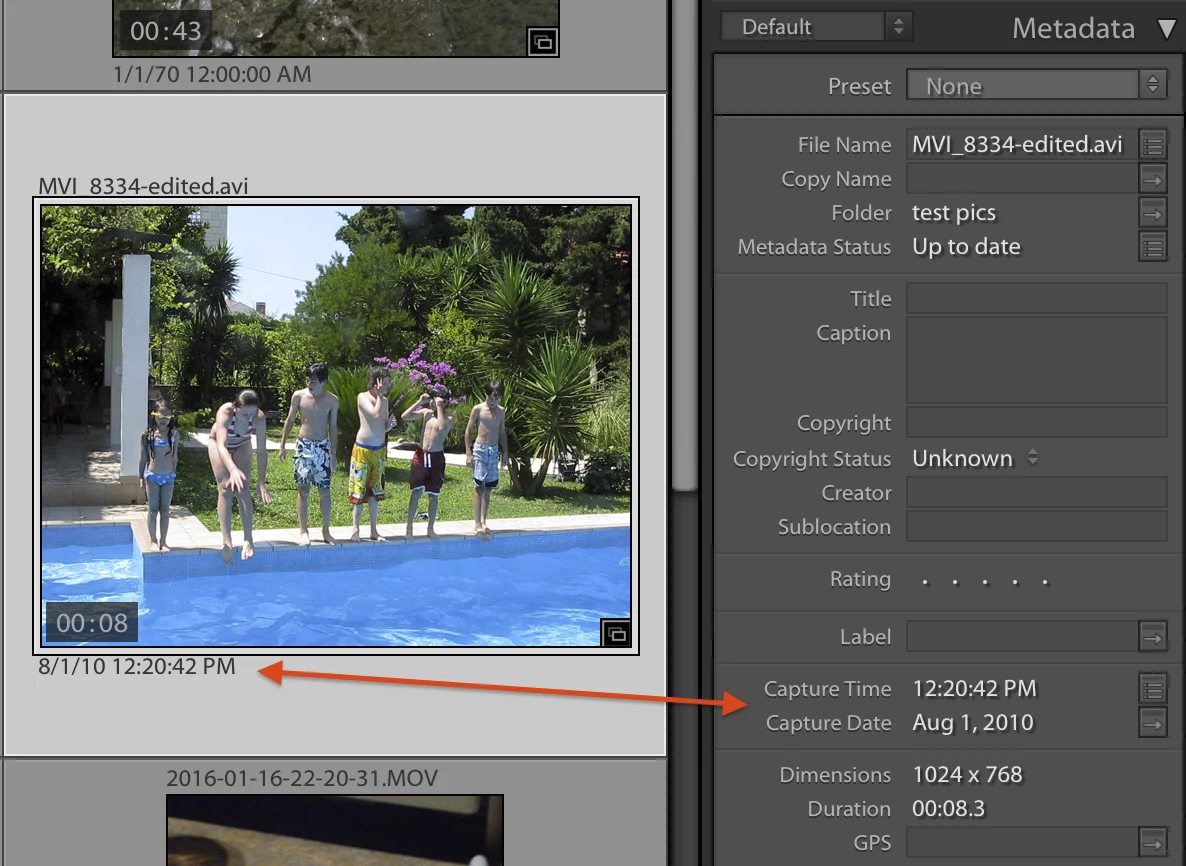
    If they don't match, you've tripped over the bug. See this post for a workaround; Lightroom: Still inconsistent capture date/time for photos and videos | Photoshop Family Customer Community . Please add your me-too vote to that bug report to make it a little more likely Adobe might fix the bug sometime before the next ice age.


    2 replies

    Known Participant
    December 26, 2021

    I found a very simple fix today when encountering the same issue. I arranged the files I imported from my iPhone by file type, then selected only the video files, then went up to "metedata > Edit capture time > change files creation date." They now have the correct capture time and when I reorgaize my files by creaon date they are in the cotrrect order. 

    Known Participant
    December 26, 2021

    Correction, as this forum doesn't allow for editing an already posted comment: "metedata > Edit capture time > change files to creation date." 

    Participant
    July 25, 2022

    Worked like a charm👍 I actually went to my catalog and searched by .mp4 and hit select all. Then used your method. Now all my video files are in chronological order with my photos. Thanks for the tip!

    Ian Lyons
    Community Expert
    Community Expert
    February 28, 2017

    Unfortunately, Lightroom's handling of dates, etc leaves a lot to be desired. The answer to this link post might provide some explanation  to the problem your experiencing Lightroom 6.3 changes video time when importing

    jclin10
    jclin10Author
    Known Participant
    February 28, 2017

    Thanks, this is helpful.

    So, is there any way for me to edit/fix the times so that they aren't the date of download, but the date when it was actually shot?

    johnrellis
    Genius
    March 1, 2017

    Use the Metadata > Edit Capture Time command to change the capture time of one or more videos.

