
Forcing Lightroom to work with OpenGL on Windows 11
Hi, I need help please.
I'm using Lightroom Classic 12.5 with Camera RAW 15.5, on Windows 11.
My GPU is ASRock Phantom Gaming Radeon RX 6950 XT.
My CPU is AMD Ryzen 9 5950x and I have 80 GB of RAM installed.
All my drivers are up to date, including Windows update.
My camera is Sony A7R V, and I'm editing RAW (.ARW) files weighing about 120 MB each.
I'm experiencing repeated freezing while editing photos. Lightroom becomes unresponsive for 5-20 seconds every few minutes. Between freezing, it works just fine. It does not crash.
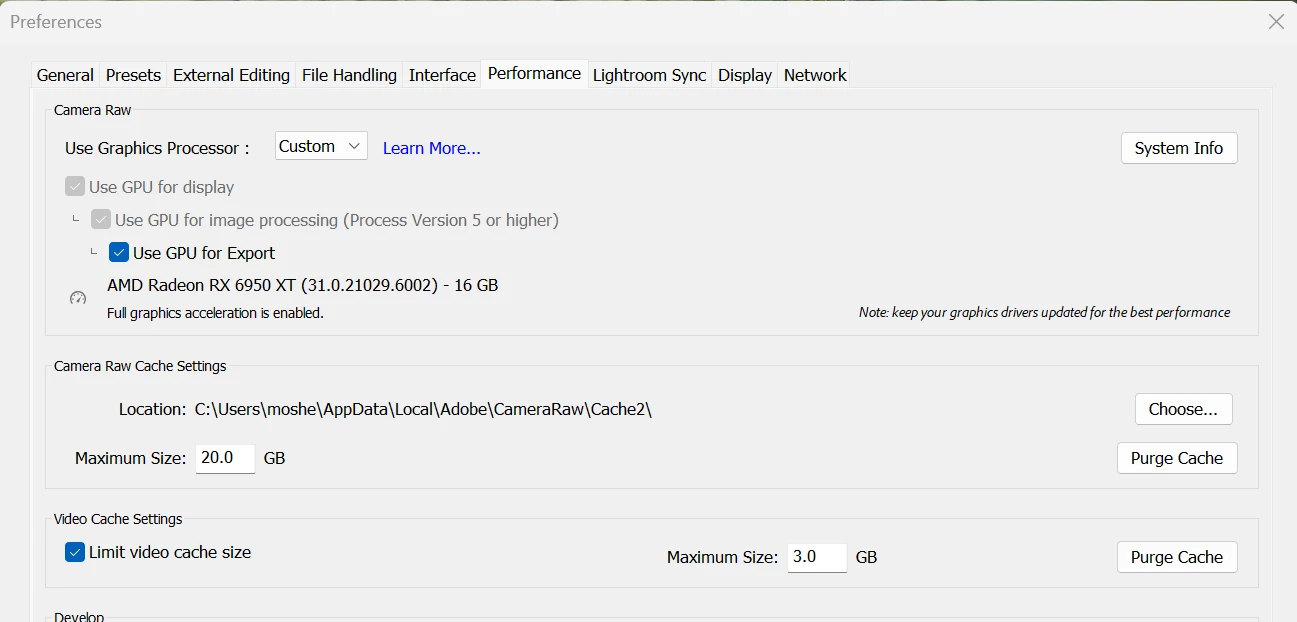
On Edit > Preferences > Performance, 'Full graphic acceleration' is enabled.
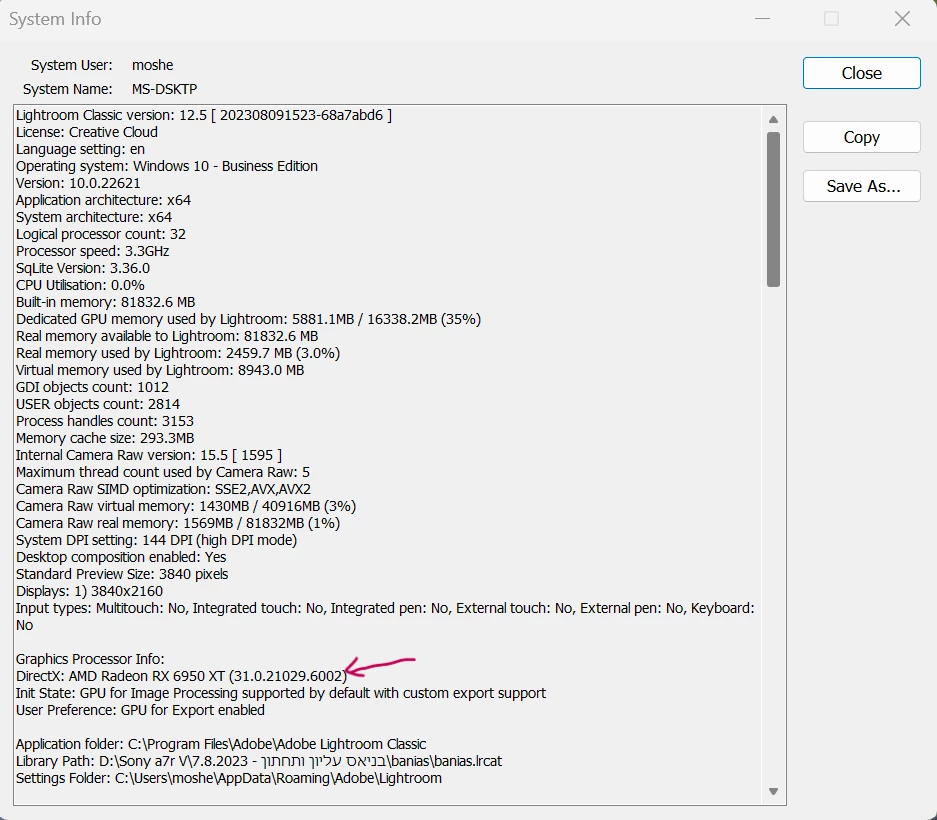
Under 'System info' it shows Lighroom is using DirectX (and not OpenGL).
If I disable 'Use GPU for image processing', and use my CPU for processing, I don't encounter freezing.
I have read that forcing Lightroom to use GPU with OpenGL instead of DirectX can possibly resolve this issue, but I couldn't find any way to change that setting under Windows (only Mac, using a modifies config.lua file).
Does anyone know how is it possible to change this setting? Any other suggestion will be appreciated.
Thank you.


 AdChoices