Brunno Piccoli
Participating Frequently
July 17, 2020
Question

from Lightroom to Photoshop/camera raw update problem

  • July 17, 2020
  • 9 replies
  • 693 views

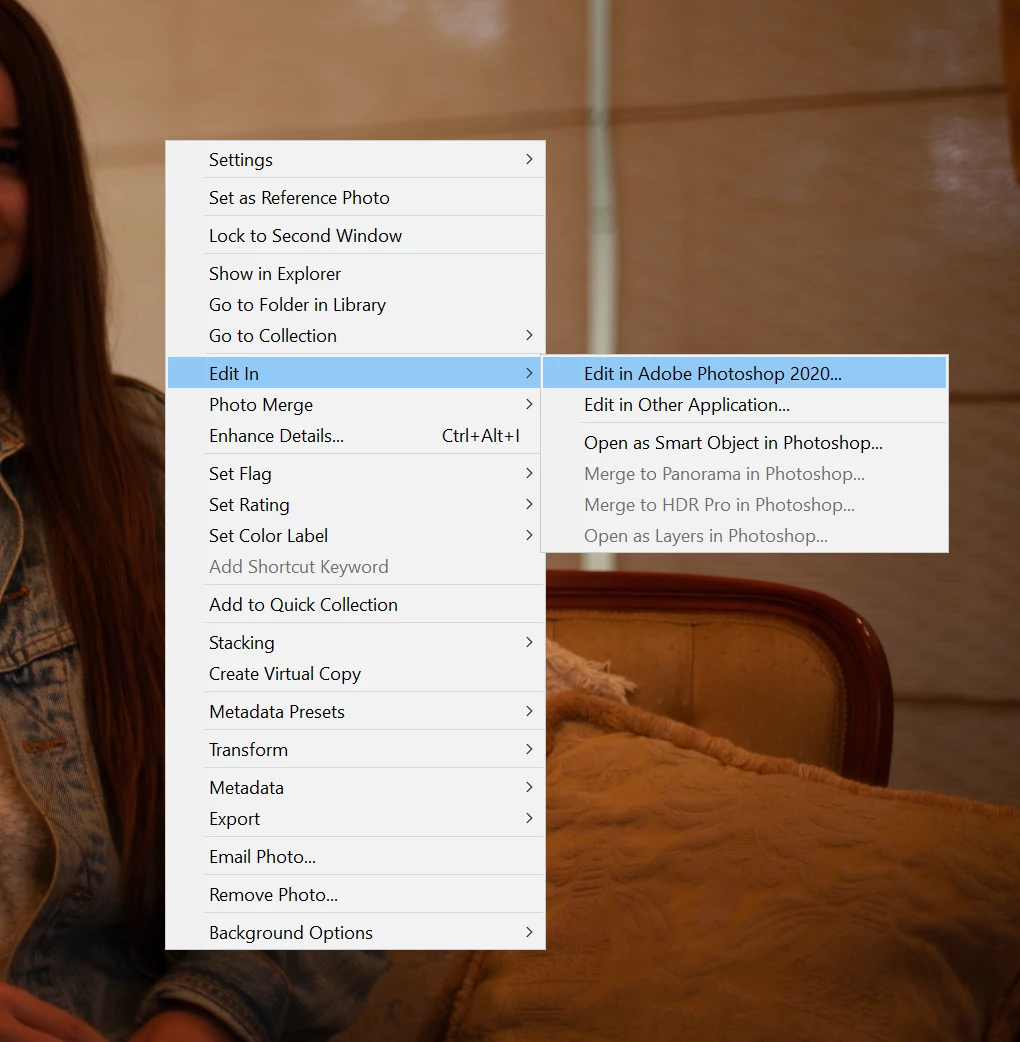
Hello guys, I'm having a problem when trying to get a picture from Lightroom to Photoshop.


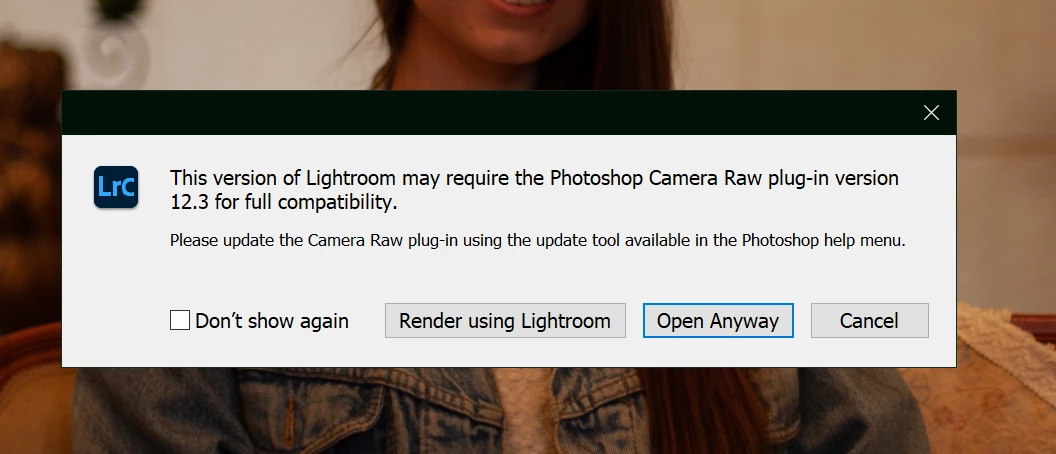
Whenever I select to "edit on photoshop" a pop-up screen appears saying that I don't have the latest Camera Raw version installed. But I do. I tried to uninstall everything, even deleting the Camera Raw plugin folder, and that did not solve it.


It's frustrating because after I edit the picture on Ps and send it back to Lr, my original color profile is gone, making the photo impossible to edit.


So I would appreciate it if someone helps me, thanks!


This topic has been closed for replies.

9 replies

Rob_Cullen
Community Expert
Community Expert
July 18, 2020

An annoyng problem, for sure!

I suggest it might need a full clean of all Adobe 'stuff' from your computer and re-install LrC and Ps (with ACR) all totally afresh.

Have your LrC catalog backed up then use the Adobe Creative Cloud Cleaner tool.

Creative Cloud Cleaner


Regards. My System: Windows-11, Lightroom-Classic 15.3, Photoshop 27.5, ACR 18.3, Lightroom 9.3, Lr-iOS 10.4.0, Bridge 16.0.3 .
DdeGannes
Community Expert
Community Expert
July 18, 2020

Only one other thought check your computer for instaled applications to see if you have more than one version of Photoshop installed. See the screen capture from my Mac.


Regards, Denis: iMac 27” mid-2015, macOS 11.7.10 Big Sur; 2TB SSD, 24 GB Ram, GPU 2 GB; LrC 12.5,; Lr 6.5, PS 24.7,; ACR 15.5,; (also Laptop Win 11, ver 24H2, LrC 15.3; PS 27.0; ) Camera Oly OM-D E-M1.
Brunno Piccoli
Participating Frequently
July 18, 2020

Just one version =/


I really need this function to work properly!


DdeGannes
Community Expert
Community Expert
July 17, 2020

Ok it may be possible that you have more than one version of LrC installed on your computer.

With the version of Lightroom that you are using and is presently opened select the option "About Lightroom Classic" and see what is displayed on the popup dialog.


Regards, Denis: iMac 27” mid-2015, macOS 11.7.10 Big Sur; 2TB SSD, 24 GB Ram, GPU 2 GB; LrC 12.5,; Lr 6.5, PS 24.7,; ACR 15.5,; (also Laptop Win 11, ver 24H2, LrC 15.3; PS 27.0; ) Camera Oly OM-D E-M1.
Brunno Piccoli
Participating Frequently
July 18, 2020

Brunno Piccoli
Participating Frequently
July 17, 2020

Yes, it is 9.3


Just Shoot Me
Legend
July 17, 2020

As said by DdeGannes it is not Camera RAW but your version of LrC. You are more than likely still at 9.2.1 and not 9.3.

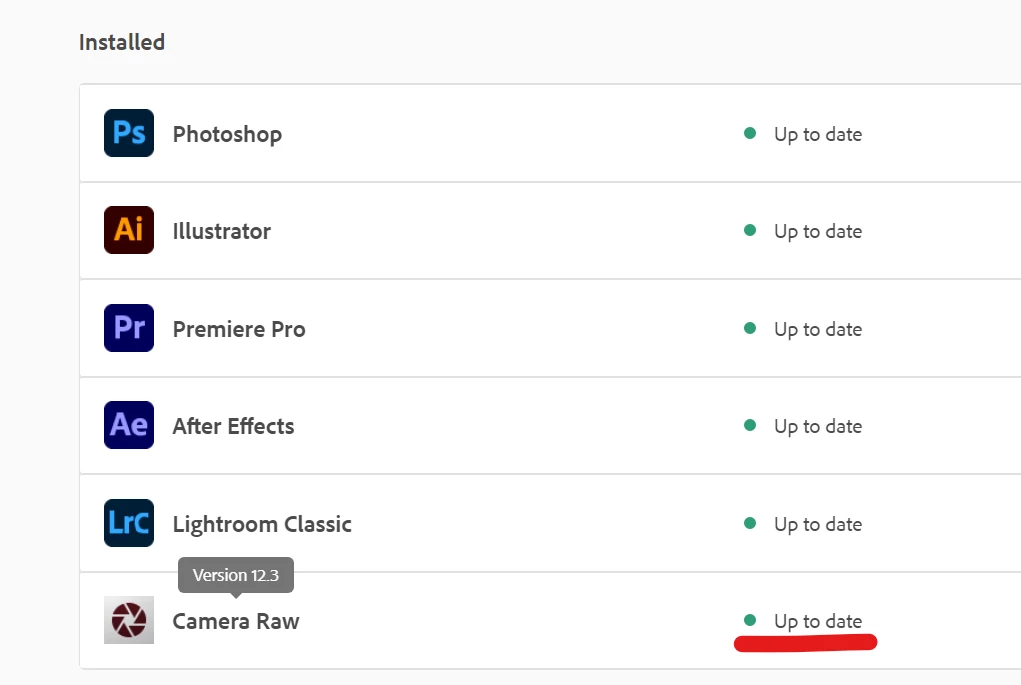
Not sure what you can do about that as the CC DTA states you are up to date. BUT you might have 2versions of LrC installed and you are opening the older version.

Brunno Piccoli
Participating Frequently
July 17, 2020

DdeGannes
Community Expert
Community Expert
July 17, 2020

The Adobe Creative Cloud app is showing that the Camera Raw Plugin in Photoshop is 12.3.

You need to ensure that you have LrC v9.3 installed and being used to send the file via Edit in function.


Regards, Denis: iMac 27” mid-2015, macOS 11.7.10 Big Sur; 2TB SSD, 24 GB Ram, GPU 2 GB; LrC 12.5,; Lr 6.5, PS 24.7,; ACR 15.5,; (also Laptop Win 11, ver 24H2, LrC 15.3; PS 27.0; ) Camera Oly OM-D E-M1.
Brunno Piccoli
Participating Frequently
July 17, 2020

It is 9.3

Brunno Piccoli
Participating Frequently
July 17, 2020

GoldingD
Legend
July 17, 2020

In PS, check your plugin info, looking to see what v of ACR it is using.


https://helpx.adobe.com/photoshop/kb/uptodate.html


Brunno Piccoli
Participating Frequently
July 17, 2020

Community Expert
July 17, 2020

>It's frustrating because after I edit the picture on Ps and send it back to Lr, my original color profile is gone, making the photo impossible to edit.


You should realise that when you edity a picture in Photoshop all the original Lightroom edits get rendered into a tiff file and you will not be able to go back on any of the edits you did before you sent it to Photoshop. This is inherent to the way Lightroom and camera raw work completely differently from Photoshop and cannot be prevented. You can in principle open the file in Photoshop as a smart object and then you can go back to your camera raw settings inside photoshop by clicking on the smart object but that limits what you can do in Photoshop.

JP Hess
Inspiring
July 17, 2020

Is there any chance that you have two versions of Camera Raw on your computer? That can confuse things.

Brunno Piccoli
Participating Frequently
July 17, 2020

Unfortunately no, just one version =/

Brunno Piccoli
Participating Frequently
July 17, 2020