
Participating Frequently
December 22, 2022
Answered

Frozen Grid view when clicking Library or Develop LR Classic Mac Ventura 13

  • December 22, 2022
  • 1 reply
  • 226 views

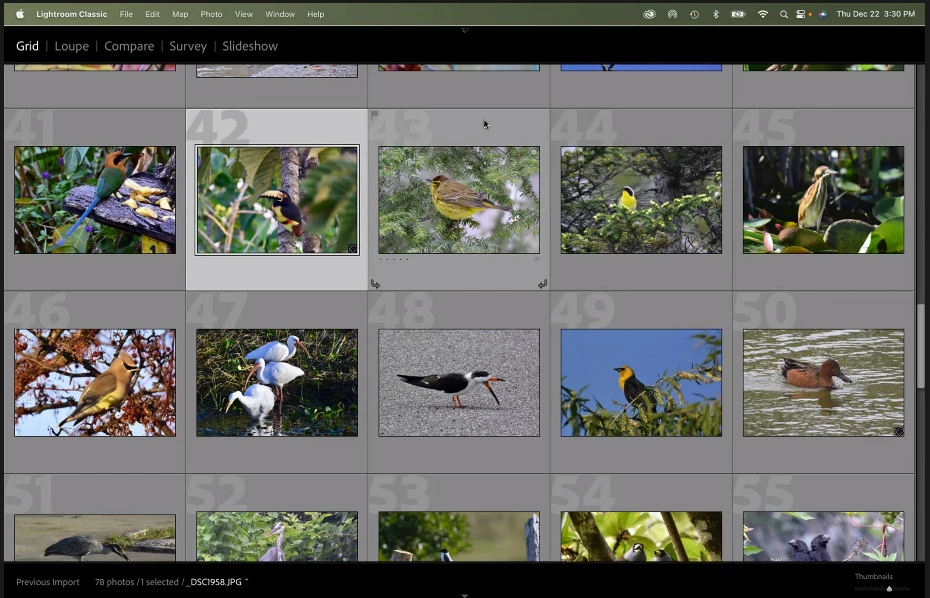
I installed LR Classic today on a Mac with Ventura 13 OS updated a few days ago.  The install went without problems. I imported some photos. When I click on the Library or the Develop or the Map module the grid view changes to the one in the image below.  Then the application is almost frozen. I can't double click on a picture.  If I click Help, Update, then the screen goes back to the normal LR view with the modules at the top. But if I click on one of the modules, I am again frozen in grid view.  I've never seen this screen in LR before. What is it called?  Is there a way to get to this screen in normal LR operations? To try to solve my problem, I've looked for any compatibility issues on Adobe web site, but there are none.  Any advice on how to solve this would be appreciated. 
This topic has been closed for replies.
Correct answer Ian Lyons

It looks like you've enabled the second display view or second window on a system with only one display. You should be able to return to single display/window using the KBSC combination Option+F11 (F11 being a function key).


Edited post to change Cmd to OPtion (silly me)

1 reply

Ian Lyons
Community Expert
Ian LyonsCommunity ExpertCorrect answer
Community Expert
December 22, 2022

It looks like you've enabled the second display view or second window on a system with only one display. You should be able to return to single display/window using the KBSC combination Option+F11 (F11 being a function key).


Edited post to change Cmd to OPtion (silly me)

Caton88Author
Participating Frequently
December 22, 2022

That was the problem. Thanks for solving it!