
Full Photos not being shown during import on Lightroom Classic (11.4.1)
After shooting a wedding and feeling confident after viewing my photos in Macbook's Finder, I initially jumped when I saw that in Lightroom Classic, all of my photos had their outside edges chopped off. I've been working as a photographer for the past 5 years now and have made plenty of mistakes in camera, but I'm sure now that this is either an accidental mixup with my preferences, or a bug with Lightroom's newest update. Regardless, I know my photos don't actually appear how they do in Lightroom. It is however, an inconvenience to my selection and editing process.
Attached are examples of my issue:
This is how the photo appears in Finder
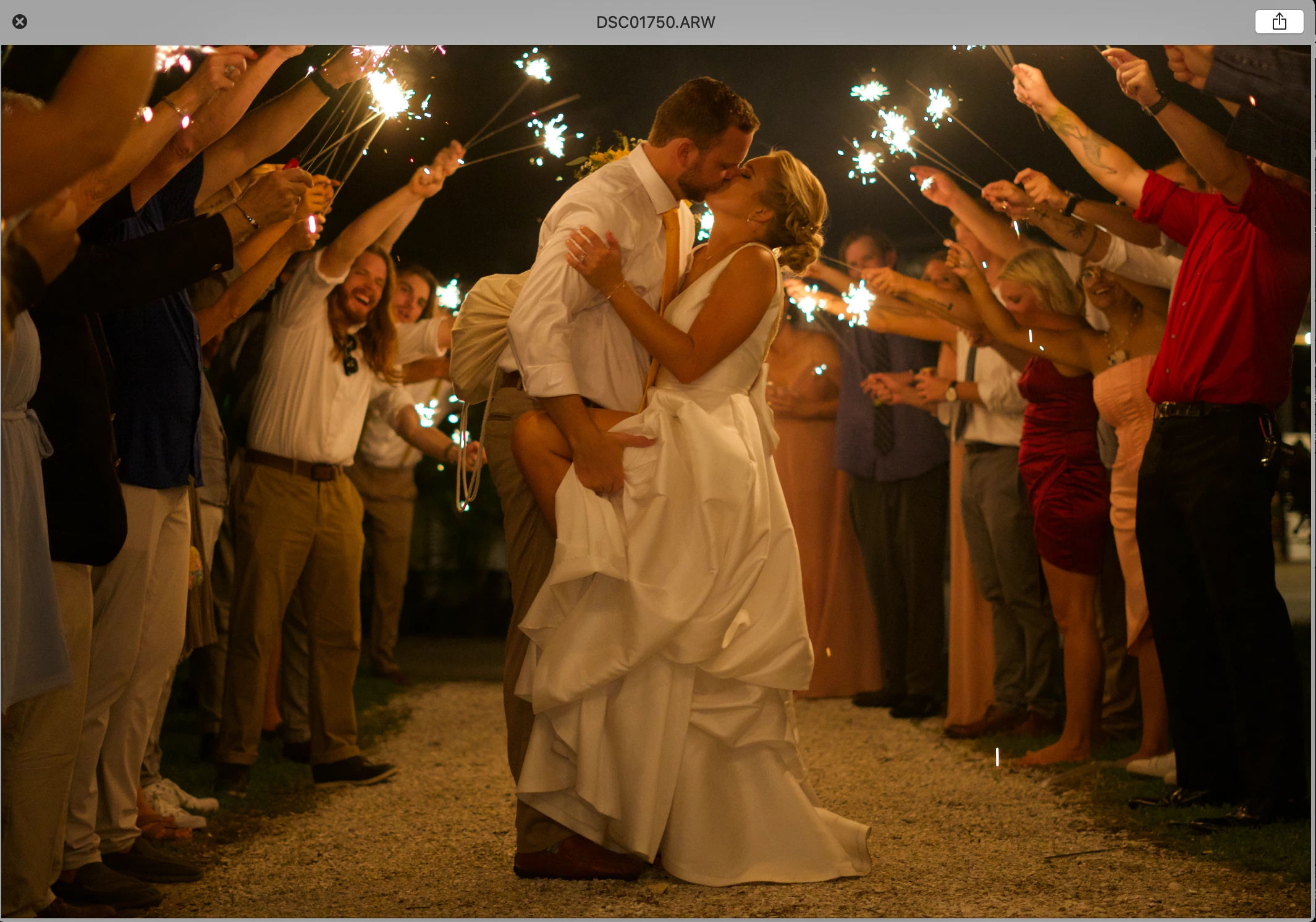 And this is how it appears in Lightroom
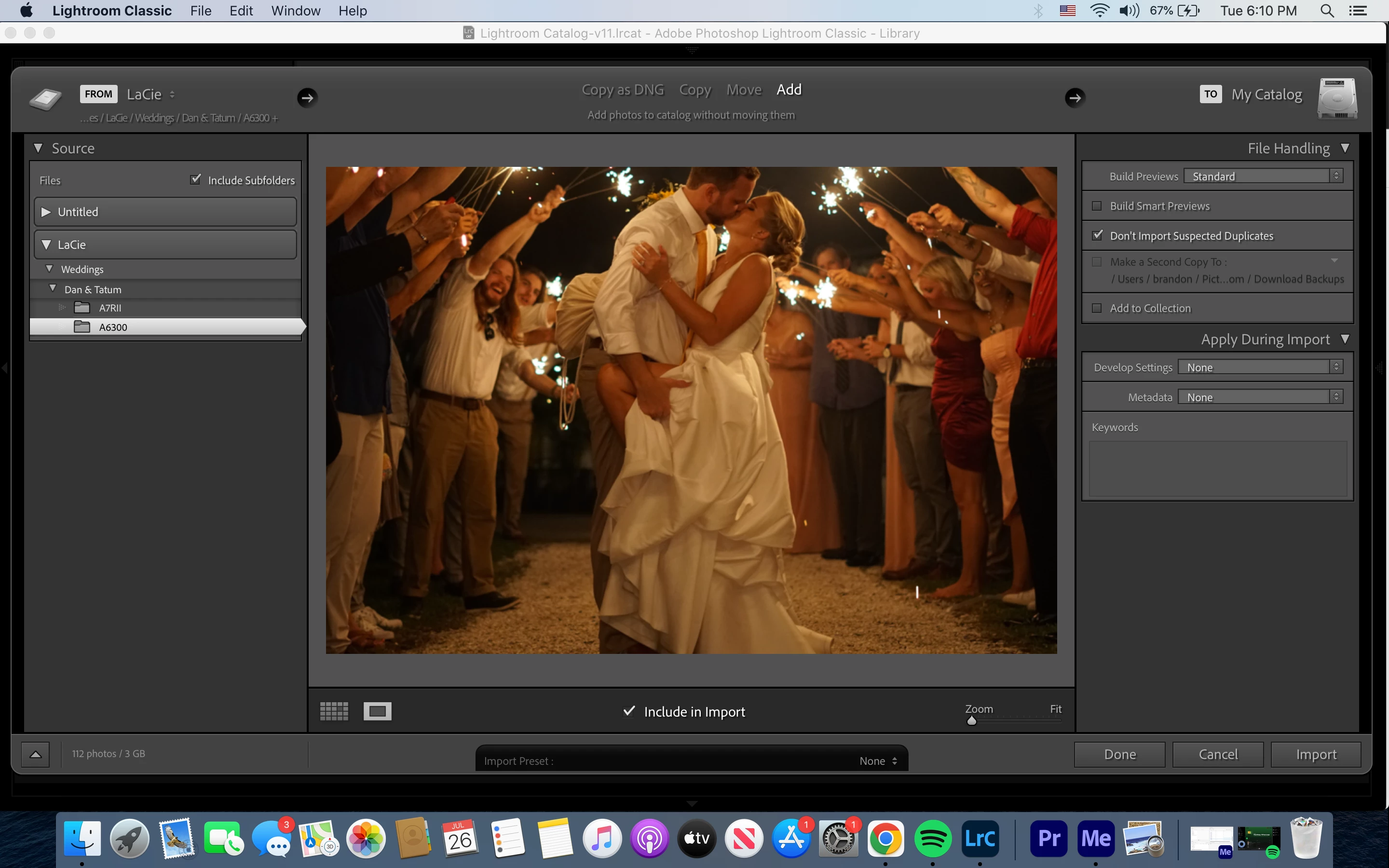
Any info or experience with this issue is greatly appreciated as I don't want to start my editing process by playing a guessing game!
Thanks
Brandon


 AdChoices