


Participant
April 6, 2026
Question

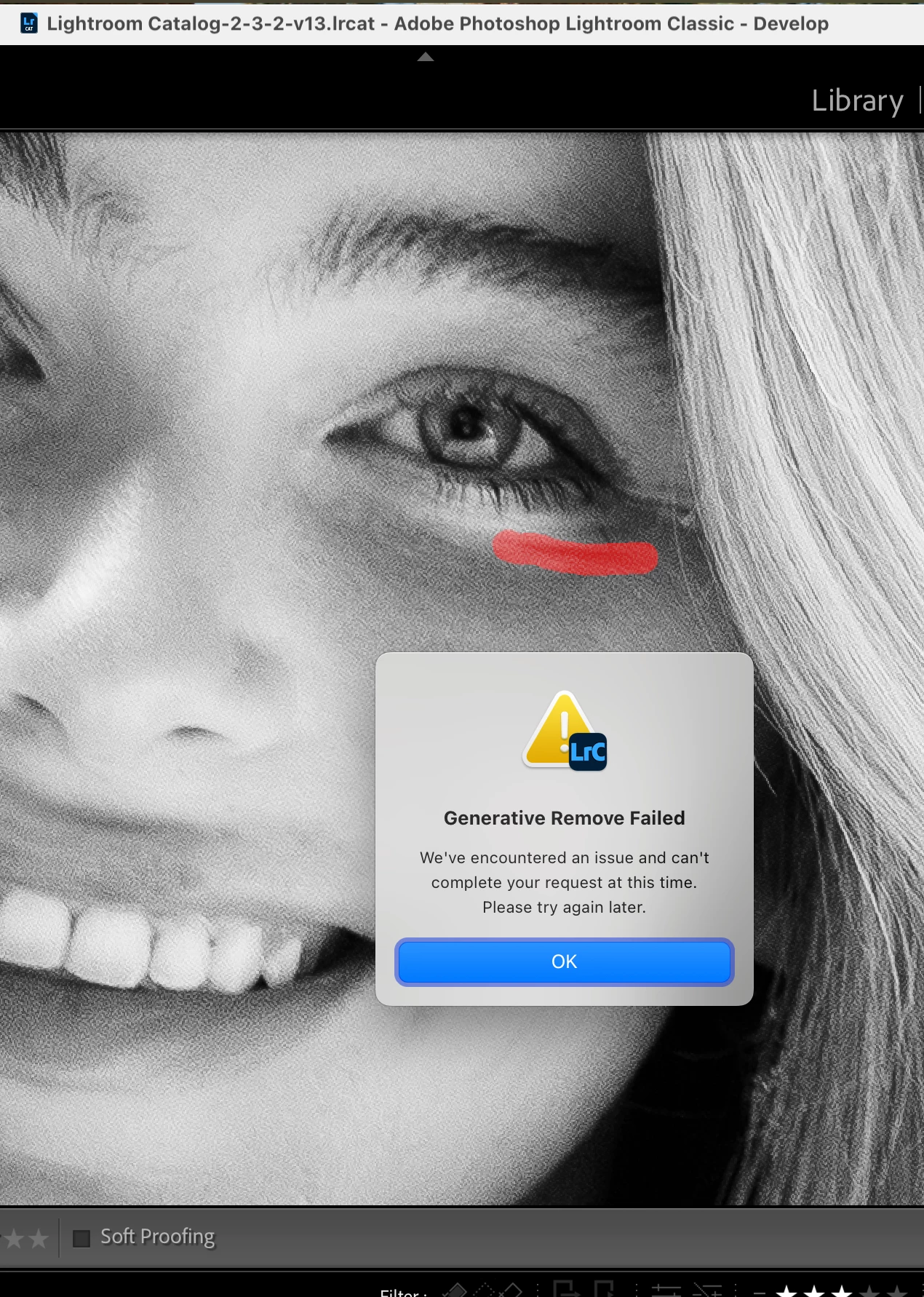
Generative Remove Failed

  • April 6, 2026
  • 2 replies
  • 65 views

Generative Remove Failed.

When I start working on an image on a new day/the following day, I get the “generative remove failed” prompt. It just stops working for whatever reason. I always have to restart my computer in order for it to start working properly again. My current workflow is on a 2023
MacBook Pro running macOS Sequoia Version 15.7.5

    2 replies

    johnrellis
    Legend
    April 8, 2026

    [View this post in your web browser. It contains formatting and images that don't appear in email.]


    That poorly written error message indicates an anti-malware package, a VPN, a firewall, a router, or a server somewhere on the network path between LR and Adobe's servers has incorrectly blocked the request/response from LR to Adobe's Firefly servers:
     
    "$$$/Clio/StatusCode/HTTP/Forbidden=We've encountered an issue and can't complete your request at this time. Please try again later."
     
    (This error corresponds to the HTTP 403 Forbidden error code.) 
     
    Try these troubleshooting steps:
     
    - Don't use a VPN to connect to the Internet.
     
    - Temporarily disable all the firewall/anti-virus/security services on your computer, including Microsoft Defender. If that solves the problem, then add a specific exclusion for LR to the services' rules.
     
    - Connect to another network, preferably one serviced by a different ISP. E.g. a Wifi connection of a neighbor, a coffee shop, work, or your phone's hotspot. Sometimes the routers in these networks block some of LR's requests, especially in authoritarian countries like China.

    dj_paige
    Legend
    April 6, 2026

    In Lightroom Classic, please go to Help->System Info and provide us with the information shown there.

    CMass
    Community Manager
    Community Manager
    April 6, 2026

    ​​​​​​+1 to ​@dj_paige request. We need more details about your system to get sense of what might be going on. Thank you. 

    ^CM