
Participant
Jan 14, 2025 8:25 AM UTC
Question

Generative remove leaves transparent artifact

Hi,

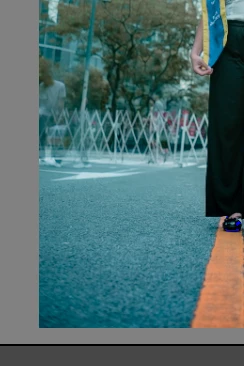
I am using Lightroom Classic to Edit my photos and everytime I am using GENERATIVE REMOVE it is not removing or changing the one I wanted instead it is just making it more transparent please see the picture below.
e 
 

[Moved from ‘Bugs’ to ‘Discussions’ by moderator, according to forum rules.]

3 replies

Ricky336
Community Expert
Community Expert
Jan 14, 2025 7:55 PM UTC

Another thing to be aware of is that if you have a red dot under the masking symbol when using AI masking, the mask needs to be updated.

So, if you have a transparent area, and the opacity slider is 100%, updating the AI mask will fix that problem.


Translate
Ricky336
Community Expert
Community Expert
Jan 14, 2025 8:14 PM UTC

This video by Julianne Kost might also be useful for you.

Generative Remove (Early Access) in Lightroom Classic v13.3!


Translate
JohanElzenga
Community Expert
Community Expert
Jan 14, 2025 10:33 AM UTC

Check the Opacity setting after you have removed. It should be 100%.


Translate
-- Johan W. Elzenga