Participating Frequently
August 28, 2018
Question

Getting duplicates when importing SD card to Classic after synced file already in library

  • August 28, 2018
  • 7 replies
  • 1543 views

When I import RAW files to Classic CC from an SD card on my desktop after the file has already been synced from LR CC iOS app, the import process does not identify the synced file as a duplicate.

I know this is convoluted. Here's my workflow.

1. I Import RAW from cam roll to "Lightroom CC" iOS app

2. Make luscious edits

3. File syncs to cloud

4. Open LR Classic CC on desktop

5. File syncs and I see the luscious edits

6. Import original RAW from SD card (I DO have "Don't import selected dupicates" checked)

7. I get duplicates

Some info:

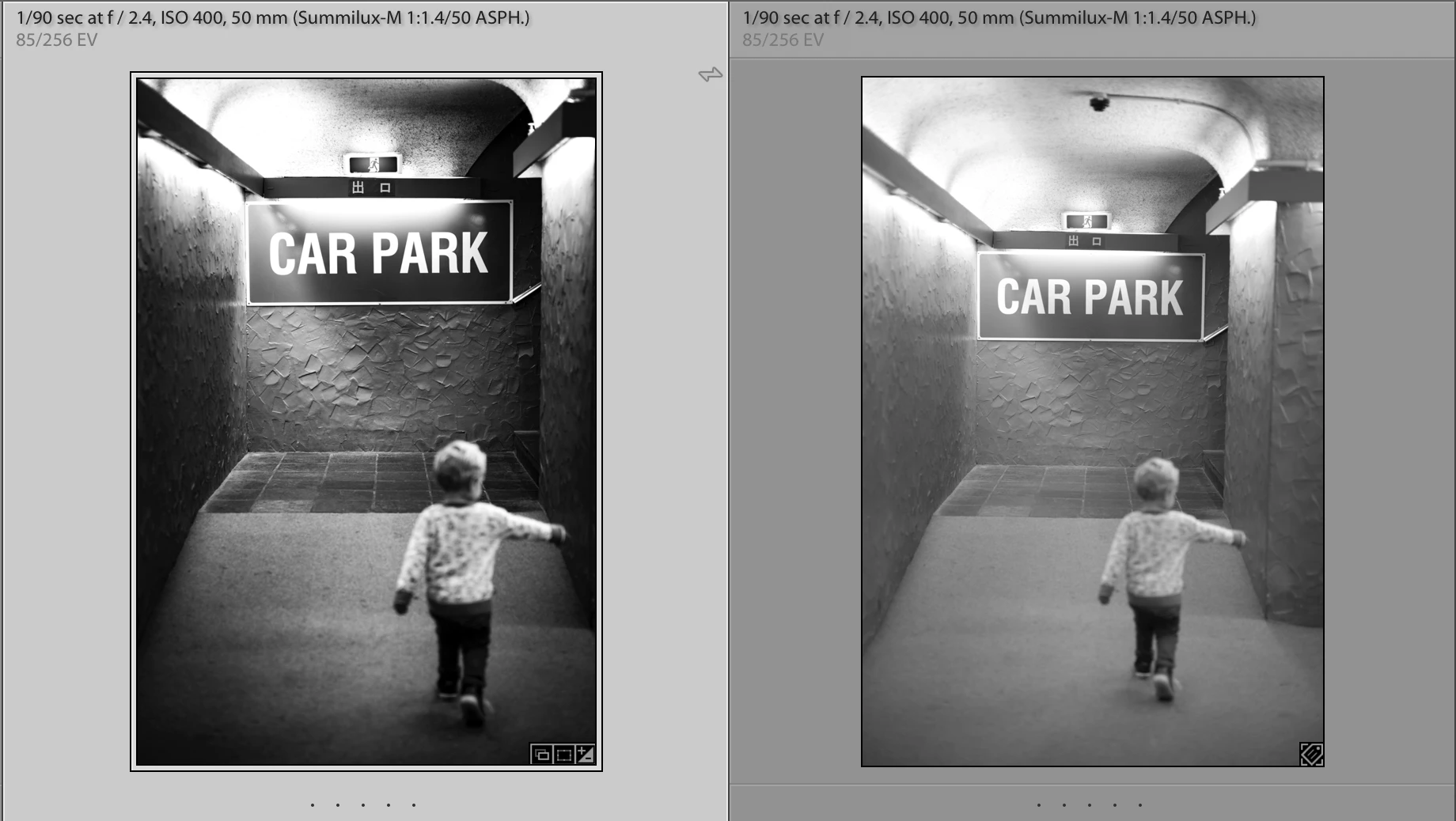
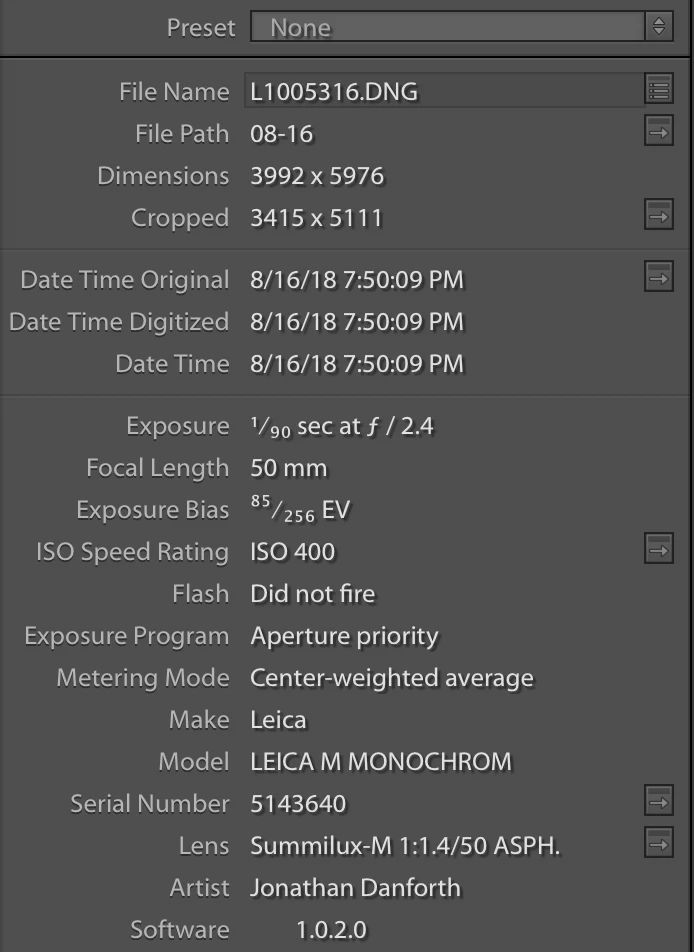
  • The EXIF data are identical except for the cropped image size.
  • I am importing the RAW from the SD card because when in the field I only import and edit select shots, not the whole card. On the import screen I don't see the typical greyed-out thumbnails I see if the images came from a previous SD card import.
  • The file names are identical because they are in different folders
  • The preference "Use subfolders formatted by capture date" in the "Lightroom Sync" tab is set to a different format than I use for SD cards (for no good reason)
  • Even if I make the subfolder format mentioned above identical the duplicates still show up. Lightroom just appends a "-1" to the file name and stuffs it in the same folder
This topic has been closed for replies.

7 replies

Rikk Flohr_Photography
Community Manager
Community Manager
August 29, 2023

You’ve posted to a very old thread. It is highly unlikely that the issue described in this thread, though not impossible, is the same issue which you are currently experiencing. Rather than resurrect an old thread that is seemingly similar, you are better posting to a new thread with fresh, complete information including system information, a complete description of the problem and step-by-step instructions for reproduction. 


In the unlikely event the issue is the same, we will merge you back into the appropriate location. 


Thank you!


Rikk Flohr: Adobe Photography Org
Participant
August 29, 2023

Here we are, half way thru 2021.  Still getting duplicates EVERY TIME I load images from my OM1 SD card.  Have to manually select EACH DUPLICATE and then delete before starting to edit.


Come on!  Please Adobe, fix this bug.  It happens EVERY TME I upload from my SD card.  Thank you.

Participant
August 29, 2023

... 2022

DdeGannes
Community Expert
Community Expert
January 3, 2023

Just a thought out of the box.

Is the DNG file created by the camera?

If so when the importing to LrC was the Copy or Copy as DNG option used?


Regards, Denis: iMac 27” mid-2015, macOS 11.7.10 Big Sur; 2TB SSD, 24 GB Ram, GPU 2 GB; LrC 12.5,; Lr 6.5, PS 24.7,; ACR 15.5,; (also Laptop Win 11, ver 24H2, LrC 15.0.1, PS 27.0; ) Camera Oly OM-D E-M1.
Community Expert
October 10, 2018

This is an issue I run into all the time. I think you are right that it is the creation date issue that causes the inability to recognize duplicates. In general Lightroom is REALLY bad at recognizing duplicates. For example, for me it doesn't recognize duplicates if I use the exact same card in a different card reader. It has never worked right for raw files I imported to an iPad and synced over CC to Classic. If I later insert the card in my card reader to download those images I didn't choose to download on the iPad it creates duplicates for everything. Very annoying.

Participating Frequently
January 4, 2020

edit: oops, didn't mean to reply to you directly.


It's now 2020 and I'm still having the exact same problem. Really, Adobe? Is there no hope to answering this? All I can figure out to do is to just delete the images that I've imported on mobile. I might as well just delete the stupid mobile app. Any changes I make aren't visible in my adjustment history when synced to Classic CC and the duplicate import issue still remains.

Participating Frequently
January 3, 2023

@stunning_Fireball15C2 @Jao vdL  have either of you figured anything out? I'm running into this exact issue now and it's such a pain to sort it out each time.

Participating Frequently
October 9, 2018

Plot thickens?

I am still jerking around with this and noticed that the two files have different dates. The "-2" file (imported via SD card to Lightroom Classic CC on laptop is shown to have the correct creation date, 9/12/2018. The other version (imported to iPad in-field and subsequently synced to the laptop) has the wrong creation date. Instead, it is showing the date that Lightroom Classic CC first synced with the cloud.

Participating Frequently
September 16, 2018

I'm still experiencing this problem. I thought that maybe I had it sorted out but no. I just returned from another trip and upon getting back to my desktop I've found that Lightroom Classic doesn't acknowledge the existence of files that were imported from LR Mobile CC on my iPad.

The following screenshot shows two files - the same image. The one on the right was synced from LR Mobile CC at 11:27am. It has my edits. The one on the left was imported at 1:05PM from my SD card. It does not have my edits (as you would expect).

  • The files are the same size
  • The files are the same dimension
  • The files were imported into the SAME FOLDER - they have identical paths!
  • The file imported from SD card was renamed to add a "-2" suffix by Lightroom upon import
  • "Don't Import Suspected Duplicates" was checked

This is so frustrating! What am I doing wrong?!

Tony_See
Inspiring
August 28, 2018

Sometimes a camera has its file storage system set to create duplicates on the 2 SD cards (if thats what you have) and LR only detects a single source when importing and does not see the two cards as duplicates . . .

Could that be the case?

Participating Frequently
August 28, 2018

Oh, that is interesting but this camera only has a single SD slot.