Participant
April 15, 2024
Answered

Glitched Photo in LRc

  • April 15, 2024
  • 1 reply
  • 474 views

Hello,


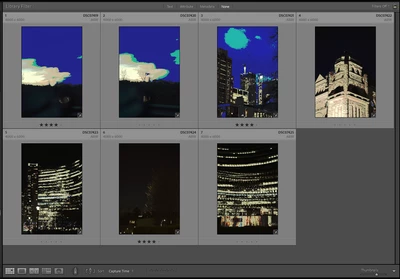
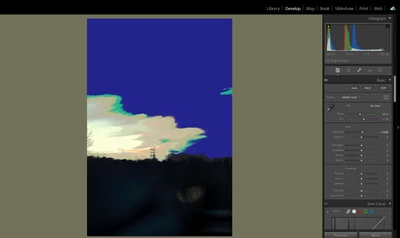
I've been using LRc for a year and have never had any issues. However, after I imported all the photos I took today and opened LRc, all previews were glitched, including all the previously edited photos. When I entered the develop mode, the image was still glitched, and I had no idea how to fix it. 

I double-checked that all my photo files were fine, the app was up to date, and nothing was wrong. 


Would someone be able to help?


This is what I see in the preview:


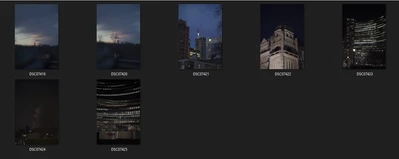
Opposed to how they show in the file explorer:


They are all glitched in development mode:


This topic has been closed for replies.
Correct answer JohanElzenga

Go to Preferences - Performance and turn off the use of the GPU. Does that solve it?

Another possibility is that your monitor profile is corrupted.


1 reply

Participant
April 15, 2024

My histogram and color grading panel also looks super funny. Please help, deadline coming up. 


JohanElzenga
Community Expert
JohanElzengaCommunity ExpertCorrect answer
Community Expert
April 15, 2024

Go to Preferences - Performance and turn off the use of the GPU. Does that solve it?

Another possibility is that your monitor profile is corrupted.


-- Johan W. Elzenga
Participant
April 15, 2024

Hi Johan,


You are a life saver, I really appreciate you!


It turned out that I used DisplayCAL to calibrate my monitor the other day and that was the cause. I removed the calibration file and LRc works well after restart! 


You are definitely the best expert here and I hope you have a great day!