Known Participant
January 5, 2023
Question

Global "Blacks" adjustment recovers details. Masking Brush "Blacks" adjustment does not. Workaround?

  • January 5, 2023
  • 5 replies
  • 534 views

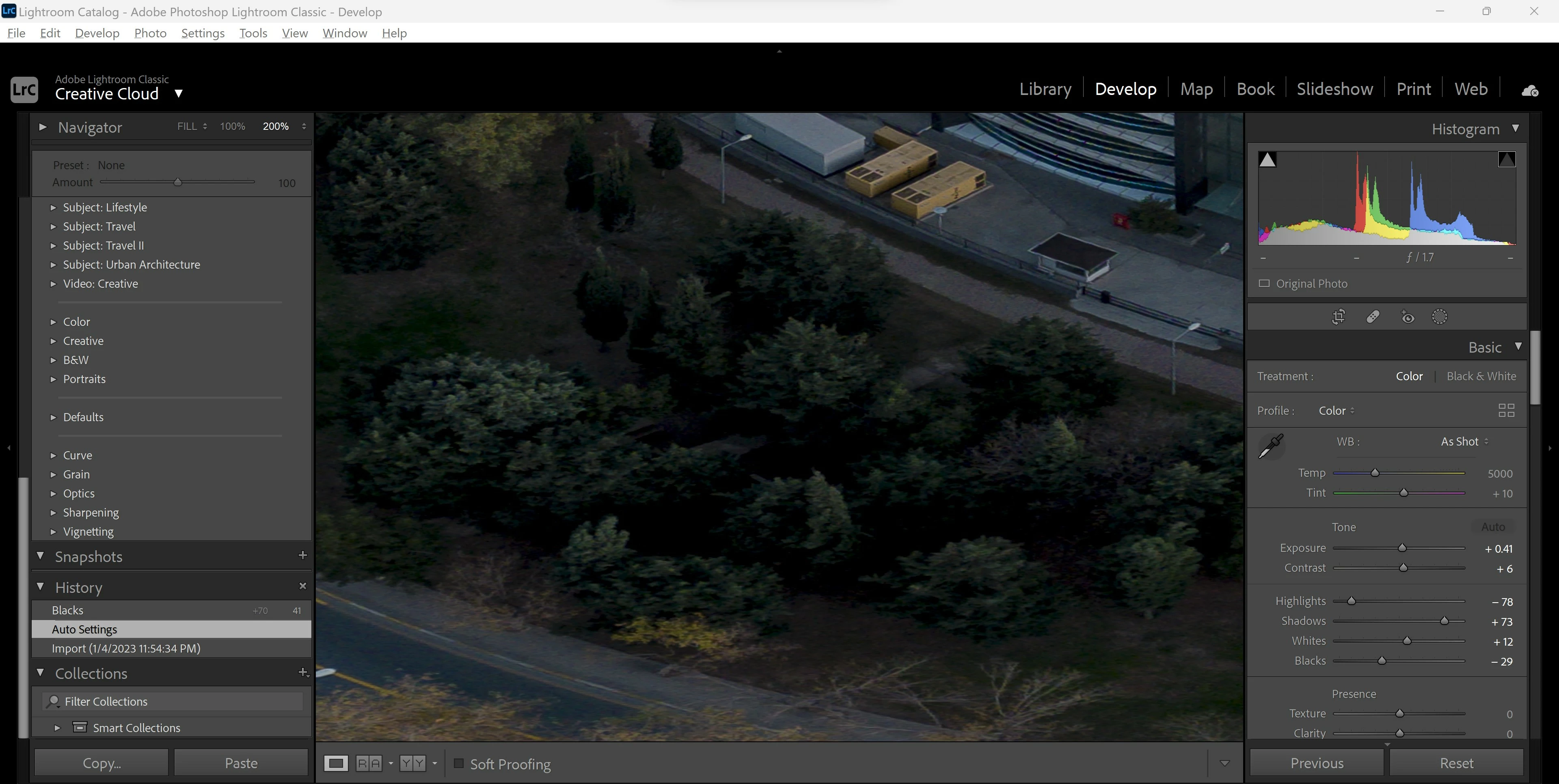
This is the original:


When I increase the Blacks globally I get details back within the shadows of the trees. But I don't want this Blacks adjustment to apply globally - I just want it in the tree area.
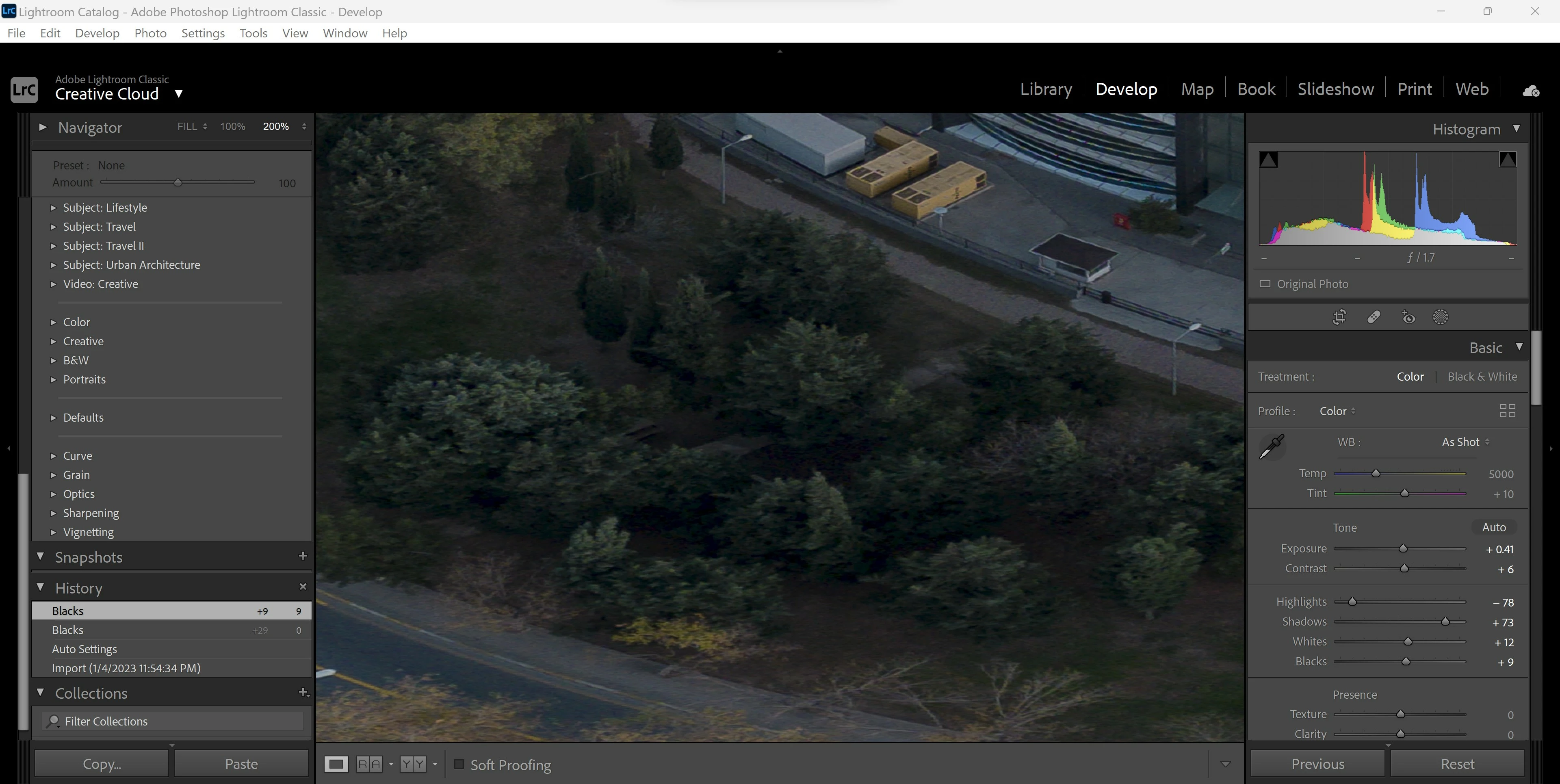


So I use an adjustment brush to mask just the trees, but the Blacks adjustment with a masking brush works *completely* differently to the Global Blacks adjustment. When I increase the Blacks with the masking brush it doesn't recover any details - all it seems to do is increase the black point.
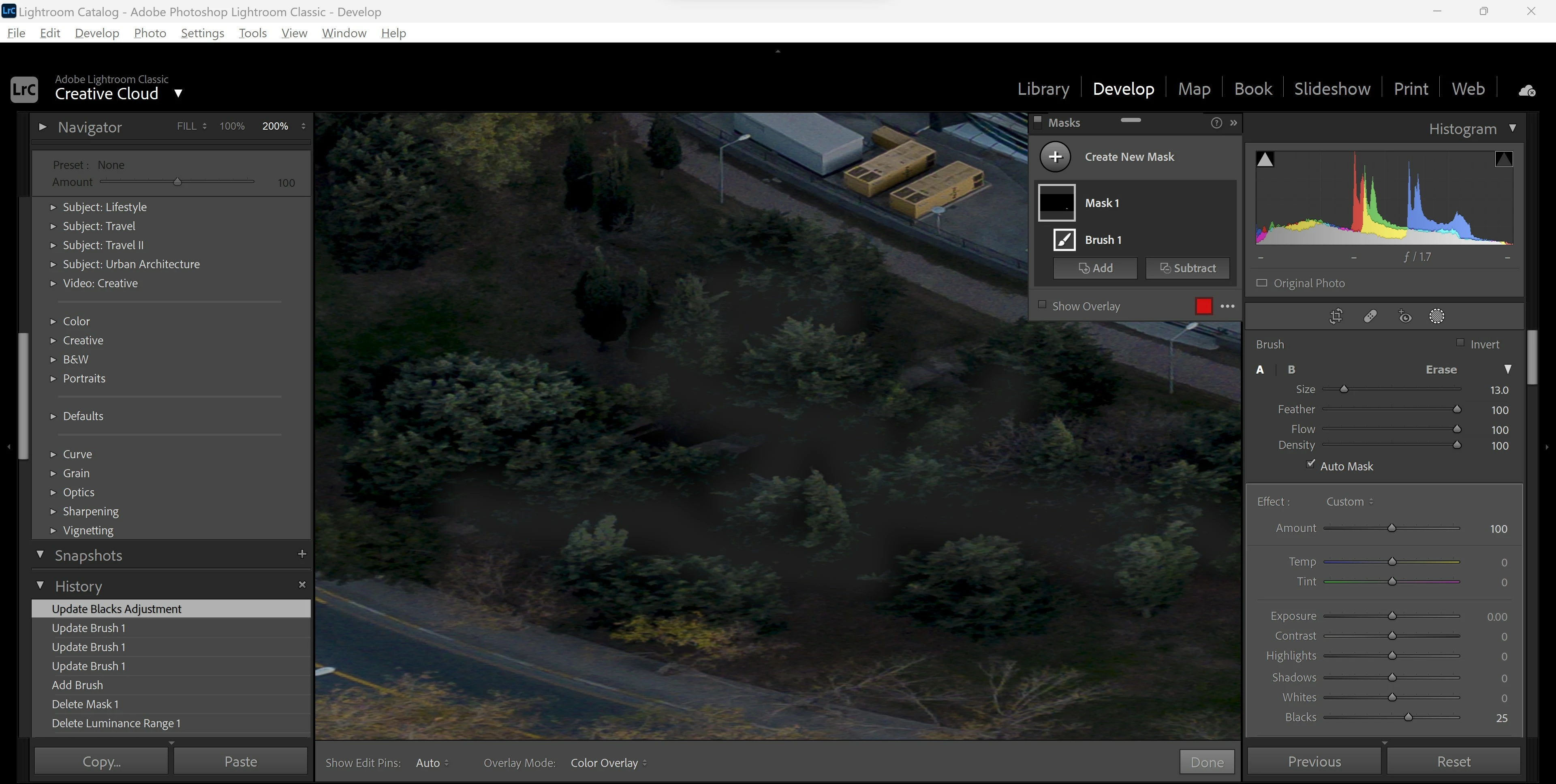


Is there any workaround to this in LR Classic?


I want an adjustment brush that works the same way as the global adjustments, but in a brush form.

This topic has been closed for replies.

5 replies

Rikk Flohr_Photography
Community Manager
Community Manager
January 5, 2023

This is expected behavior. I've confirmed with the CR team.


Global and Local Blacks are different controls and will yield a different result if you attempt to use them as equivelent. 

Recommended workflow is to perform Global adjustments to get close and then finetune with a local tool.  Use Clipping overlays where appropriate to confirm endpoints. 

Rikk Flohr: Adobe Photography Org
Community Expert
January 7, 2023

That's a pity. The local adjustments should really work like as if you are applying a layer adjustment and brushing in a top layer with different camera raw settings. I just ran into this exact issue and the local adjustments with blacks and whites give very ugly results. The global adjustments look good with similar values but what I am almost forced to do in a few cases is create two versions of an image and open in layers in Photoshop and brush a mask as the local adjustments just don't look as good. Granted this is only a problem for a very few images that need that strong adjustments.

Bob Somrak
Legend
January 5, 2023

This looks like a Bug or at least poor and unexpected behavior when using Local Blacks and Whites.  Global adjustments are "Content Aware" but Locals are not but this does not explain this poor behavior.  It almost makes the Local Whites and Black useless unless you go though some of the suggested workarounds (gyrations) which should not be necessary


I placed a Linear Gradient outside of the image so the Linear covered the Whole image.  Here is the Histogram.


I then used the Local Blacks at 74 and the Black pixels are gone!   Makes the image look terrible

I then reset the Local Blacks and use the Global Blacks. Histogram is totally different.


This HUGE difference in operation of Local and Global only appears to happen with Black and Whites.  This behavior in unexpected and makes the Local Blacks and Whites useless unless you go through a bunch of masking gyrations.


M4 Pro Mac Mini. 48GB
Community Expert
January 6, 2023

So far as local Blacks and Whites being "useless": if you can conceive of these as "limit-setting" rather than as "influencing" adjustments, things make a little more intuitive sense IMO.


Analogy: say you set a maximum of $10 to go into an envelope: imposing a second maximum of $20 would not change this situation: since $10 would remain the governing figure. But if the second maximum was $5 instead, then that would become the new governing figure.


Under that conception, a (low) local Blacks setting might be expected to  further crush blacks beyond what the (higher) global parameter would otherwise do - but a (higher) local setting would not be expected to prevent blacks from being crushed anyway, if the global adjustment was set lower than that. 


Shadows and Highlights operate in a very different way, AFAICT. The local setting working more in effect like a multiplying factor, which pre-adjusts the input that the global settings work on. That is how a local Highlights adjustment can truly recover light detail in certain areas, that if left alone, the global Basic panel would otherwise have clipped to white.

Bob Somrak
Legend
January 6, 2023

My example of the histogram using a FULL photo Local adjustments using a Linear Grad and a Global were separate adjustments with the corresponding Global/Local adjustments being zeroed.  I didn't post photos but the results were similar to the OPs.  The Global Blacks/Whites work very well but the Locals break down very quickly and in general produced horrible results on several photos I tested.  As this is As-Designed I would have to say it was designed poorly.  They are not useless but would be a lot more useful if they worked in a similar way to the Globals.  I haven't used these tools very much anyway as they have seldom worked well for me.   

M4 Pro Mac Mini. 48GB
dj_paige
Legend
January 5, 2023

Use the global sliders to get the trees looking the way you want, then brush the trees and then invert mask (so it has selected the non-tree area) and adjust the non-trees using the masking sliders.

JohanElzenga
Community Expert
Community Expert
January 5, 2023

If you just brush the shadows, then you can use any slider to brighten the shadows, even Exposure.


BTW, I noticed you have Auto Masking turned on. That may explain why the brush does not work as expected. You are not brushing the entire area, but just pixels with a certain brightness and color. Turn if off and the brush will probably behave more as expected.


-- Johan W. Elzenga
Community Expert
January 5, 2023

Good spot, shadows noisiness will not play well with Automask.


Personally, I use the Blacks slider to manage what extent of shadow areas should chop fully off to black, so not so much for managing usable areas of detail. I do recommend Shadows adjustment by preference - or Exposure - for that purpose. 


If you want to apply your adjustment onto the darkest tones only, you can use a tone-range type of selection directly. Then to localise this you can intersect a second, brush type selection within the same Mask - and paint in on that, loosely, just those general parts of the picture within which this chosen tone range is to receive adjustment.

Per Berntsen
Community Expert
Community Expert
January 5, 2023

I get similar results when using a Blacks brush, don't know why this happens, possibly a bug.

But using a brush with a Shadows adjustment may produce the results you want, perhaps combined with other adjustments, like Contrast or Clarity.