Participant
August 15, 2019
Answered

GPU Acceleration

  • August 15, 2019
  • 5 replies
  • 1504 views

Trying to enable GPU Acceleration however this is what I am getting.
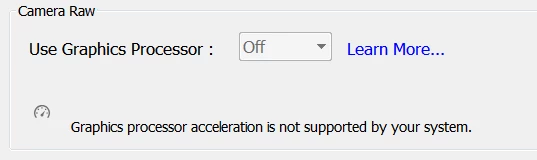
I went over the minimum requirements for it and everything and couldn't figure it out. So please let me know where I went wrong. Or if I am reading all this wrong lol.

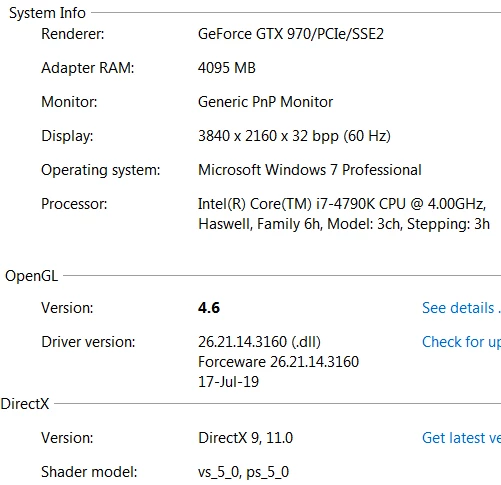
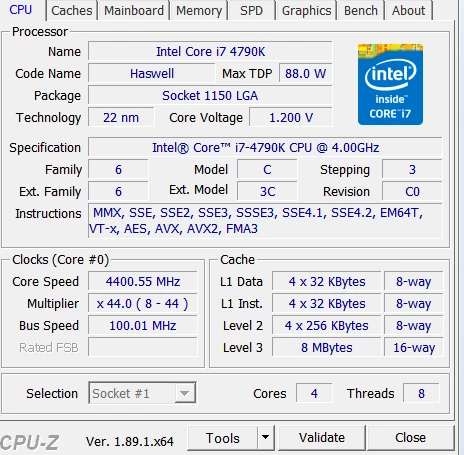
Here's all the info.
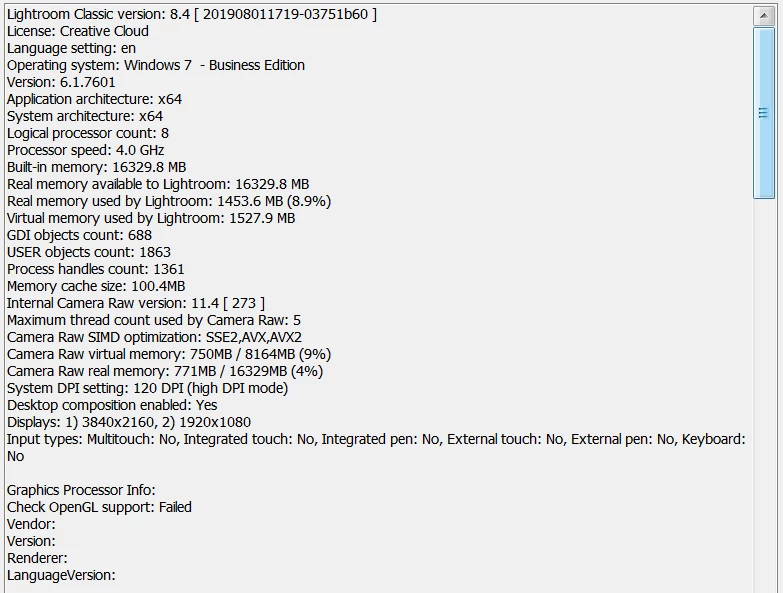
Thanks in advanced!

This topic has been closed for replies.
Correct answer GoldingD

As of about 2 and a half hours ago, officially a known issue. See comment by simonsaith, currently at the end of:

No Graphics Acceleration v8.4

simonsaith  wrote

Thanks all for help troubleshooting and providing the log files to us. At this point, we can confirm that if your OS, GPU card and driver version does not support the DirectX 12/Metal, then the OpenGL based GPU acceleration fallback is no longer available in the latest LrClassic 8.4 release (also applies to ACR 11.4, LrCC 2.4). Although this is recognized as a bug, but the team has planned to drop OpenGL support in the next release. The reason is that some OS vendors have make it public that they will deprecate the OpenGL API soon.

Practically, this typically means the bug will show up if you have a Windows 7 OS and/or older version of GPU card or driver. There is currently no known workaround for the bug. The team is investigating possible temporary relief. For the long term, customers are strongly recommended to consider updating your machine to the latest Windows and macOS and GPU drivers to take advantage of the possible GPU performance gain.

5 replies

Participant
August 15, 2019

Thanks all for the help. I'm in the process of a new build anyway so I guess I just gotta wait til my parts come together.

andrewc2813953
Participant
August 15, 2019

I have identical issue, but with Intel 4600 graphics on i7

LR 8.3.x worked ok with the GPU, and latest PS works fine too.

Not sure I can see too much performance reduction. What functions will get 'hit' the most??

F. McLion
Community Expert
Community Expert
August 15, 2019

Yup, AFAIK you need support for DirectX12 which is only given by later GPU/Driver and Windows 10.

--- Got your issue resolved? Please label the response as 'Correct Answer' to help your fellow community members find a solution to similar problems. ---
Community Expert
August 15, 2019

Pretty sure you need Windows 10 or mac os X Mojave to get full acceleration. It will rarely work in windows 7.

GoldingD
GoldingDCorrect answer
Legend
August 15, 2019

As of about 2 and a half hours ago, officially a known issue. See comment by simonsaith, currently at the end of:

No Graphics Acceleration v8.4

simonsaith  wrote

Thanks all for help troubleshooting and providing the log files to us. At this point, we can confirm that if your OS, GPU card and driver version does not support the DirectX 12/Metal, then the OpenGL based GPU acceleration fallback is no longer available in the latest LrClassic 8.4 release (also applies to ACR 11.4, LrCC 2.4). Although this is recognized as a bug, but the team has planned to drop OpenGL support in the next release. The reason is that some OS vendors have make it public that they will deprecate the OpenGL API soon.

Practically, this typically means the bug will show up if you have a Windows 7 OS and/or older version of GPU card or driver. There is currently no known workaround for the bug. The team is investigating possible temporary relief. For the long term, customers are strongly recommended to consider updating your machine to the latest Windows and macOS and GPU drivers to take advantage of the possible GPU performance gain.

Inspiring
December 28, 2021

I have the same issue as the orignal poster has/had. But my system is up to date, dx12 compatible (has that one running), yet I cannot activate gpu acc. Any help?


dj_paige
Legend
December 28, 2021
quote

I have the same issue as the orignal poster has/had. But my system is up to date, dx12 compatible (has that one running), yet I cannot activate gpu acc. Any help?


By @Blue224210386tk9


I see you have started a new thread on this, so please, do not continue your discussion here, use the other thread.