
Participant
December 4, 2024
Answered

GPU problems with MacBook Pro in Lightroom Classic

  • December 4, 2024
  • 2 replies
  • 1292 views

Recently, Lightroom has become unusable for me due to GPU-related issues. Images in the Develop module appear dark and green. Even the image background, which should be gray, is green. The photo shows drill bits photographed against a white background.
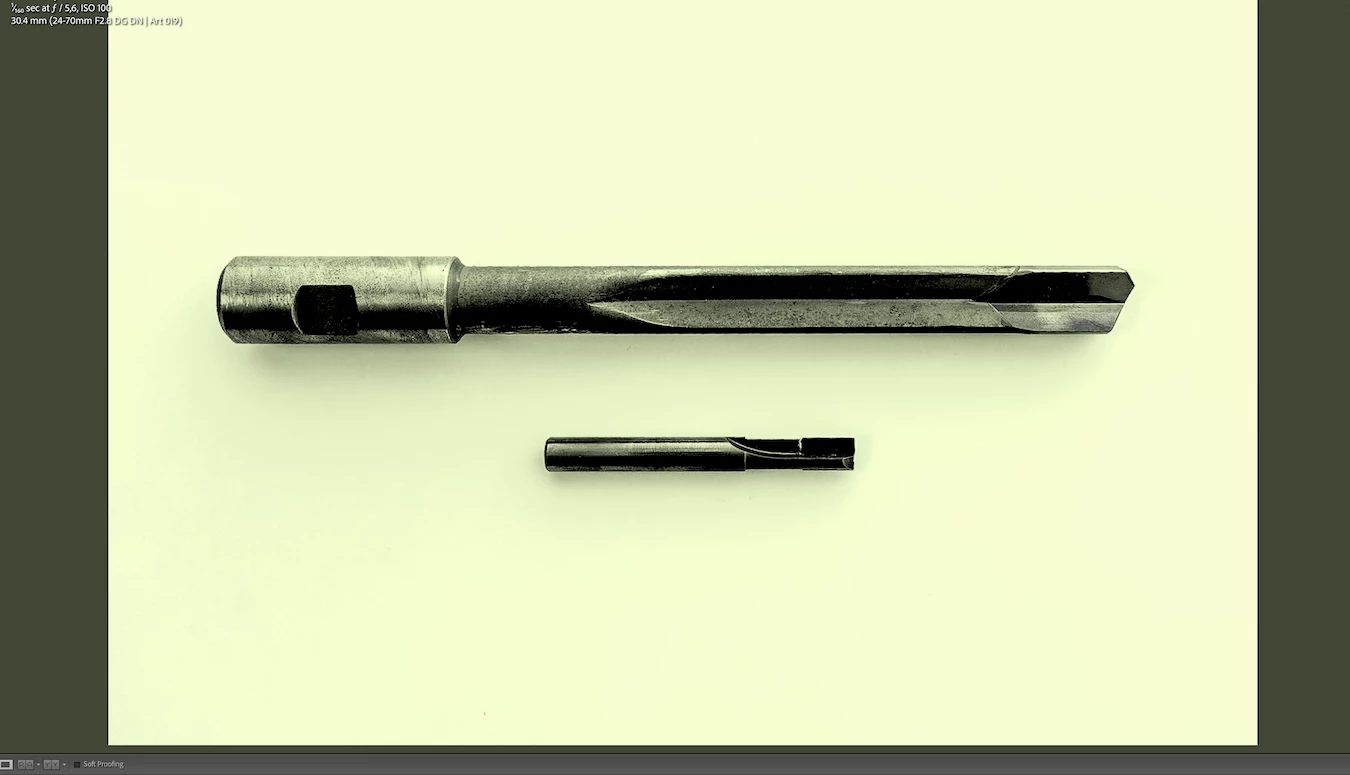
 

The only solution I've found is to set Graphics Processing to OFF. However, this makes switching images in the Develop module unbearably slow.


I've gone through Adobe's Troubleshoot graphics processor (GPU) and graphics driver issues article, but it hasn’t helped. I also just picked up my MacBook from Apple service, where diagnostics showed no issues.

Has anyone experienced a similar problem, and how did you resolve it?


Specs: MacBook Pro 16-inch 2019, I9, 32GB, Radeon Pro 5500M 8 GB, Sequoia 15.1.1 

This topic has been closed for replies.
Correct answer johnrellis

Quickly test whether there's a corrupt or incompatible display profile assigned to the display that LR doesn't like when the GPU is enabled:

https://www.lightroomqueen.com/how-do-i-change-my-monitor-profile-to-check-whether-its-corrupted/


This helped someone else  with very similar symptoms on an Intel Mac with and AMD GPU (whose drivers have been causing grief for many, many LR users in the last 9 months):

https://community.adobe.com/t5/lightroom-classic-discussions/green-pictures-in-develop-mode/m-p/14986500

2 replies

Community Expert
December 5, 2024

If the above advice to check for a bad monitor profile doesn't fix your problem, you should be aware that there is a major bug in the GPU driver for your GPU introduced with Sequoia. Apple needs to fix this but it is unlikely they will ever fix it unfortunately. Many people with older intel macs are hit by this. Only remedy is to turn off all GPU acceleration except for "Use GPU for display" (use custom GPU settings to see this). You can also revert to an earlier Mac OS version but that is quite hard to achieve.   

Participant
December 5, 2024

I believe the problems started even before installing Sequoia, but I might be misremembering. Is there any way to test if Sequoia’s GPU bug is affecting my machine? As I mentioned, I’m also experiencing GPU-related issues with other programs, and it would be great to investigate this further.

Community Expert
December 5, 2024

The issue causes blocky and weird colored artefacts to appear in exported images and in Library previews. If you don't see those, you're probably fine. The issue seems to happen when the GPU runs out of memory and is most prevalent on machines with small memory GPUs.

johnrellis
johnrellisCorrect answer
Legend
December 5, 2024

Quickly test whether there's a corrupt or incompatible display profile assigned to the display that LR doesn't like when the GPU is enabled:

https://www.lightroomqueen.com/how-do-i-change-my-monitor-profile-to-check-whether-its-corrupted/


This helped someone else  with very similar symptoms on an Intel Mac with and AMD GPU (whose drivers have been causing grief for many, many LR users in the last 9 months):

https://community.adobe.com/t5/lightroom-classic-discussions/green-pictures-in-develop-mode/m-p/14986500

Participant
December 5, 2024

Changing the color profile fixed the issue! Thank you so much!

Could this color profile issue affect other programs as well? I've also experienced problems with software like Resolve and OBS, which seem to be GPU-related too. These issues include strange color artifacts, lagging and other odd behavior.

johnrellis
Legend
December 5, 2024

"Could this color profile issue affect other programs as well?"


Yes. On Mac, many programs use the display profile when displaying photos and video. 


If the profile was generated by a color calibrator (e.g. Spyder), recalibrate and make sure to select the option for creating version 2 (matrix) profiles, not version 4.


If the profile was a built-in profile, then the issue is very possibly caused by the buggy graphics driver released by Apple in Mac OS 14.4.1 for AMD  Radeon 5000-series GPUs.  Reports are mixed as to whether Mac OS 15 fixes the problems with the driver for those GPUs.  


If you've selected sRGB as the display profile rather than the default display profile supplied by Mac OS, your colors may not be displaying as accurately as they should be.  What Mac and display do you have, what was the original profile, and what is the current profile?