Morty007
Participant
May 20, 2019
Answered

Greenish photo.

  • May 20, 2019
  • 3 replies
  • 807 views

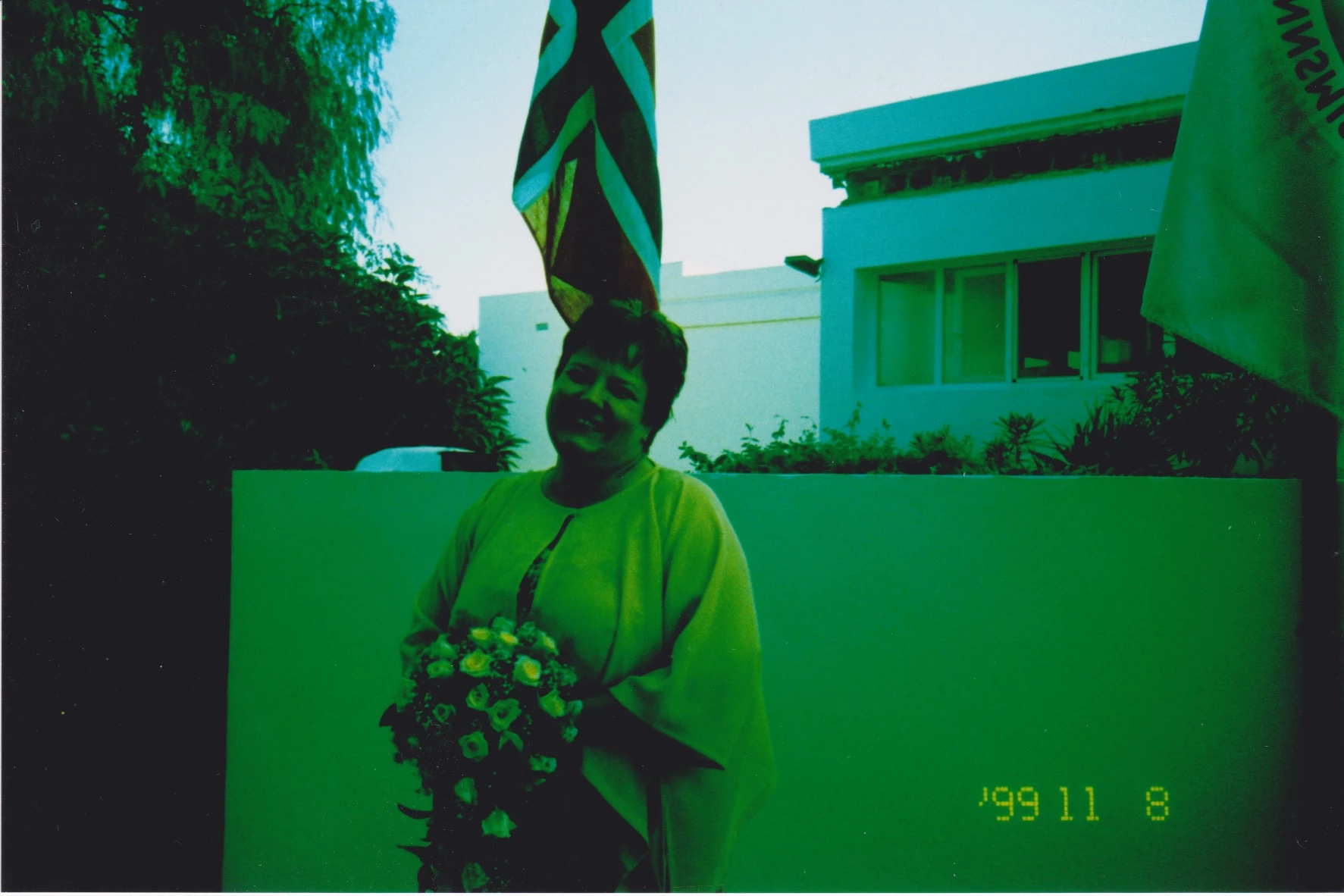
Hi, I have a photo that are Greenish. I cant find the original,but I have this only. It is totaly green . Do anyone out there have any ideas how I can restore the original colors.
This topic has been closed for replies.
Correct answer Just Shoot Me

About the only thing that looked right was converting it to B&W.

3 replies

Inspiring
May 20, 2019

I'd be interested to now how this was originally shot. It does not appear to be a color image with a green tint (which could be reduced), but a monochrome image with primarily green tones.

Morty007
Morty007Author
Participant
May 21, 2019

I do not know how it was originally shot. Maybe there was something wrong with the film, or maybe it has been tainted during the years from 99.

Inspiring
May 21, 2019

I had a look at it in Lightroom, and there is definitely some colour in the flag. So, as you say, it looks like an old colour film that has become tainted. The only solution I could find was to convert it to B/W, as mentioned above.

I made 2 versions, one with a crop of the subject. I converted it to B/W in Lightroom, and then made local adjustments with the gradient tool and the adjust brush, to selectively lift the shadows and the exposure in places. I also tried several of the B/W presets, with local adjustments, to find an image that was reduced in shadow on her face. The photo was taken in strong sunlight, and this has caused shadows which are very difficult to reduce.

http://gallery.adareimages.com/converted1.jpg (Full image)

http://gallery.adareimages.com/converted2.jpg (cropped image)

ManiacJoe
Inspiring
May 20, 2019

Is the photo really green or is the mask turned on for one of the adjustment tools?

Morty007
Morty007Author
Participant
May 21, 2019

I do not know, this was sent to me and I scann it. It is not digital in first place.

Just Shoot Me
Just Shoot MeCorrect answer
Legend
May 20, 2019

About the only thing that looked right was converting it to B&W.

Morty007
Morty007Author
Participant
May 20, 2019

Hi,I will try that. Thank you.