
Question
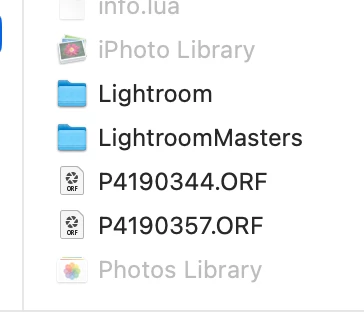
Greyed out iPhoto folders after Migrating to new MacBook
Have just moved to a new Macbook. I used Apple Migration Assistant to move everything exactly across from one computer to the other. All 26000 photos are de-linked. For the most I can just find the new locations and then its fine.
However, my oldest photos are from a Iphotos and Photo Library catalogue. These were working fine on my old computer. I can see that the photos have all been moved across.
Issue is that when I go to find the new location the Iphotos and Photolibrary folders are greyed out in the folder. What should I do? The photos are definately on the computer in the location I need I just can select the location to relink??


 AdChoices