Bob Somrak
Legend
September 29, 2017
Question

Grid, Square and Track Galleries do not work well on Mac High Sierra

  • September 29, 2017
  • 1 reply
  • 1070 views

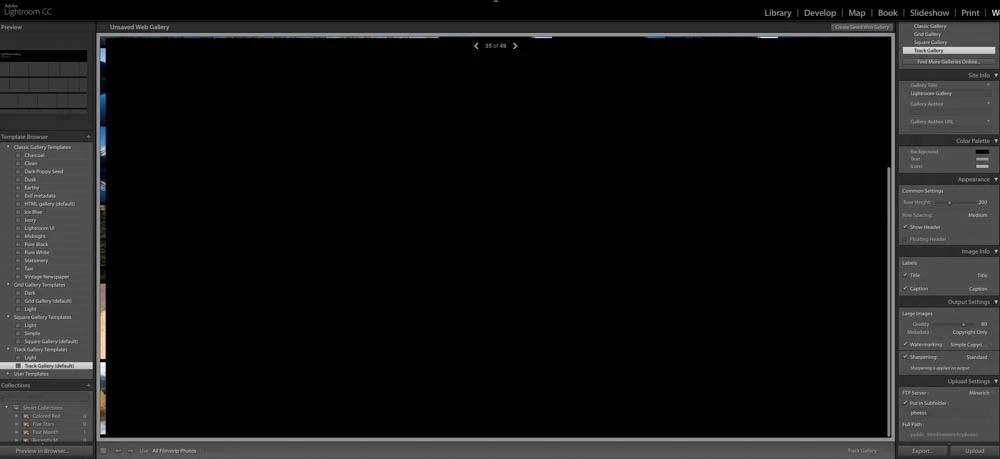
When using the Classic Gallery in the web module everything seems to work as it did before.   The Grid, Square and Track galleries will display the group of photos on the main page but when you click on a photo to display it then it sometimes works but generally the display corrupts and the only way to get out of it is to select a different Module like Library and then return the the Web module.  This sometimes doesn't work unless you select the Classic Gallery before doing the module switches.  For instance, this is what you see in the Track Gallery for the full photo.     Lr2015.12. MacOS 10.13
    This topic has been closed for replies.

    1 reply

    Sahil.Chawla
    Adobe Employee
    Adobe Employee
    October 17, 2017

    Hi Bob,

    Could you please try unchecking "Use Graphics Processor" by going to Lightroom's Preferences > Performance then relaunch Lightroom?

    Regards,

    Sahil

    Bob Somrak
    Legend
    October 17, 2017

    I will check the GPU when I get back to a computer in a couple of days but I am pretty sure I already did that during my testing of the issue and it did not make any difference.  By the way, my High Sierra install was a fresh reformat and fresh reinstall of the software.

    M4 Pro Mac Mini. 48GB
    Participating Frequently
    October 18, 2017

    I checked and it's not working. Also, I just updated to Lightroom Classic CC and the Web Module is almost completely unresponsive. Even switching form a Track Gallery to HTML Gallery is not working. The Web Module seems completely stuck.

    I am running Mac OS High Sierra 10.3 on a MacBook Pro 2016, Four Thunderbolt 3 Ports.

    Any Idea, how to get it to work?

    Peer