


Inspiring
March 23, 2024
Question

Grid thumbnails slow to load even after building standard previews for all images

  • March 23, 2024
  • 4 replies
  • 808 views

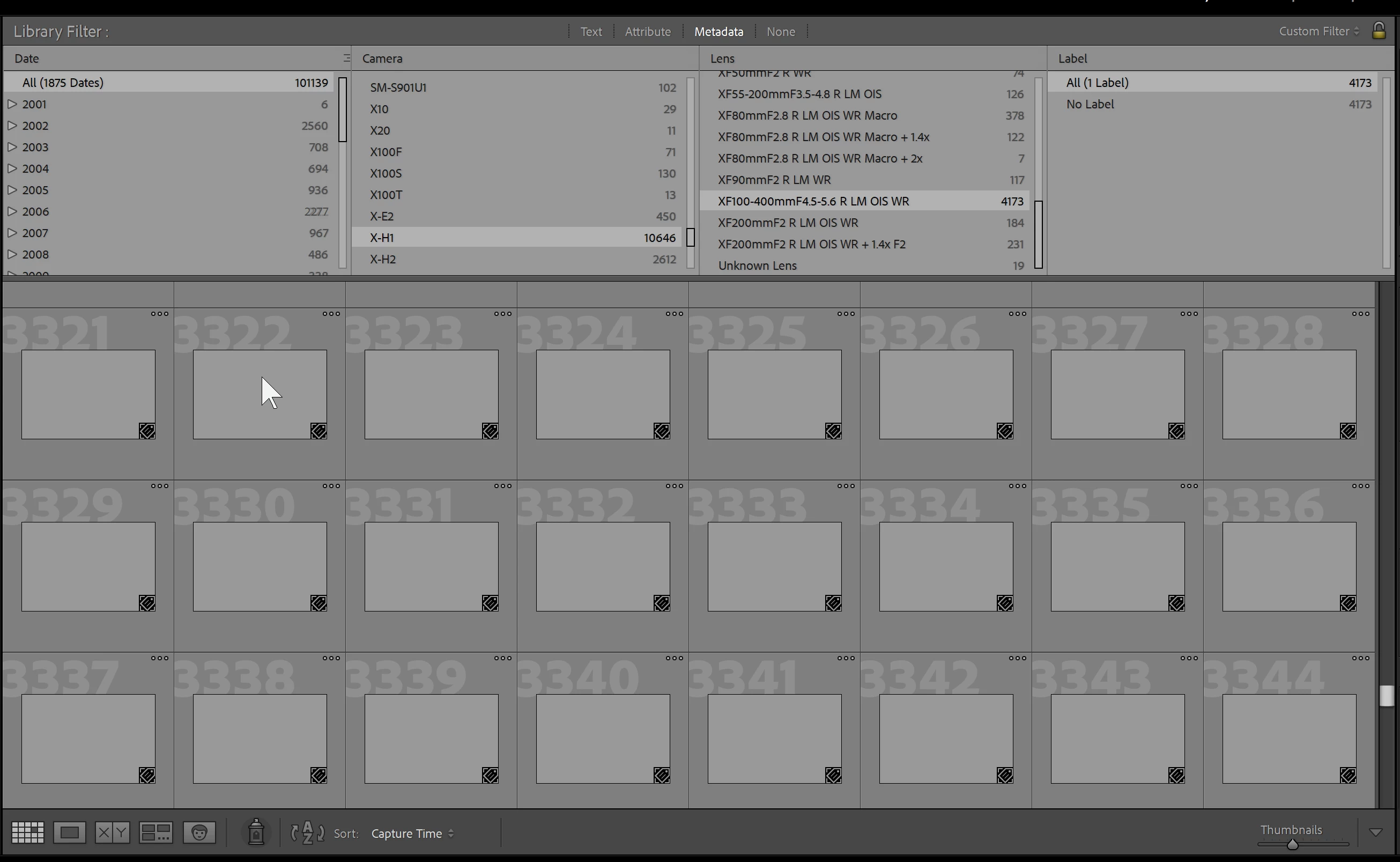
When I load a selection of images into the library grid based on a metadata search, the thumbnails are ridiculously slow to load.  I have built standard previews for ALL images (took days).  Yet the behavior is exactly the same as before I built the previews.  When I scroll the grid, the new set of images has no thumbnails and each one takes ~ 1 second to load.  That's absurd.  It seems Lightroom is building the thumbnails on every load rather than caching them.  Is that true?  How do I retain the thumbnails between sessions or searches?  Why doesn't building previews help with loading thumbnails?


This is NOT a hardware issue.  So please don't spam me with "you need faster hard drives" or "you need faster processors".  Every bit of my setup is fast from local workstation with RAID 0 SSD's to 1Gbps NAS image storage.
This topic has been closed for replies.

4 replies

Known Participant
November 5, 2024

Mine don't build at all unless I force them!

Participant
November 4, 2024

I have the same problem which seemed to start with the latest update to 14.0.1. It worked fine before but is very frustrating now.

Pattyoboe
Known Participant
March 26, 2024

ALL my images are taking eons to load. If you figure out a solution I sure hope we all hear about it. This is insane! 

GoldingD
Legend
March 23, 2024
  1. When you select None in that Filter bar, and just look in the Library module at AllPhotos, in grid, do the previews misbehave as well?
  2. And if you then select a Folder, or a Collection, do the previews misbehave?
  3. If no to both and other scenarios not involving the filter, then the next inquiry, is in the filter bar, if you select just one filter, does it misbehave?


jbincoAuthor
Inspiring
March 23, 2024

If the Library filter is set to "None" and I select Catalog > All Photographs, I see the same slow loading thumbnails when scrolling down the grid.

Selecting a folder or collection from the navigator is just as bad.

Using a single filter column has the same behavior.  Once a filter value is selected, the grid is immediately populated with the expected image tiles but all have gray thumbnails.  So filtering the metadata doesn't seem to be an issue.  As the query count resolves immediately.  It is only the thumbnails which are slow to load.