
smashcrashboing
Participating Frequently
June 14, 2022
Question

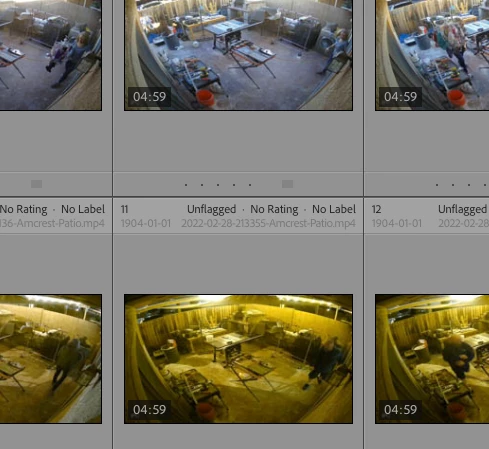
Grid View Header text is too dim. How can I change it?

  • June 14, 2022
  • 1 reply
  • 200 views

How do I make all of the text in the header on these grid photos dark like the first line?  I can barely read the date as it's nearly the same color as the header.
This topic has been closed for replies.

1 reply

johnrellis
Legend
June 17, 2022

[This post contains formatting and embedded images that don't appear in email. View the post in your Web browser.]


I agree that it is hard to read. There is no way through the user interface to customize LR's color scheme in detail, though many have asked for it over the years:

https://community.adobe.com/t5/lightroom-classic-ideas/p-customize-classic-interface/idi-p/12250142


Some thoughts about how to make the situation better:


- If you're not already, calibrating your display with a hardware calibrator can sometimes make LR's shades of grey a little easier to distinguish compared to uncalibrated displays.


- Maybe put the capture date and filename on the top line, put the index number on the second line, and don't display Common Attributes, since the flag, the color, and the star rating can be displayed elsewhere more clearly:


smashcrashboing
Participating Frequently
June 17, 2022
Viable solutions. Too bad this can't be changed.
