


Prescott Dale
Inspiring
February 10, 2026
Question

HAVING AN LRCAT PROBLEM. I CANNOT BACKUP MY CATALOG.

  • February 10, 2026
  • 2 replies
  • 27 views

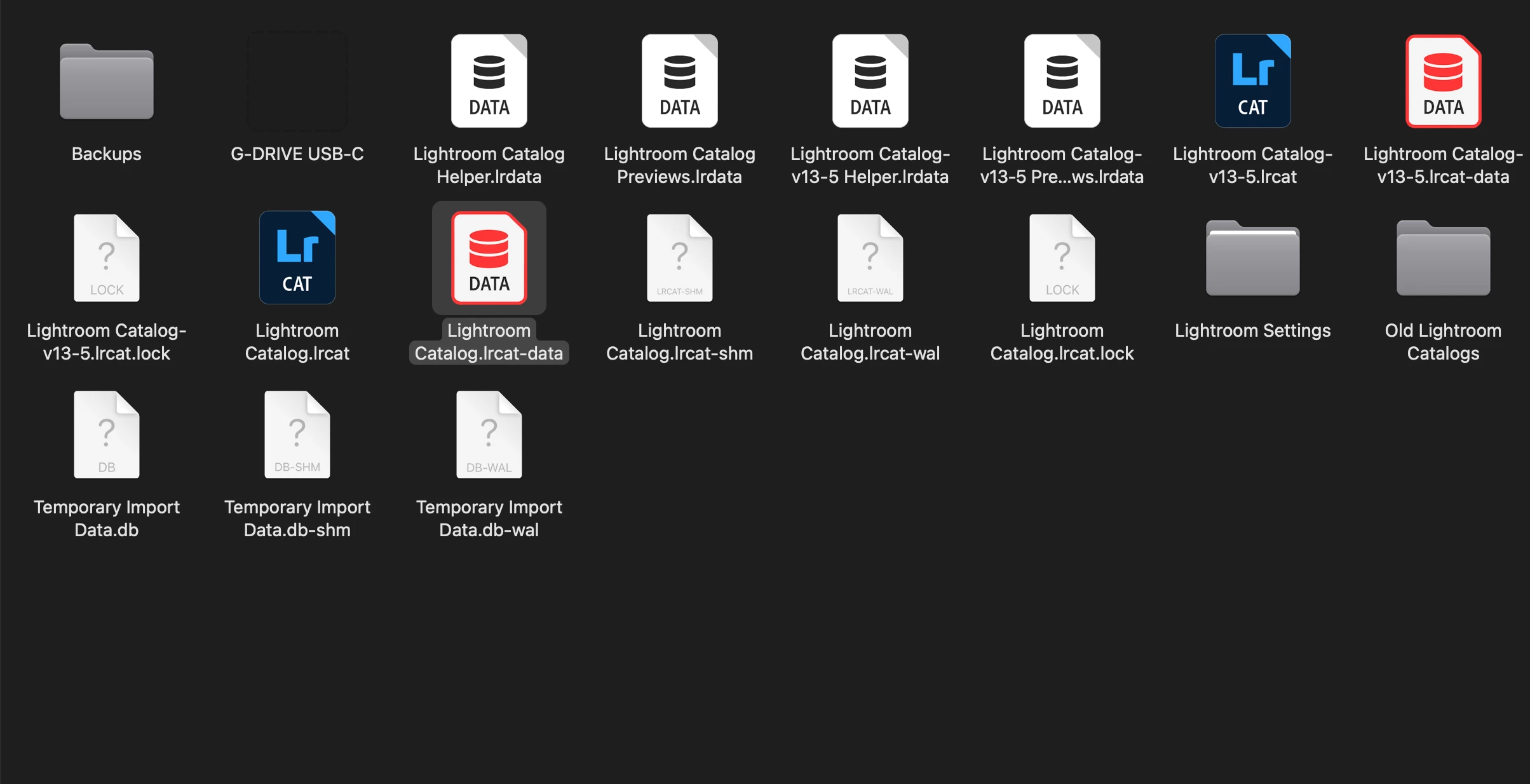
Here is a screen shot of my Catalog under pictures:  Please help,  Thanks,   Dale
 

    2 replies

    JohanElzenga
    Community Expert
    Community Expert
    February 10, 2026

    That screenshot isn’t very helpful. What we need to know is what exactly happens when you try to backup your catalog. There is a known issue where all of a sudden the backup process gives an error saying there isn’t enough space for the backup, or there are permissions problems. This is a bogus error message, the real problem is catalog corruption. If that is your issue as well, then we can help you solve it, but we need to know before giving you advice that could be wrong for your situation.

    -- Johan W. Elzenga
    Rob_Cullen
    Community Expert
    Community Expert
    February 10, 2026

    What happens when you try?

    Do you see any error messages?

    Things I see in your screen-clip:

    1. There is a backup folder. Is that the folder you have chosen where the Exit Backup dialog is pointing? (You should be using another physical drive for backups. Is ‘another’ drive plugged and writable?)
    2. You have two catalogs. {Lightroom Catalog-v13-5.lrcat} is most likely your master catalog you are using.
    3. There are two  .LOCK files existing.  If your catalog is currently ‘open’ you would expect to see a .LOCK file. If Lr-Classic is shut down: Delete these .LOCK files (They will stop a catalog from opening.)

       
    Regards. My System: Windows-11, Lightroom-Classic 15.0, Photoshop 27.0, ACR 18.0, Lightroom 9.0, Lr-iOS 10.4.0, Bridge 16.0 .
