


Question
HDR color error in Lightroom Classic
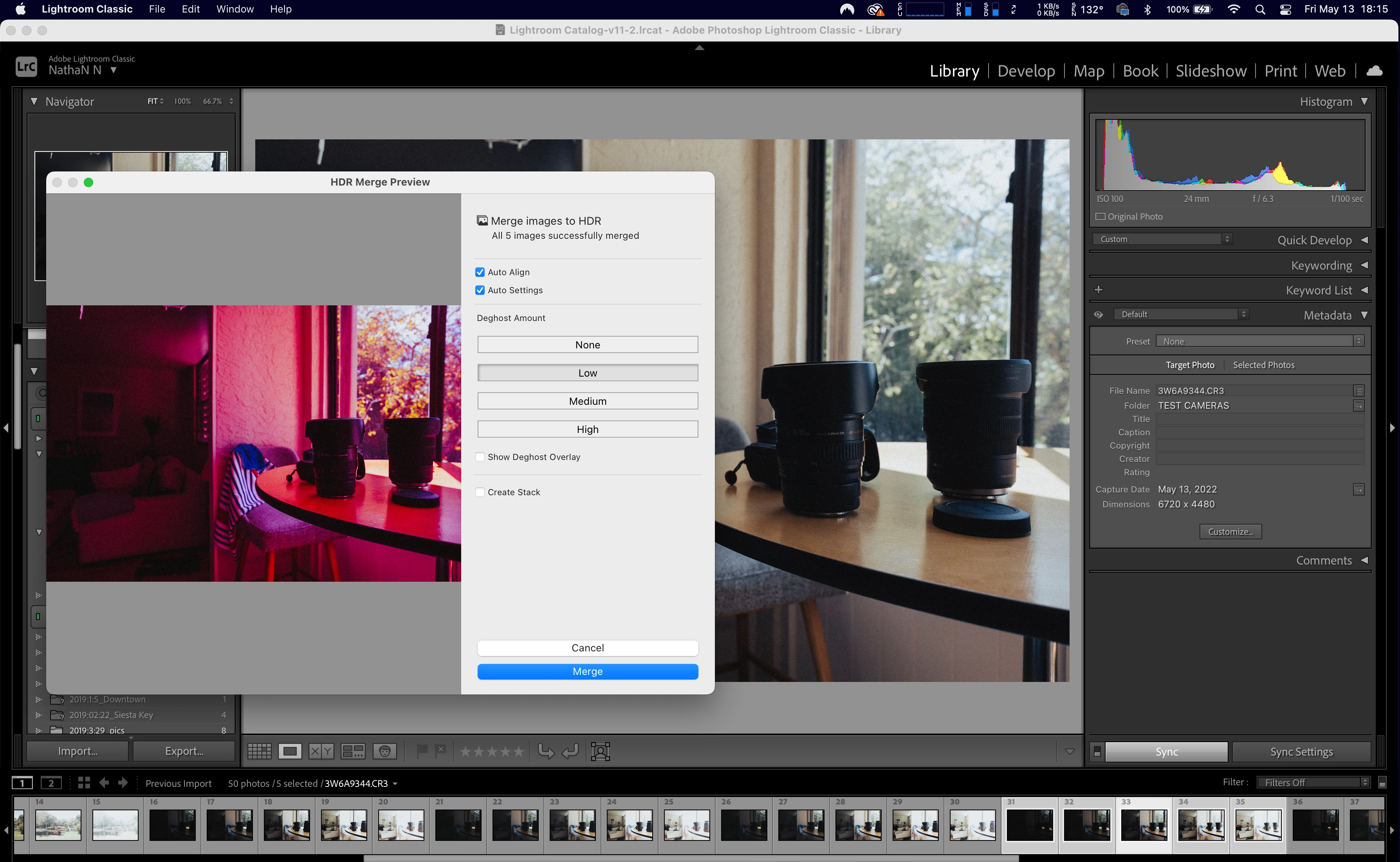
I work in real estate and use the HDR tool. I'v used it for a few years without any issues, however, I recently updated my Camera to an EOS R5 with RF lenses. When I pull the images into Lightroom Classic they seem a little grainy, then the image colors change radically during the HDR merge.
See attached image for reference. I ran a test using an old camera and lenses, but the problem remained. It seems the error is coming from Lightroom Classic, has anyone had this issue?
 AdChoices