Participating Frequently
October 7, 2025
Question

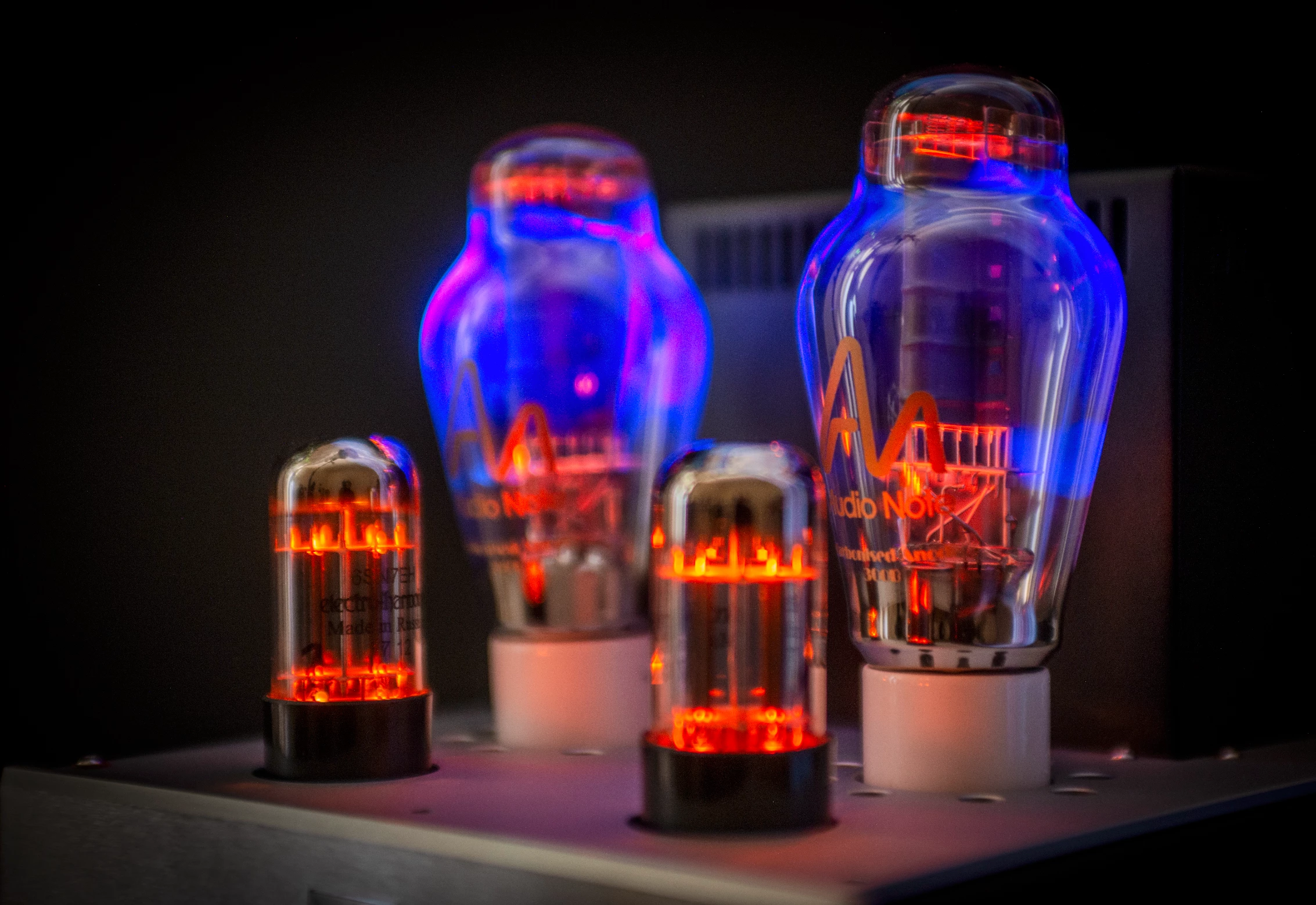
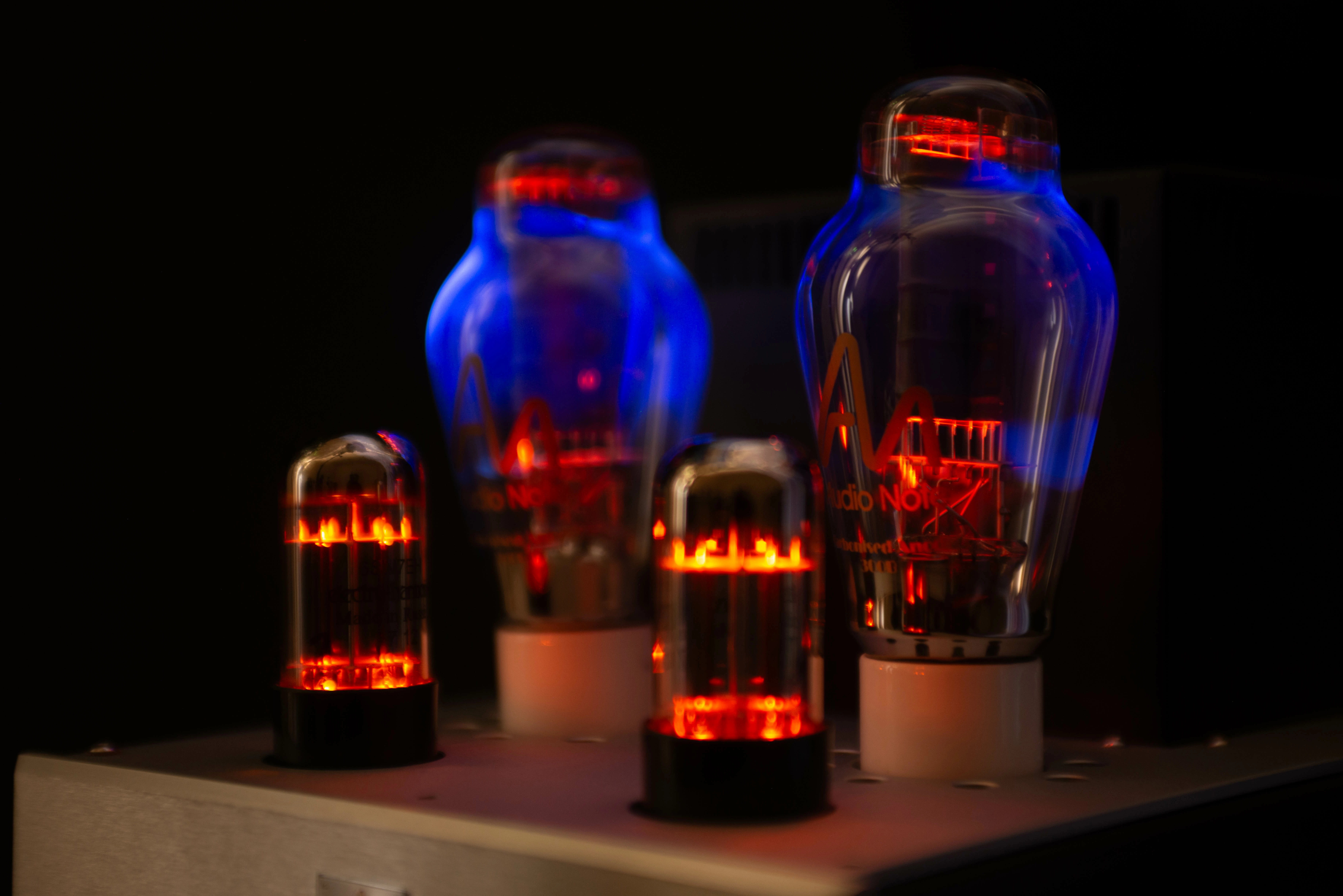
HDR mode shifts blues to purple when increase exposure
  • October 7, 2025
  • 1 reply
  • 424 views


SDR left, HDR right.


The issue:
As I increase the exposure in HDR mode, the blue is replaced by the light purple. It's present in the output files. 


But as I increase the exposure in SDR mode, the blue doesn't shift hue (just gets lighter)

I'm a newbie to HDR mode and this is puzzling. 

1 reply

Community Manager
October 7, 2025

Hi @fennell_1842, welcome to the community!
Could you share a screenshot of what your Histogram looks like? It’s the graph in the top-right corner and is super helpful when editing HDR photos. It shows which colors are brighter than SDR and helps identify when tones go beyond your display’s HDR range.
A histogram is divided into two sections: SDR on the left, and HDR on the right
Also, could you double-check if the “Visualize HDR” option is turned on? You’ll find it at the bottom of the Light (or Basic) panel. When enabled, it highlights HDR tones using four colors, from cyan to magenta, when they’re brighter than SDR white.
Photo being edited using Visualize HDR.
Thanks so much!
Alek

*(If you mention me with an @, like @Aleke, I’ll get a notification and can respond faster.)*
Participating Frequently
October 8, 2025

@Aleke, thanks for your reply. The histogram, with visualised HDR on, is attached below

Participating Frequently
October 17, 2025

@Aleke friendly bump as it's been a while.