
Participant
October 20, 2022
Answered

Healing tools in Lightroom Classic v12 displays as a masked image

  • October 20, 2022
  • 2 replies
  • 419 views

Well I'm going to start with this as a discussion.  Not sure if this is a bug or, I suspect, a control that I just have not set correctly.  Either way in the healing tools, I wanted to try the content aware remove tool new for v12 and I get this image that shows masking over the whole image.  What am I missing guys?  I've attached an image of what I'm seeing.  Any help will be vastly appreciated.


Joe
This topic has been closed for replies.
Correct answer Rob_Cullen

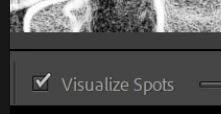
Keyboard [A] toggles the "Visualize" option on/off, or see the button on lower screen-

The (original ) purpose of 'Visialize Spots' was to make it very easy to find those small circle shadows of dust spots on the camera sensor, especially in images with blank sky.


2 replies

GoldingD
Legend
October 21, 2022

Also, perhaps you are aware, you had the healing tool selected, not the content aware erase.


MrMomentsAuthor
Participant
October 22, 2022

Yep, I was aware.  It was the same for all the tools under the healing bandaid.  🙂  But thanks.  The solution, as I expected, was relatively simple.  

Rob_Cullen
Community Expert
Community Expert
October 22, 2022

FYI-  A 'Visualize' function is also available for Sharpening.

In the Detail panel Sharpening-

If you hold down the [ALT] key as you move the Masking Slider, you will see a B&W render that indicates the areas of sharpening in white.


Regards. My System: Windows-11, Lightroom-Classic 15.3, Photoshop 27.5, ACR 18.3, Lightroom 9.3, Lr-iOS 10.4.0, Bridge 16.0.3 .
Rob_Cullen
Community Expert
Rob_CullenCommunity ExpertCorrect answer
Community Expert
October 20, 2022

Keyboard [A] toggles the "Visualize" option on/off, or see the button on lower screen-

The (original ) purpose of 'Visialize Spots' was to make it very easy to find those small circle shadows of dust spots on the camera sensor, especially in images with blank sky.


Regards. My System: Windows-11, Lightroom-Classic 15.3, Photoshop 27.5, ACR 18.3, Lightroom 9.3, Lr-iOS 10.4.0, Bridge 16.0.3 .
MrMomentsAuthor
Participant
October 20, 2022

Awesome, thank you Rob.  I did have this turned on several months ago when I came across a video on finding spots on the sensor and cleaning.  It was awesome, but obviously, I had that filter left on.  I knew it had to be something simpler like that.  My thanks again.