


Participant
Dec 26, 2024 10:02 AM UTC
Answered

Help! My Lightroom Classic wants to create a non-existent subfolder instead of adding to an existing

Hey everyone,


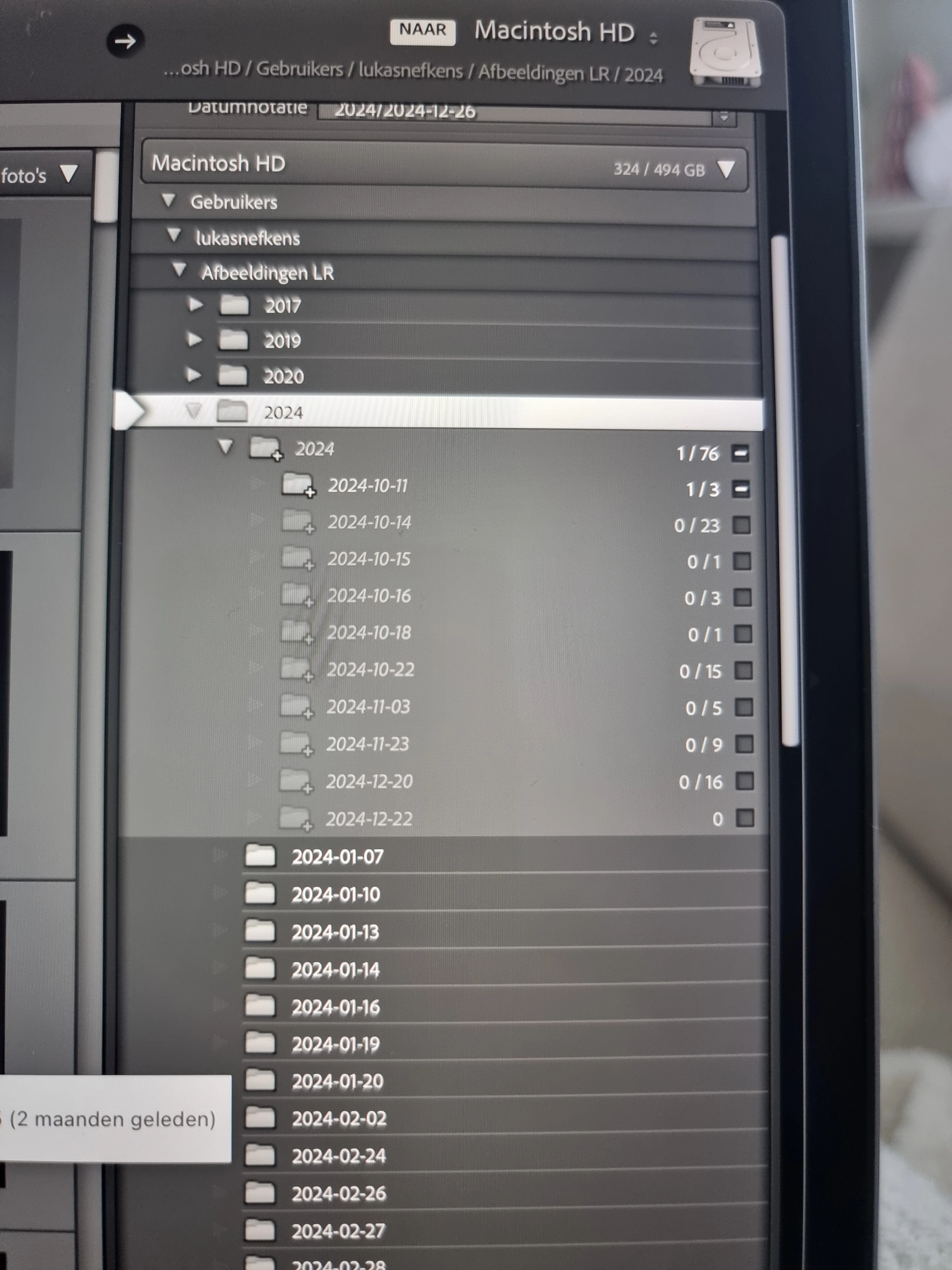
I recently upgraded my MacBook and moved the whole catalog folder onto my new machine. For some reason if I now want to import files, it keeps wanting to make a new "2024" subfolder under my existing 2024 subfolder. It looks like it recognizes the place these images need to go but I don't want to use this folder, I want to use the existing one.


Does anyone know how to get rid of this cache issue? It looks like it's something to do with caching or old catalog settings. 


See the image below to see what I mean:
This topic is closed to new replies. Start a new post to keep the conversation going.
JohanElzenga
JohanElzengaCorrect answer
Community Expert
Dec 26, 2024 11:21 AM UTC

The answer is simple and has nothing to do with a cache issue. You selected the wrong folder. You should not select the existing '2024' folder, but its parent folder 'Afbeeldingen LR'.


P.S. For next time: https://support.apple.com/en-gb/guide/mac-help/mh26782/


-- Johan W. Elzenga

7 replies

Participant
Dec 26, 2024 10:05 AM UTC
  • To add: I already tried to merge the maps, still comes up with the same recommendation. Also it doesn't even give me a choice. It's either in the non-existent subfolder or nowhere in the 2024 folder. Normally Lightroom creates a folder that's just got the year and date and places it under the year it should be in 
Translate
JohanElzenga
Community Expert
JohanElzengaCommunity ExpertCorrect answer
Community Expert
Dec 26, 2024 11:21 AM UTC

The answer is simple and has nothing to do with a cache issue. You selected the wrong folder. You should not select the existing '2024' folder, but its parent folder 'Afbeeldingen LR'.


P.S. For next time: https://support.apple.com/en-gb/guide/mac-help/mh26782/


Translate
-- Johan W. Elzenga
Participant
Dec 26, 2024 12:39 PM UTC

Hi, thanks for the reply! That's the issue here. It gets greyed out when I try to select the parent folder. It doesn't give me the option. Maybe because there's an already existing map it wants to put the images in?

Translate
