
Mr_rossduncan
Inspiring
November 28, 2022
Question

Help needed in solving a riddle.

  • November 28, 2022
  • 1 reply
  • 633 views

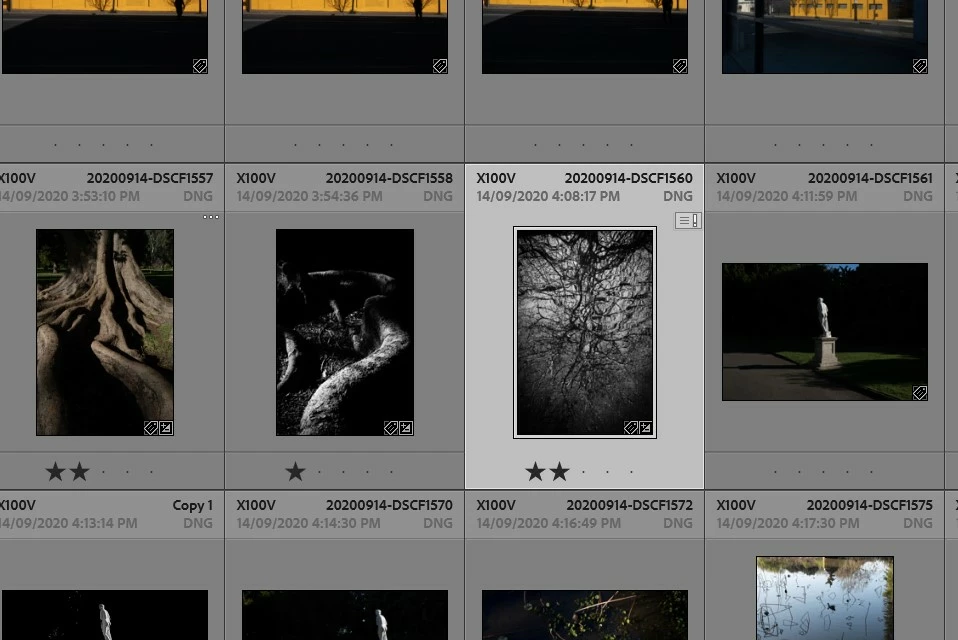
Why do I keep getting the error message, "Metadata has been changed by another application".

In my LR Classic catalog, if I open an image from the Library mode, do a bit of work on it in the Develop mode then return to the library mode, not always, but quite often this error message will appear.

I've not used another application, just remained in the LR Classic environment. My catalog is riddled with these messages and I'm unsure why they sometimes appear, sometimes not.

The example below, I opened this image out of the library mode and into the develop mode, adjusted the exposure and returned to the library where the warning box error message appeared.

Any tips much appreciated.

Thanks
This topic has been closed for replies.

1 reply

DdeGannes
Community Expert
Community Expert
November 28, 2022

This is “odd” behavior. Please provide some additional information, what version of Lightroom Classic you are using, indicate the actual version number? The latest update is LrC version 12.0.1.

Just a hunch, I guess you have “Automatically write metadata to xmp” selected in LrC Catalog settings general tab?

Also in the top left window do you have “Saving xmp” paused”? See the screen capture.


Regards, Denis: iMac 27” mid-2015, macOS 11.7.10 Big Sur; 2TB SSD, 24 GB Ram, GPU 2 GB; LrC 12.5,; Lr 6.5, PS 24.7,; ACR 15.5,; (also Laptop Win 11, ver 24H2, LrC 15.3; PS 27.0; ) Camera Oly OM-D E-M1.
Mr_rossduncan
Inspiring
November 28, 2022

Hi Denis,

Thanks for getting back to me, much appreciated.

I'm running the latest version of Lr. The 12.0.1 version.

I do have the “Automatically write metadata to xmp” selected, if I turn it off there's a warning about "changes will not be visible in other applications unless written to XMP".

I don't know if this is an issue for me, I only use Photoshop as any other application.

The saving XMP option is currently not set to pause.

Would you suggest turning both these options off?. I'm pretty sure that the default option set by Adobe is to have them both on, but I'm really not sure.

Thanks again.


DdeGannes
Community Expert
Community Expert
November 28, 2022

It's a user option and as far as I am aware unselected is the default. See the info at the link below.

https://helpx.adobe.com/lightroom-classic/help/metadata-basics-actions.html


With respect to your your initial post having both of the options on should not cause what you are experincing. Maybe another user who uses the option can explain why you are having a problem.

If you opened an image directly in Photoshop and or Bridge and applied changes you will get that message since LrC does not read automatically from the file.

Where are the original images located?


Regards, Denis: iMac 27” mid-2015, macOS 11.7.10 Big Sur; 2TB SSD, 24 GB Ram, GPU 2 GB; LrC 12.5,; Lr 6.5, PS 24.7,; ACR 15.5,; (also Laptop Win 11, ver 24H2, LrC 15.3; PS 27.0; ) Camera Oly OM-D E-M1.