lieinbelieve
Participant
February 17, 2018
Answered

Help please Lightroom won't open

  • February 17, 2018
  • 2 replies
  • 11115 views

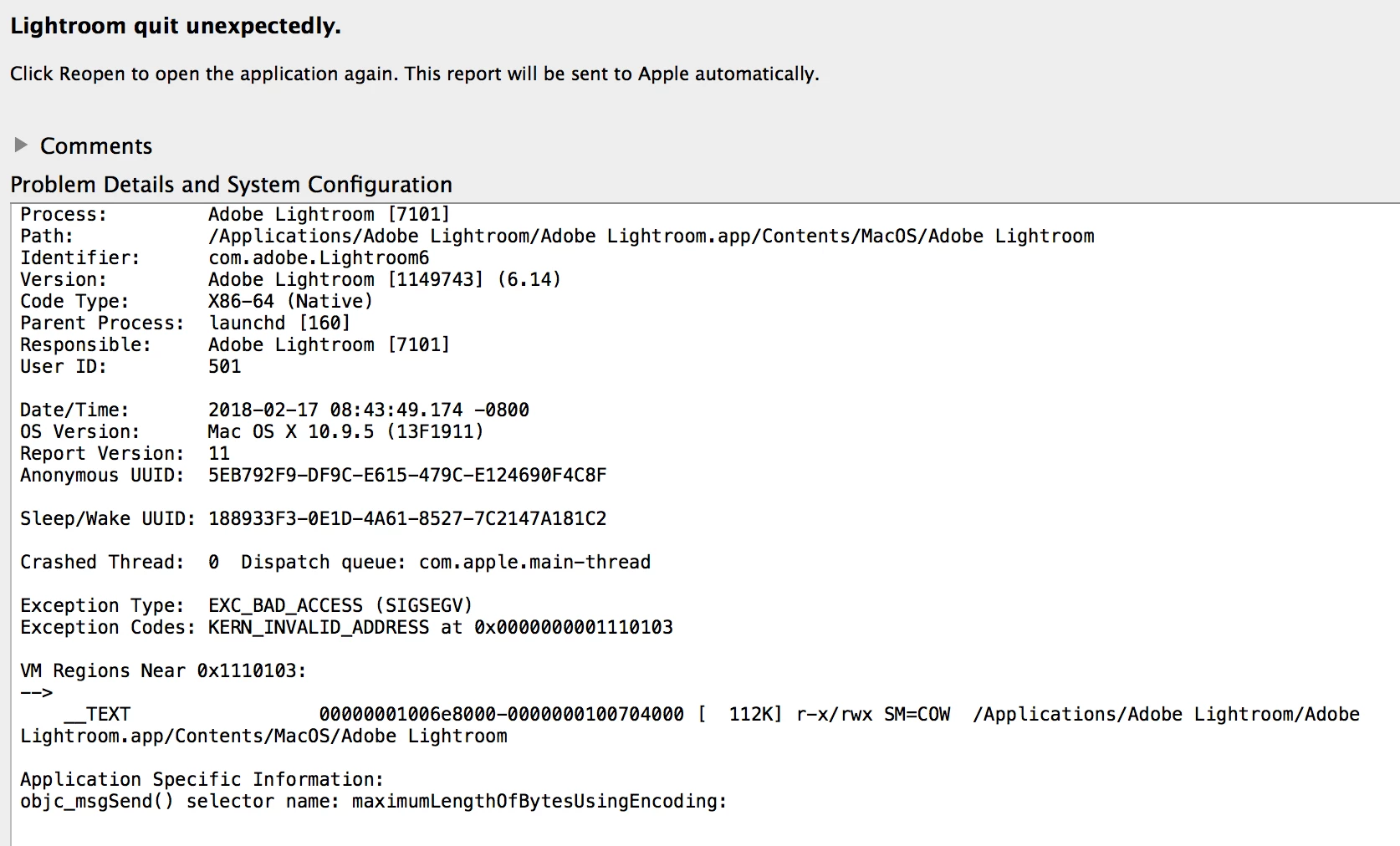
My existing Lightroom that I've been using for years through CC with auto updates now won't open. I get this message when I try.                                                                                                   My computer skills are novice so dumb down your answers please but help will be greatly appreciated.
This topic has been closed for replies.
Correct answer 99jon

I'm unsure exactly what the settings icon is but I went to the three vertically stacked dots and clicked check for updates and it checked and said lightroom was up to date. When I hover over the lightroom logo it says version 6.0. I appreciate your help.


On OSX10.9 you can only update to LR6.6.1

If you installed LR6.14 as shown on your screen shot it would not be compatible.

https://helpx.adobe.com/lightroom/system-requirements.html

I think you need to uninstall and then re-install – see link below.

Start by installing the base application LR6.0 (727MB)

Then install the update patch for LR6.6.1

Download Photoshop Lightroom

2 replies

cmgap
Community Expert
Community Expert
February 17, 2018

Are you able to update your OS to the current version?

lieinbelieve
Participant
February 18, 2018

Yes I would think so I just never have due to fear, I had read before where people had problems and I never wanted to risk it. But now that I have problems maybe it's time.

cmgap
Community Expert
Community Expert
February 18, 2018

Yes - eventually you have to get up to date. Are you making Time Machine backups? Are you making Backups of Lightroom? Are your Lightroom backups on an external drive? Do you have any type of It support either through your local Apple store? If you have to do this yourself and you are fearful, take your time and do some searching on How to update your mac OS...

99jon
Legend
February 17, 2018

Are you launching from an old icon in the dock?

If you have an up to date subscription launch Creative Cloud and go to the Apps tab.

Install any update available for Lightroom Classic CC (current version 7.2) and then launch from Creative Cloud.

lieinbelieve
Participant
February 17, 2018

When I go to the CC apps tab it says there are no updates (also doesn't launch from there) and that's where I took the attached screenshot. But looking on the attachment it looks like the Lightroom version is 6.14?

99jon
Legend
February 17, 2018

In CC, click the settings icon and choose check for updates.