
TexLitt
Participant
July 28, 2022
Question

Help understanding catalog files changes with software version updates

  • July 28, 2022
  • 1 reply
  • 107 views


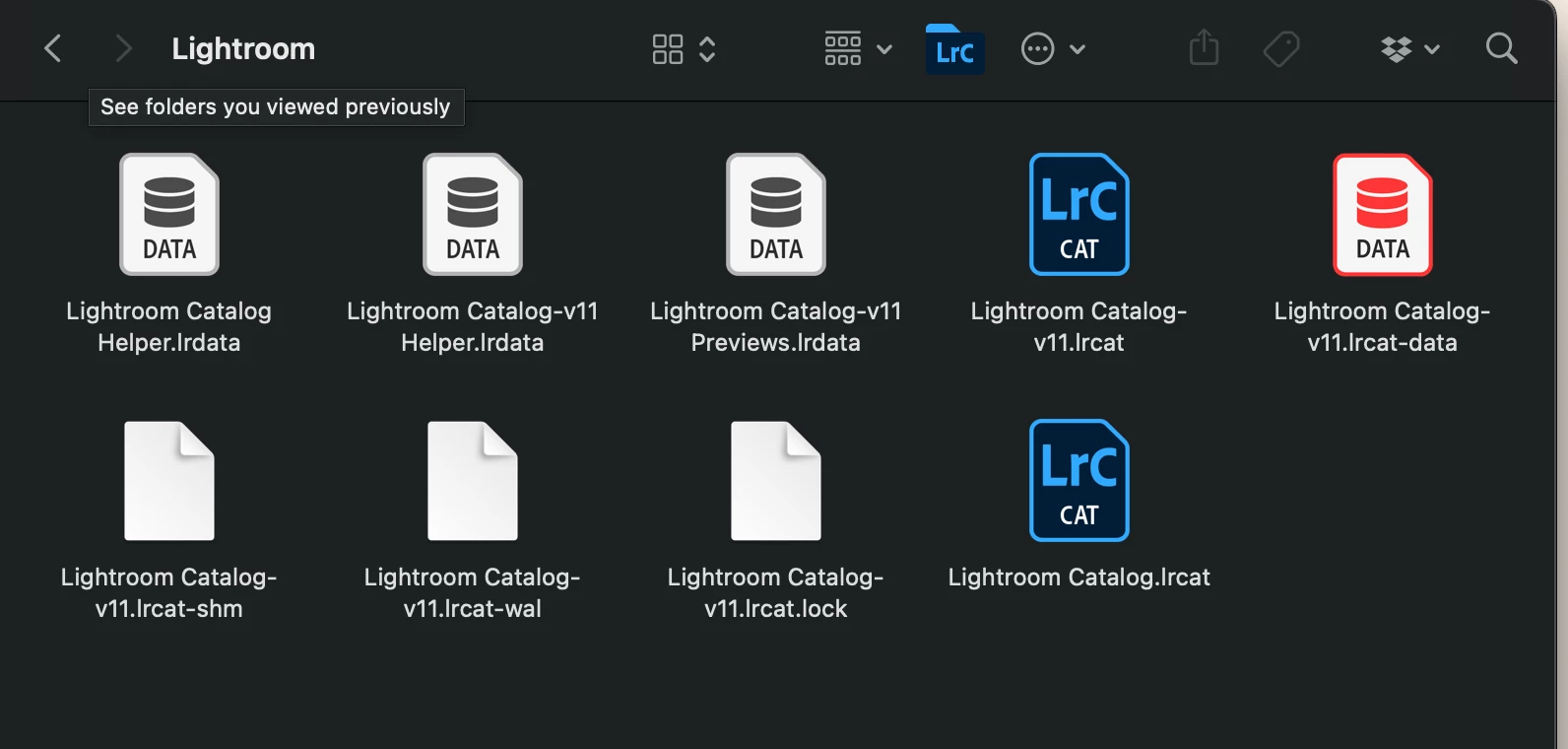
Below are the files in my Lightroom Classic catalog folder.   I haven't used Lightroom Classic for about 10 months.  In June 2022 I began using it again and updated to Lightroom Classic 11.4 at that time.  I need to understand how this version update affects the file naming of the files in the Lightroom catalog folder.   I see many files now with a v11 added to the file name.  I'm assuming that those are the most recent and applicable files after the software update was done.    I am right about that?   If so what do I do with the two files Lightroom Catalog.lrcat and Lightroom Catalog Helper.lrdata?   Are these files still active?   Can I remove them without a problem?  Should I remove them?   Any insight to how software version updates affect the catalog files would be helpful as well as addressing my questions....  Many thanks


This topic has been closed for replies.

1 reply

Rob_Cullen
Community Expert
Community Expert
July 28, 2022

what do I do with the two files Lightroom Catalog.lrcat and Lightroom Catalog Helper.lrdata?

They are the Catalog files that existed 'Pre-conversion'. The upgrade >v11 makes a copy of your 'old' catalog and upgrades the copy.

Are these files still active?

No. (And do not open them again, except for a disaster with the v11 version.)

Can I remove them without a problem?

Yes, or move them to a 'backup' location.

Should I remove them?

That's your choice. OK to do so if you have regular backups of your catalog.


Regards. My System: Windows-11, Lightroom-Classic 15.3, Photoshop 27.5, ACR 18.3, Lightroom 9.3, Lr-iOS 10.4.0, Bridge 16.0.3 .
TexLitt
TexLittAuthor
Participant
July 29, 2022

Many Thanks Rob_Cullen for your thorough and quick response.   

Kind regards