BJLeafs
Participant
December 29, 2016
Answered

How can I get photos emailed from Lightroom to be clear, sharp and of high quality?

  • December 29, 2016
  • 2 replies
  • 1394 views

I shoot my photos in RAW and edit them in Lightroom.  When I export them out of Lightroom in JPEG format and email them the photos are not clear and sharp or of the same quality.  They appear sharp in the email but when clicked on are not.  What do I need to do (export settings, editing size, etc.) so that when I email my photos they are sharp and clear when the recipient clicks on them? I want the person receiving the email to receive sharp and clear photos by email that he or she can save and print/enlarge.  Thanks for your help.
    This topic has been closed for replies.
    Correct answer Akash Sharma

    Hi BJLeafs,

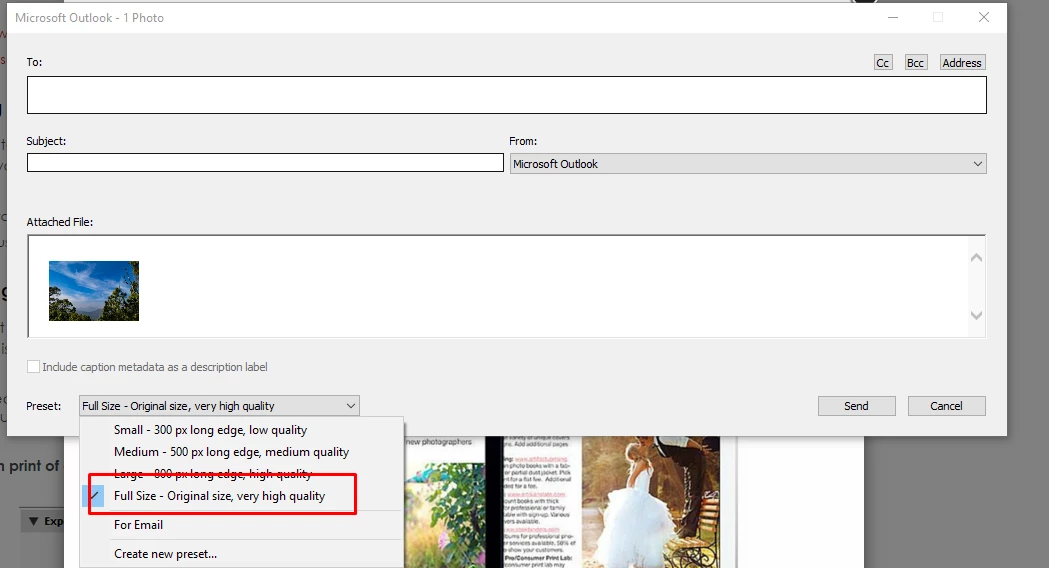
    Select the preset "Full-size - Original size, very high quality" while emailing your images.

    Please refer Email photos from Lightroom for more details.

    Regards,

    Akash

    2 replies

    Akash Sharma
    Akash SharmaCorrect answer
    Legend
    December 29, 2016

    Hi BJLeafs,

    Select the preset "Full-size - Original size, very high quality" while emailing your images.

    Please refer Email photos from Lightroom for more details.

    Regards,

    Akash

    BJLeafs
    BJLeafsAuthor
    Participant
    December 29, 2016

    When I click "full size - original size, very high quality"  and email it to myself as a test, it looks good in the message of the email.  When I click on the photo, them click on the green button to enlarge it on my iMac it isn't sharp or clear.  The image looks boxy.  Do I need to change something in my settings beforehand before exporting to email.  I want the photo to look as clear and sharp as originally taken in RAW in Lightroom.   

    BJLeafs
    BJLeafsAuthor
    Participant
    December 29, 2016

    I want the email recipient to be able to enlarge the photo, save it and be able to have a clear sharp photo to get printed.

    dj_paige
    Legend
    December 29, 2016

    It probably depends on the software and settings in the software that the recipient uses.

    Can you tell us what software they are using and what setting (particularly zoom settings) are being used?


    Can you show us a before and after screen capture?