Known Participant
November 3, 2017
Answered

How can I tether Lightroom 6 to my Nikon D5500

  • November 3, 2017
  • 2 replies
  • 1799 views

Hello,

yesterday, following a discussion about lightroom 6 and it's upgrade, I upgraded to lightroom since thinking, that I can have tethering for my Nikon D5500, but unfortunately it seems that I need lightroom 6.4 for that.... so how can i do the update, and is it going to be free?

thank you for your help.
    This topic has been closed for replies.
    Correct answer Bani Verma

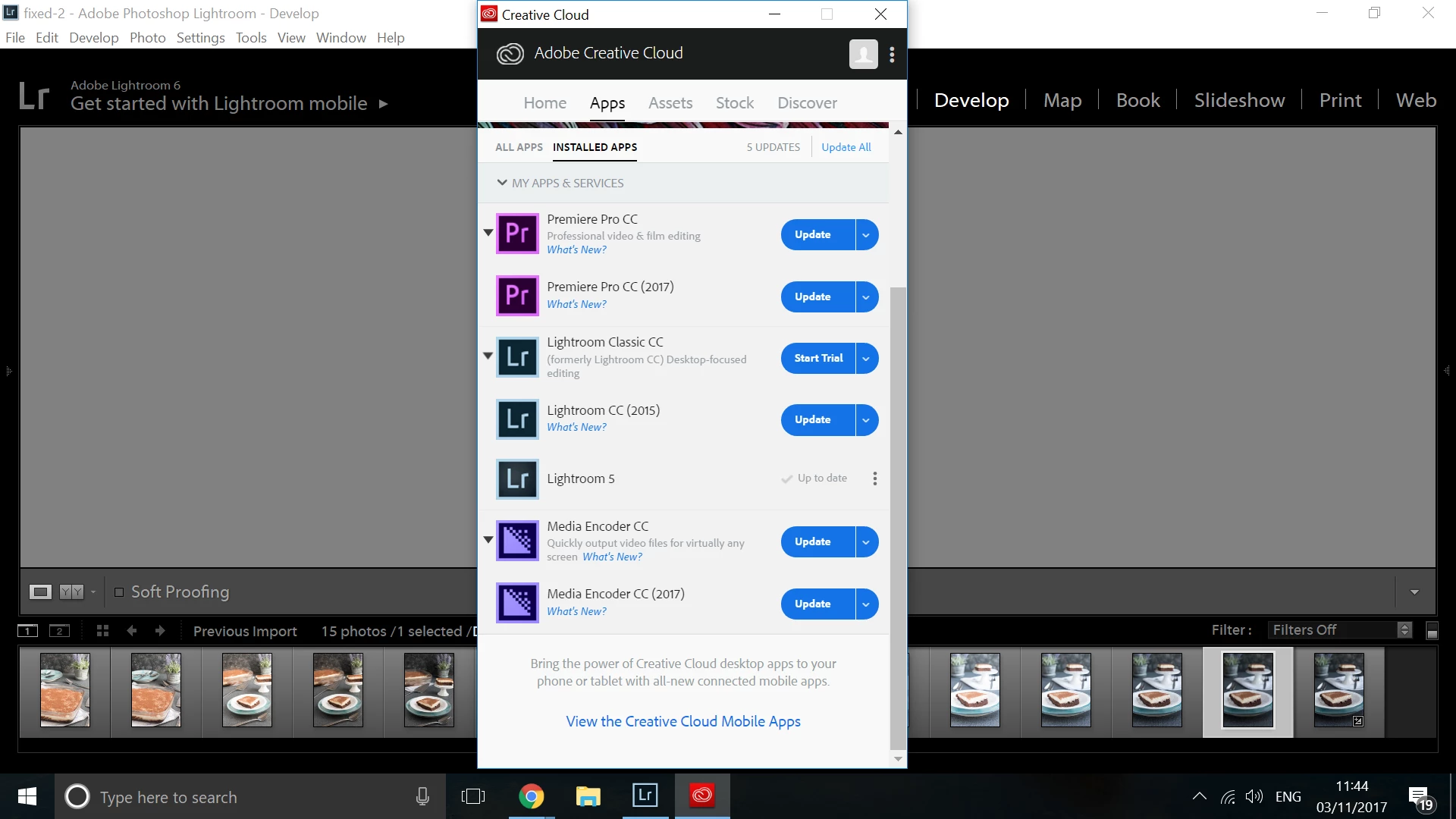
    As you can see even though I have lightroom 6 on my laptop and bouth yesterday, I can't see it between my apps, do I have to delete the lightroom 5? or what shall I do.


    I have reviewed your Adobe ID (email address) that you have utilized to post here and found that you have subscriptions for Premiere Pro CC & After Effects CC and a license for Lightroom 6.

    Lightroom 6 since is a stand alone app hence it would not show up in the Creative Cloud desktop app, in order to update it go to help>update or directly do it from the link i have shared.

    As the question you have is related to tethering hence moving this thread to Lightroom Classic CC​.

    2 replies

    Known Participant
    November 3, 2017

    I have this on my system information:

    Lightroom version: 6.0 [1014445]

    License: Perpetual

    Operating system: Windows 8.1 Home Premium Edition

    Version: 6.3 [9600]

    Application architecture: x64

    does it mean that I have version6.3?

    Bani Verma
    Legend
    November 3, 2017

    Thanks for sharing those details, as i have mentioned the latest version for Lightroom 6 is 6.13 and 6.4 is old update you may check all the available updates here under Lightroom 6: Download Photoshop Lightroom.

    Known Participant
    November 3, 2017

    Thank you Bani for all your help, So even I go there, I don;t know what to do, the lightroom 6 I just bought the update yesterday, as I used to have lightroom 5.7.1... I was looking for the version that will do tethering for my Nikon D5500, and the documentation it sais, that Nikon D5500 is supported on lightroom 6.4... with the version I have, when I connect my camera for tethering, it shows: no camera detected. So what shalla I do?

    Bani Verma
    Legend
    November 3, 2017

    Hi Soulefz23374473,

    As you have mentioned you would like to update your Lightroom 6 to the latest version, the last and the most current version of Lightroom 6 stand alone license is 6.13.

    You may use the following link to download and install the update directly: Keep your Lightroom version up to date.

    Let us know if this helps.