How do I correct a botched transfer of Lightroom from one computer to another
I have a MacBookPro laptop (late 2011) which had a 750GB HDD. Just over a year ago I installed Lightroom with a Creative Cloud Subscription. I managed to transfer my Photos Library into Lightroom using aliases, and since then have regularly added new photos. I like the product very much, although I am still a long way from being an advanced user.
I have just made a major modification to my computer replacing the HDD with a 500GB SSD. I still have the HDD connected as an external drive and I have been transferring applications and data to the SSD. I have, in effect, a new computer.
Unfortunately, I failed to read thoroughly the instructions for transferring Lightroom from one computer to another before I tried to copy it to the new SSD. The result is that I lost the links to the photos and disrupted the metadata. What I have at the moment is the Lightroom Catalog.ircat file and the Lightroom Catalog Reviews.irdata file, plus the Backups of the catalog, on both hard drives. As I tried to sort out the mess I also downloaded the latest version of the Lightroom application to the new SSD. So I have two Lightroom applications.
When I tried to access my photos I found that the links were broken, but I was able to restore them after watching Laura Shoe's video using the File Finder function. So I can access the photos and develop them, but the metadata has been disturbed. At least I have not lost any of the master photos!
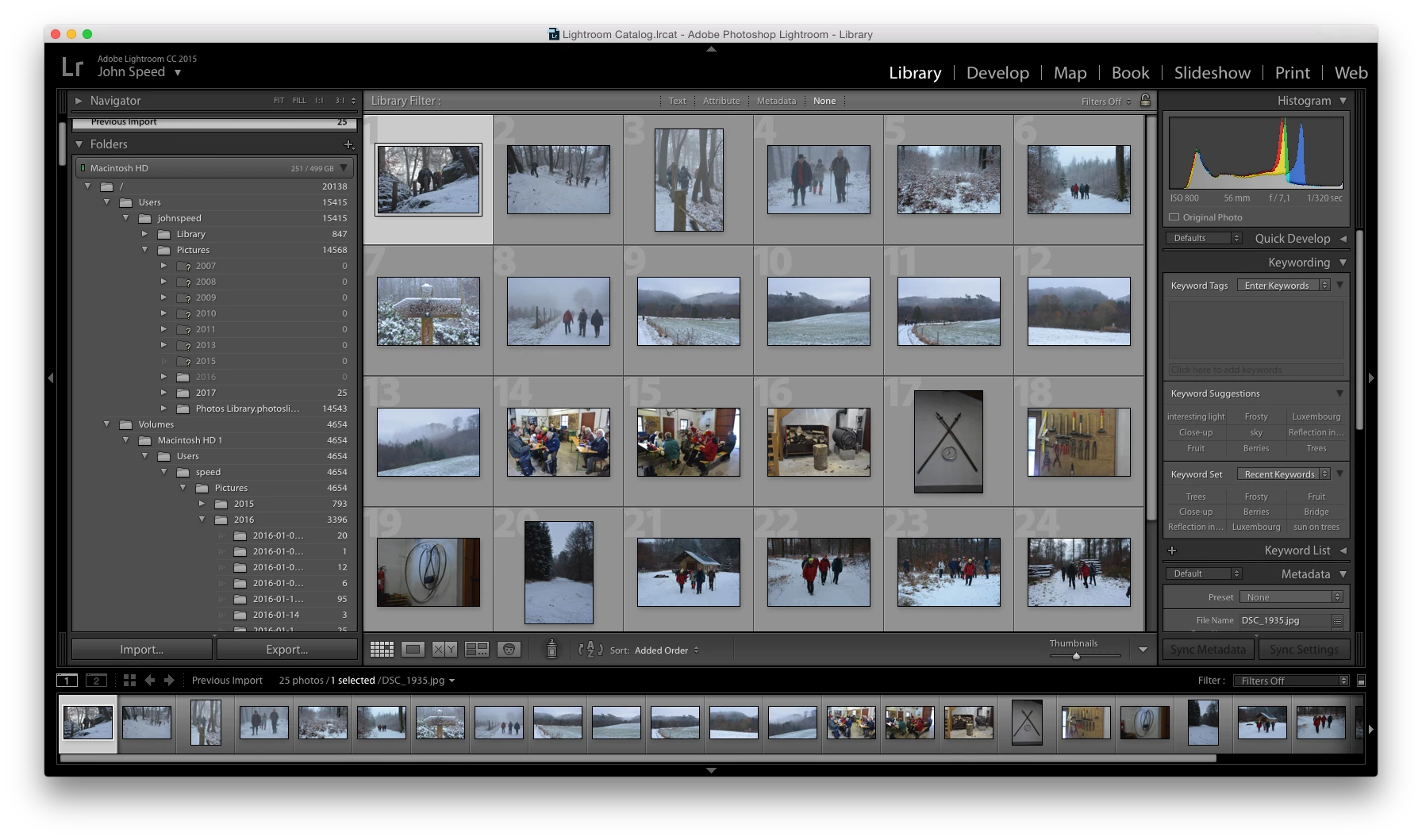
I attach a screenshot below which shows the structure of the Folder part of the left hand side, the catalog headings are not showing correctly. The Collections and Flickr albums show correctly:
I am very shamefaced for having messed up like this, but I would be very grateful if someone could advise how I can sort it out. Should I delete Lightroom from the new SSD and start again with trying to transfer things correctly? Or could that be dangerous?
John Speed
 AdChoices