In moving to a new MacBook Air I lost a year’s worth of photos even though backed up with both Backblaze and an external drive. That is history. How can I create photos from my smart previews on this new computer. It tells me the MacBook Air won’t do it. All I can come up with is taking a screenshot.. Thanks for any help.
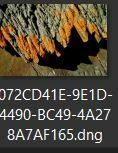
If you really do have SMART previews you should be able to find them with Mac Finder by looking in the Smart Previews folder (package) something like my Windows folder hierarchy- \Documents\Master Catalog-v14\Master Catalog-v14 Smart Previews.lrdata\0\072C. All the Smart previews will have a cryptic filename that does not identify the images. You can only get a visual check, like this-
Smart Preview image in Windows File Explorer
These Smart Previews are DNG files with a long edge dimension of 2460 pixels, but are good for recovery if you don’t have any originals.
You would need to Copy all the files in the SmartPreviews folders to another location and then add them to a new catalog.
If you DON’T have SMART Previews then you will only have access to Standard previews in the Catalog library view- There is a plugin that can extract JPGs from the standard previews.
Jeffrey Friedl’s plugin is recommended to extract previews-
If you really do have SMART previews you should be able to find them with Mac Finder by looking in the Smart Previews folder (package) something like my Windows folder hierarchy- \Documents\Master Catalog-v14\Master Catalog-v14 Smart Previews.lrdata\0\072C. All the Smart previews will have a cryptic filename that does not identify the images. You can only get a visual check, like this-
Smart Preview image in Windows File Explorer
These Smart Previews are DNG files with a long edge dimension of 2460 pixels, but are good for recovery if you don’t have any originals.
You would need to Copy all the files in the SmartPreviews folders to another location and then add them to a new catalog.
If you DON’T have SMART Previews then you will only have access to Standard previews in the Catalog library view- There is a plugin that can extract JPGs from the standard previews.
Jeffrey Friedl’s plugin is recommended to extract previews-




 AdChoices