



PlzExplain
Participant
March 13, 2026
Question

How do I get back features that are missing from the Navigator pane?

  • March 13, 2026
  • 2 replies
  • 59 views

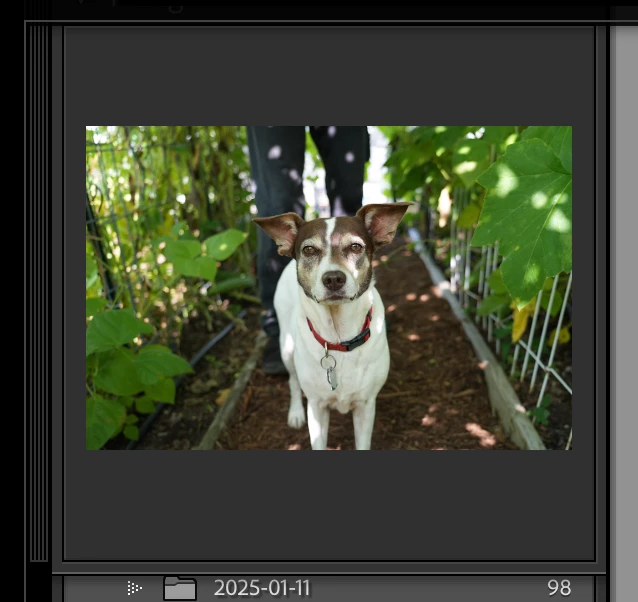
I’ve been using Lightroom for over a decade. Recently, I’ve toggled something and I now no longer have the option to select Fit, Fill, or Zoom % from the Navigator pane. I’ve gone to window to ensure it’s checked, etc. I have the thumbnail, but no drop down arrow.


I’ve searched all over for the answer but haven’t found any other poss with a similar experience. Is this a bug? Please help!
 

    2 replies

    Per Berntsen
    Community Expert
    Community Expert
    March 13, 2026

    I’m not seeing this in LrC 15.2 on Windows 11.

    Are you both using a Mac?

    gary_sc
    Community Expert
    Community Expert
    March 13, 2026

    Yes, ​@Per Berntsen, both of us are on Macs

    gary_sc
    Community Expert
    Community Expert
    March 13, 2026

    Hi, ​@PlzExplain, I can see that your image there is above the folders where the Navigator image should be. Above that image should be a dropdown arrow allowing you to display the Navigator image and the sizing you are asking about.

    Specifically, it should look something like this:

    I’ve got a red rectangle showing where the sizing things are that you are looking for.

    Can you please share an extra screenshot showing more of your LRC window?

    Meanwhile, the fit or fill are on the left side of that area:

    And the zoom is on the right.


    PlzExplain
    Participant
    March 13, 2026

    Thanks for your quick reply. I always operate in full screen and popped it into a smaller window to take a screenshot and it appeared. When I go back to full screen though it seems that it’s the panel at the top that’s covering it up. When I hide the top panel it shows. 

    I feel like expanding the top panel used to bump the other panes down so everything is visible?


    PlzExplain
    Participant
    March 13, 2026

    Here’s a screenshot:


    and another with the panel closed: