
olafw98346532
Participant
November 17, 2016
Question

How do I get my RAW files from an iphone 7 Plus into desktop LR

  • November 17, 2016
  • 1 reply
  • 1178 views

Hi folks - I'm a member of CC. I'm signed in on both on my desktop Mac and my new iphone 7 Plus. In LR I have all my images in one catalog. On the desktop I click on 'sync with LR Mobile' and I get a warning dialog box stating that I must delete all previously synced fotos.
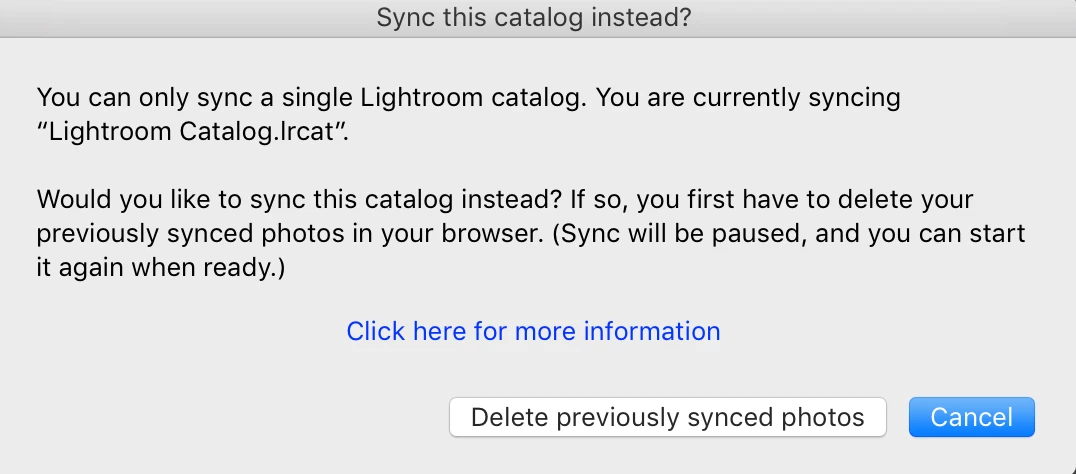
I'm assuming this refers to the hundreds of shots uploaded from my previous mobile phones? Well I don't want to do that. I just want to upload the RAW images shot by the 7 Plus into the existing catalog. Is this not possible? Thanks for any advice you may have.

    This topic has been closed for replies.

    1 reply

    Adobe Employee
    November 17, 2016

    Olaf,

    When a customer is signed into Lightroom mobile and Lightroom CC with the same Adobe ID and using only one catalog on the desktop, the DNG files captured on the iPhone should flow from iPhone to Desktop through the Creative Cloud.  The message you're receiving indicates that at some point you enabled the sync functionality in a different catalog.  To help troubleshoot:


    Can you let us know what platform you're using(Mac or Win)?
    Under Help -> System Info, can you provide the line that starts with "Library Path..."
    Have you previously recovered from any hard drive failures while using Lightroom? 

    Regards,

    Tom Hogarty
    Adobe Systems

    olafw98346532
    Participant
    November 17, 2016

    Hi Tom

    Thanks for the quick response.

    I’m on an iMac, see spec screen shot below.

    Here’s the system info:

    Application folder: /Applications/Adobe Lightroom

    Library Path: /Users/olaf2016/Pictures/Lightroom/Lightroom Catalog.lrcat

    Settings Folder: /Users/olaf2016/Library/Application Support/Adobe/Lightroom

    No I’ve not previously had any trouble with LR or HD recovery issues. I did play around with LR Mobile on an iPad I no longer own and may well have put in some wrong info at that stage.

    Thank you.

    Adobe Employee
    November 17, 2016

    Olaf,

    A few more questions for you:
    1. Have you updated your Operating System recently?
    2. Have you ever launched or used Lightroom on a different computer(Since April of 2014)?

    3. Log on to Lightroom.adobe.com and that will show you the images that you had previously sync'd from all devices(phone, tablet) and perhaps a different catalog.

    Regards,

    Tom Hogarty

    Adobe Systems