Ken Nielsen
Legend
July 5, 2020
Answered

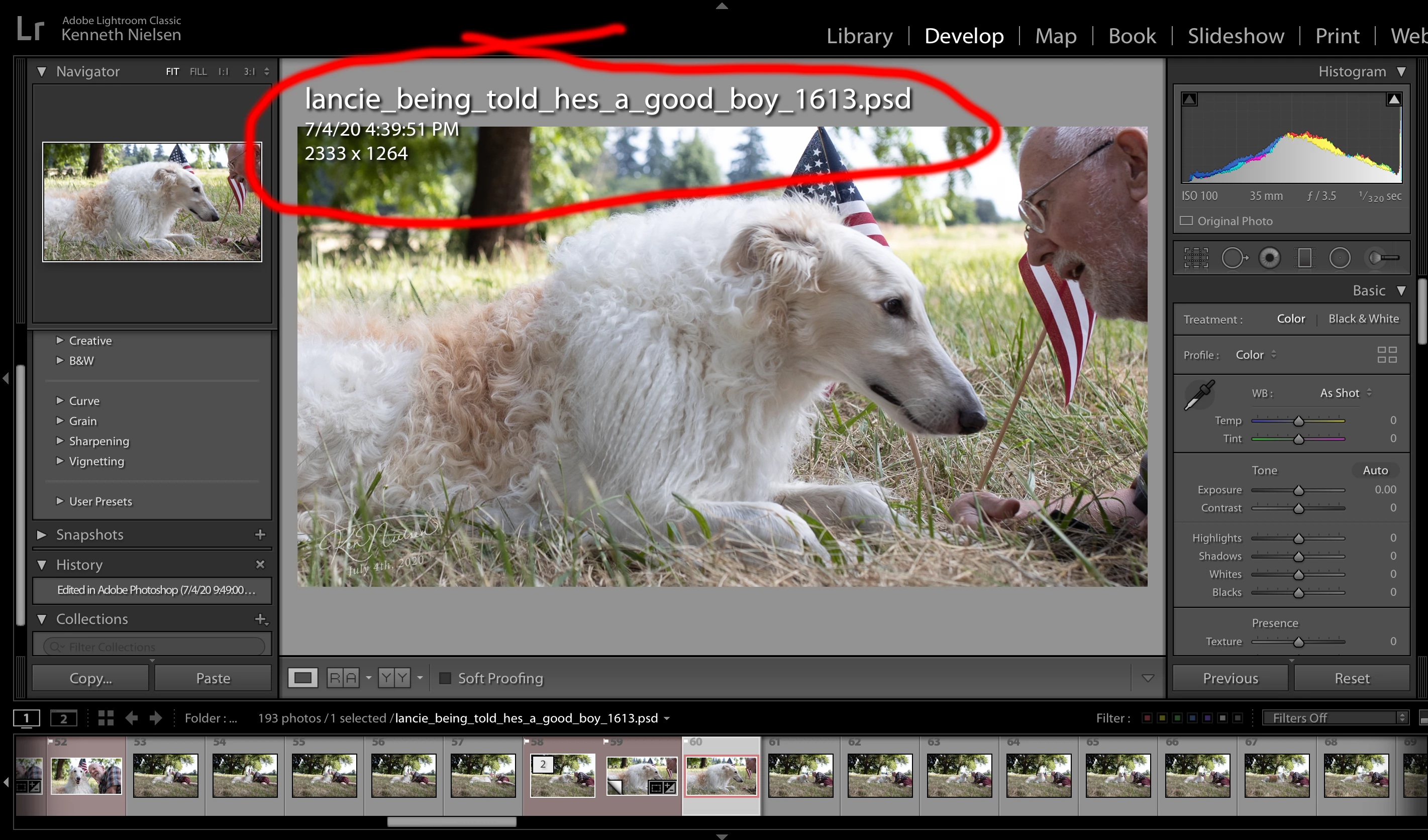
How do I get rid of exif information displaying over the image I am working on?

  • July 5, 2020
  • 2 replies
  • 497 views

I don't see any menu item but know I must have tripped a keyboard command that brought this information onto the screen, which I do not want... How do I turn it off please?  TIA, Ken
This topic has been closed for replies.
Correct answer TheDigitalDog

Type the  I key until it's gone. 

View>Loupe Info is the menu item.

2 replies

Just Shoot Me
Legend
July 5, 2020

Actually it is Lower case i ( i ). That will cycle through the options for that info area and it includes None.

TheDigitalDog
Inspiring
July 5, 2020

Actually upper or lower case I (i) works on this end. But no reason to hold down an extra key....🤔 🤔

Author “Color Management for Photographers" & "Photoshop CC Color Management/pluralsight"
TheDigitalDog
TheDigitalDogCorrect answer
Inspiring
July 5, 2020

Type the  I key until it's gone. 

View>Loupe Info is the menu item.

Author “Color Management for Photographers" & "Photoshop CC Color Management/pluralsight"
Ken Nielsen
Legend
July 5, 2020

Thank You One And All... for responding here. How easy it is to 'touch' a key and then suffer the consequences... View>Loupe Info - It could have taken me days to discover that and I thank you for helping me put the 'Info' away and get back to editing with a clean view.... Regards!