
Participant
March 6, 2020
Answered

How do I remove shadow that borders the photo onto Lightroom's background?
  • March 6, 2020
  • 1 reply
  • 2090 views

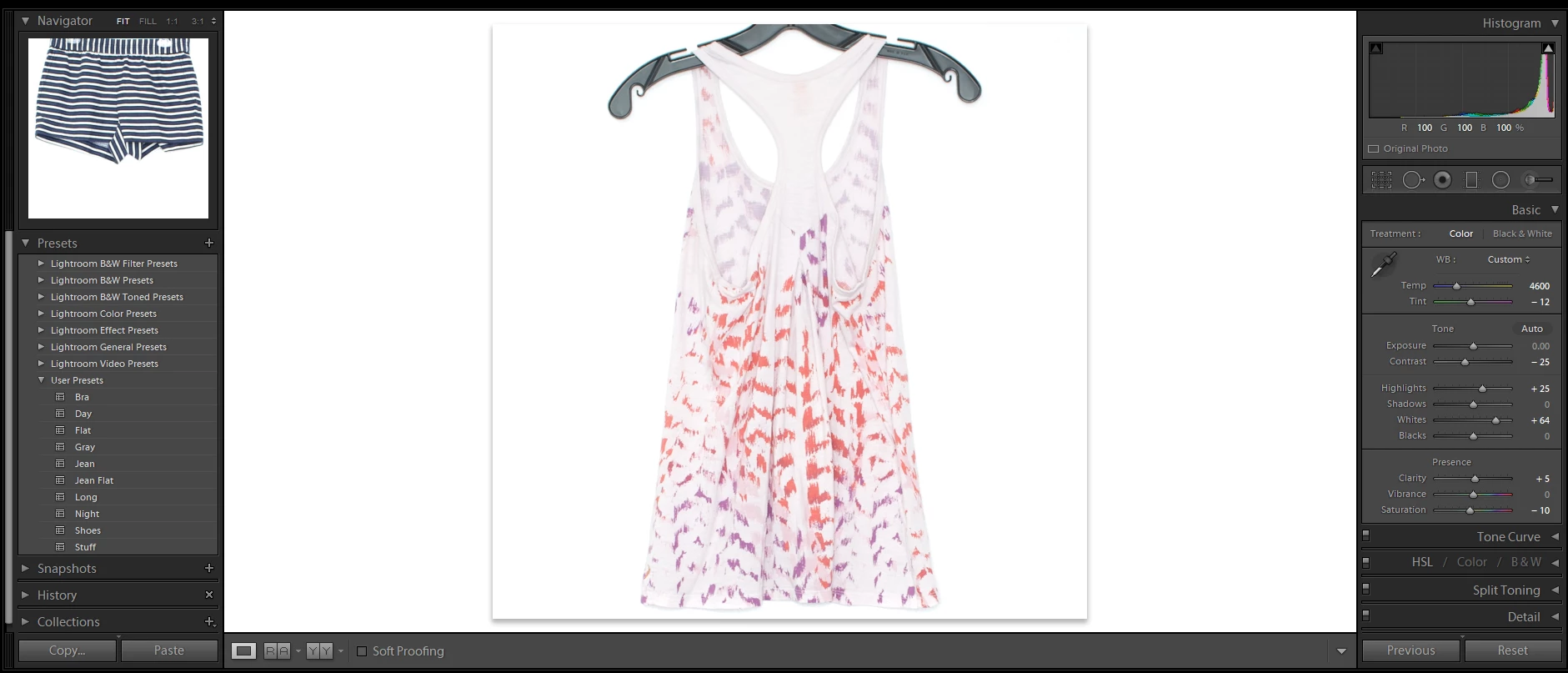
I would like to remove the shadow border of the image. I used to have it where photos went right up to the background but now the photo casts a shadow onto the background. I need to edit my photos and know how it will fade into a white webpage. How do you turn this shadow off?

By the way the shadow is not in the photo itself .

TIA!
    This topic has been closed for replies.
    Correct answer Per Berntsen

    Images will display without a drop shadow in Develop, as long as the GPU is supported by Lightroom, and enabled.

    Since this worked before, you may have to update your graphics driver.

    Or it could be that you installed a new version of Lightroom that doesn't support the GPU, while the previous version did support it.

    Go to Preferences > Performance, and see if it's possible to enable the GPU. (check Use graphics processor)


    A workaround is to use Lights out – press L twice.

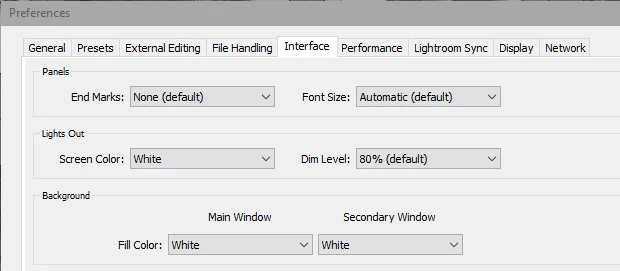
    Preferences > Interface need to be set up like below.


    1 reply

    Per Berntsen
    Community Expert
    Per BerntsenCommunity ExpertCorrect answer
    Community Expert
    March 6, 2020

    Images will display without a drop shadow in Develop, as long as the GPU is supported by Lightroom, and enabled.

    Since this worked before, you may have to update your graphics driver.

    Or it could be that you installed a new version of Lightroom that doesn't support the GPU, while the previous version did support it.

    Go to Preferences > Performance, and see if it's possible to enable the GPU. (check Use graphics processor)


    A workaround is to use Lights out – press L twice.

    Preferences > Interface need to be set up like below.


    Participant
    March 7, 2020

    That worked perfectly! Thank you!