Inspiring
September 3, 2018
Answered

How do I turn off keyword filtration?

  • September 3, 2018
  • 3 replies
  • 629 views

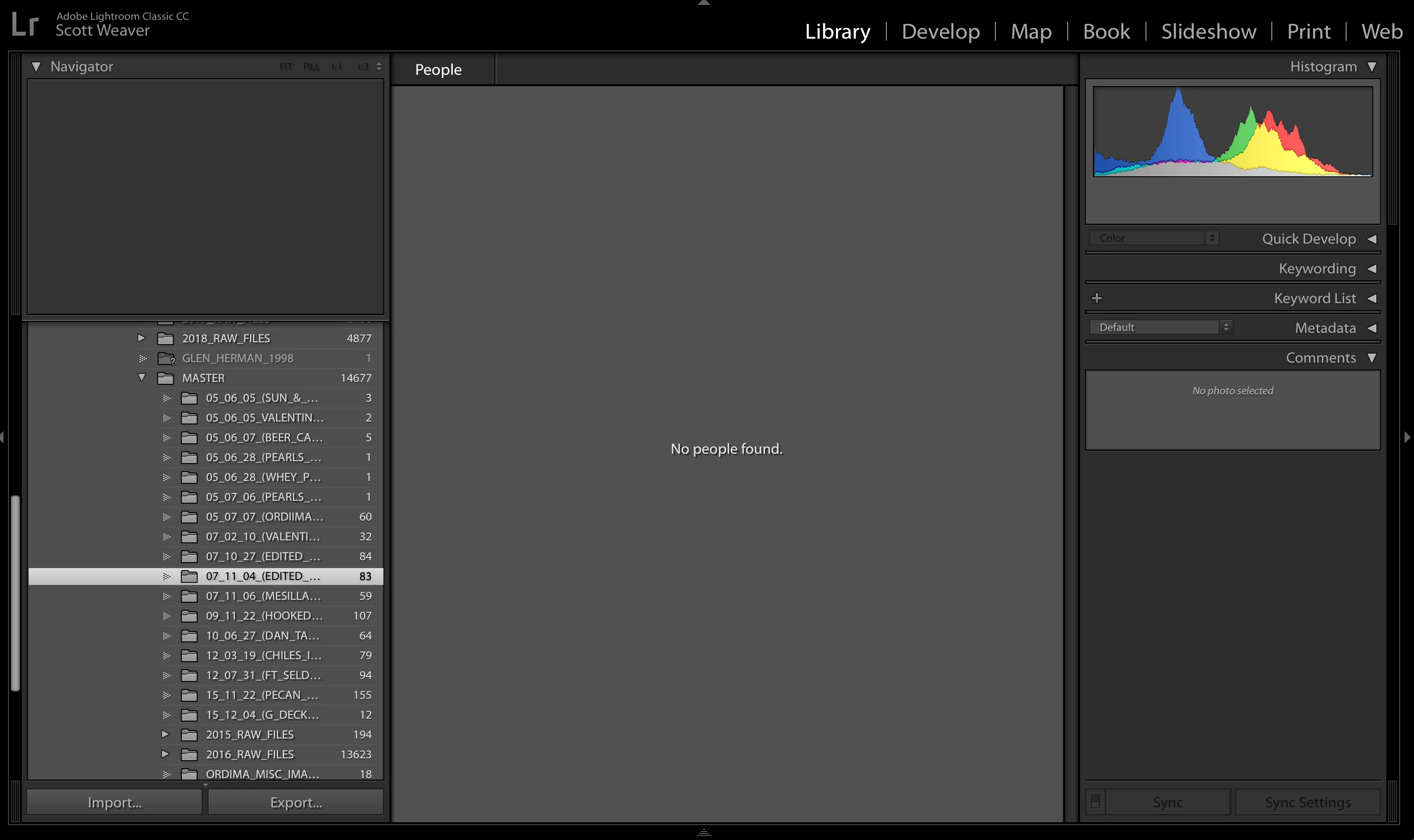
Could someone help me out? I was editing the keywords and metadata on an image and my screen suddenly went to this. I'm attaching screenshot. I can't find how to turn off what I think is keyword filtration, but not sure. Have used LR for five years extensively but I never search via keywords. When I click on the PEOPLE listed, right clicking brings up no option. I've turned off face detection from the upper left hand corner dropdown. Any suggestion would be appreciated. Thank you!
This topic has been closed for replies.
Correct answer dj_paige

What happens if you press G ???

3 replies

99jon
Legend
September 3, 2018

You can also press the backslash key instead of G. That will take you to the Library Grid and you can confirm filters off (top-right) above the thumbnails.

Community Expert
September 3, 2018

You are in people view but you have also hidden the toolbar so there is no obvious way to get out of it except if you know the keyboard shortcuts or look in the view menu. Hit T to show the toolbar. You'll see the little face icon will be lit up. Click on the grid view to go back to the normal grid view. You can also hit G as dj says or use the view menu.

dj_paige
dj_paigeCorrect answer
Legend
September 3, 2018

What happens if you press G ???

Inspiring
September 3, 2018

Thank you so much! I think I'll permanently remove G from my keyboard

Community Expert
September 3, 2018

You don't want to remove G! You hit O to get in this mode. G gets you back to grid view. The two keys G and D (goes to develop mode) are probably my two most used keys in Lightroom.