thanost2424067
Participating Frequently
November 29, 2017
Answered

How to apply updates for Lightroom version: 6.0 [1014445]

  • November 29, 2017
  • 1 reply
  • 2076 views

Dear All,

I have installed the below LR version

Need, urgently, to apply updates , always under Satnd alone approach and not under cloud, this is my last chance before stop using LR/Adobe products

Kindly requested to point me the exact link where I can download the latest updates and some instructions

High;y appreciate your support

Kind Regards

Thanos

Lightroom version: 6.0 [1014445]

License: Perpetual

Operating system: Windows 8.1 Business Edition

Version: 6.3 [9600]

Application architecture: x64

System architecture: x64

Logical processor count: 4

Processor speed: 3.1 GHz

Built-in memory: 16326.0 MB

Application folder: C:\Program Files\Adobe\Adobe Lightroom

Library Path: C:\Users\thanos\Pictures\Lightroom\Lightroom Catalog.lrcat

Settings Folder: C:\Users\thanos\AppData\Roaming\Adobe\Lightroom

Installed Plugins:

1) Behance

2) Canon Tether Plugin

3) Facebook

4) Flickr

5) HDR Efex Pro 2

6) Leica Tether Plugin

7) Nikon Tether Plugin
This topic has been closed for replies.
Correct answer mark@headTrix

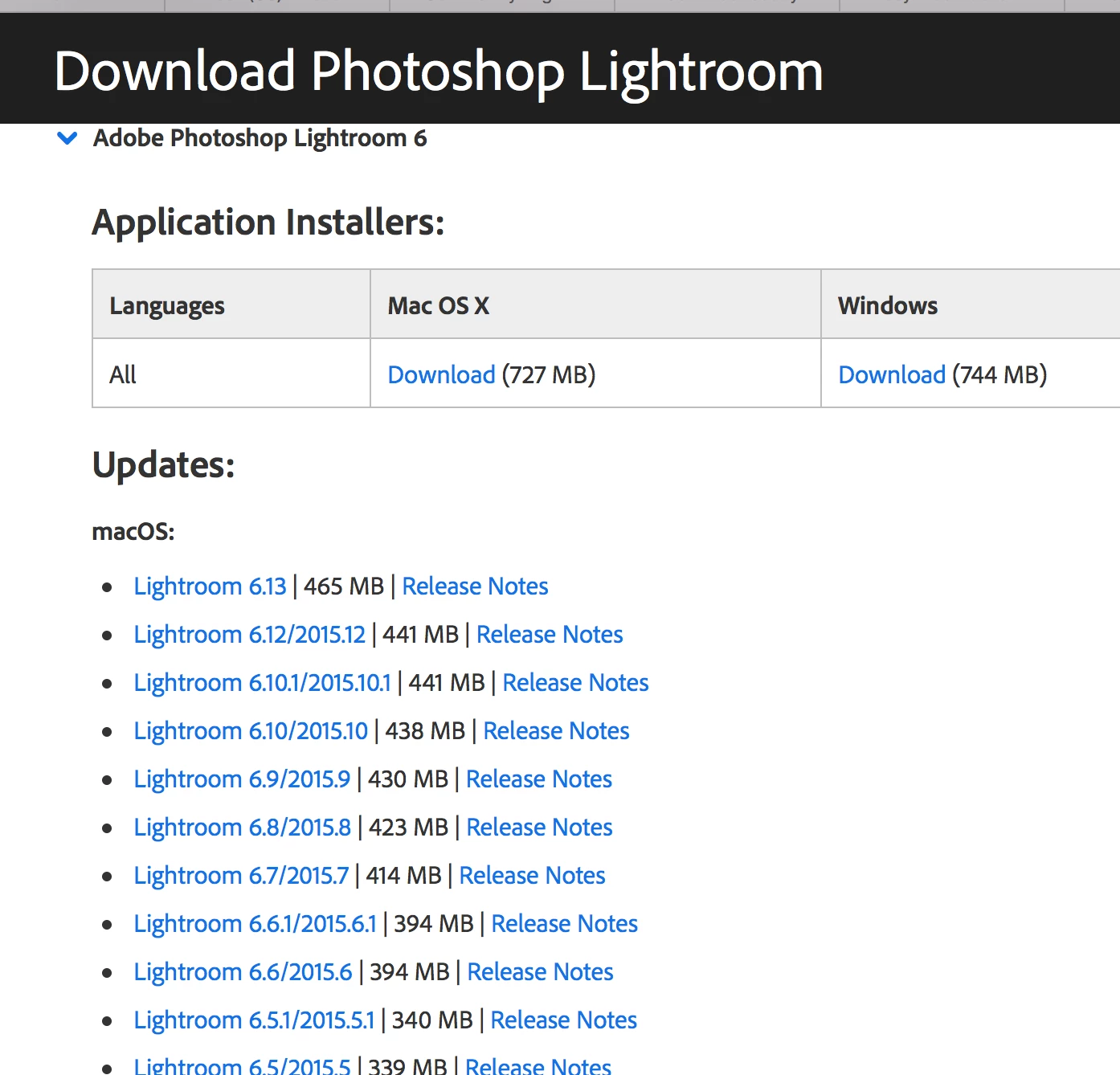
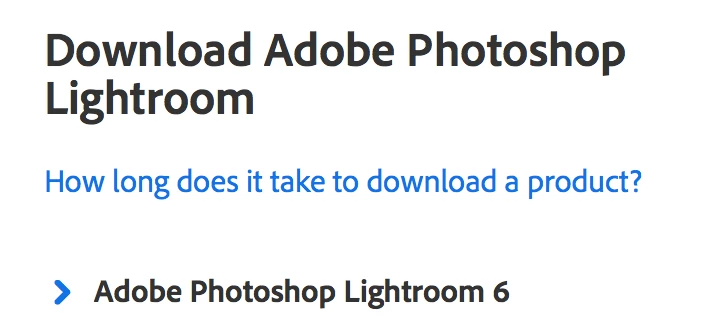
The link was the correct link.... if you LOOK at the page and navigate to where it says "Adobe Photoshop Lightroom 6"

click the little ">" and then you will see this:

and I was NOT comparing desktop to cloud.... I make no money in helping you with my reply, nor if you signed up for the cloud.

I was only giving you my professional advice and free helpful tips from an Adobe Certified Instructor. I have no use for these patch downloads since I use the cloud and easily update via Creative Cloud app!

but you are so very welcome!

cheers!

mark

1 reply

Community Expert
November 29, 2017

hi!

I think its so much easier to keep up to date with Lightroom with the Cloud Version, and now you get lightroom CC and Lightroom Classic, AND Photoshop AND 2 Gigs of Memory on the Creative Cloud.


But here is link with some release notes for various updates to version 6.

Download Photoshop Lightroom

hope that helps!

mark

headTrix, Inc. | Adobe Certified Training & Consulting
thanost2424067
Participating Frequently
November 29, 2017

Hi Mark,

Thank you for your immediate answer, highly appreciate your response but unfortunately does not help me as I was expected

The link you mentioned is know but it lucks for information and Adobe is so confusing with names and put my working environment in high risk  if I will  try to install a version that might push me to migrate the Standalone version to the could one without my acceptance.

This request has not been written to compare the Standalone and the cloud versions, this is a specific request as I am mentioning from the beginning.. is not clear? Let me please repeat it..

I have a STANDALONE LR V6 , what is the link to download the updates and what are the basic instructions for this task

I do not need any Cloud version. Adobe has to respect this

Thanking you in advance

RikkFlohr: Inactive
Inspiring
November 29, 2017

You were given the correct link in the previous post by Mark.

The download for the Creative Cloud Version of Lightroom and the Standalone version are the exact same link and same file download.  The only difference between the Cloud and Standalone is the licensing you choose to enact.