

How to avoid LR from performing automatic adjustments to RAW images imported from a Nikon Z9
Hi all,
I came across some issues when importing RAW files from my Nikon Z9 into LR. I did some searching and I've seen similar problems, so that's why I would like to share what I found. And it seems that other questions pop up when searching through this issue, so advice is welcome!
My original problem:
when I import RAW images - made by my Nikon Z9 - into LR, I see in the develop mode that automatic adjustments are made (cfr screenshots).
> the adjustments include exposure, contrast, white balance, vibrancy, excessive sharpening and noise reduction
> the amount of adjustments vary from photo to photo, on one photo the noise reduction is higher than on another photo, the same with other adjustments.
> the adjustments only take place on the RAW images, not on the JPG version
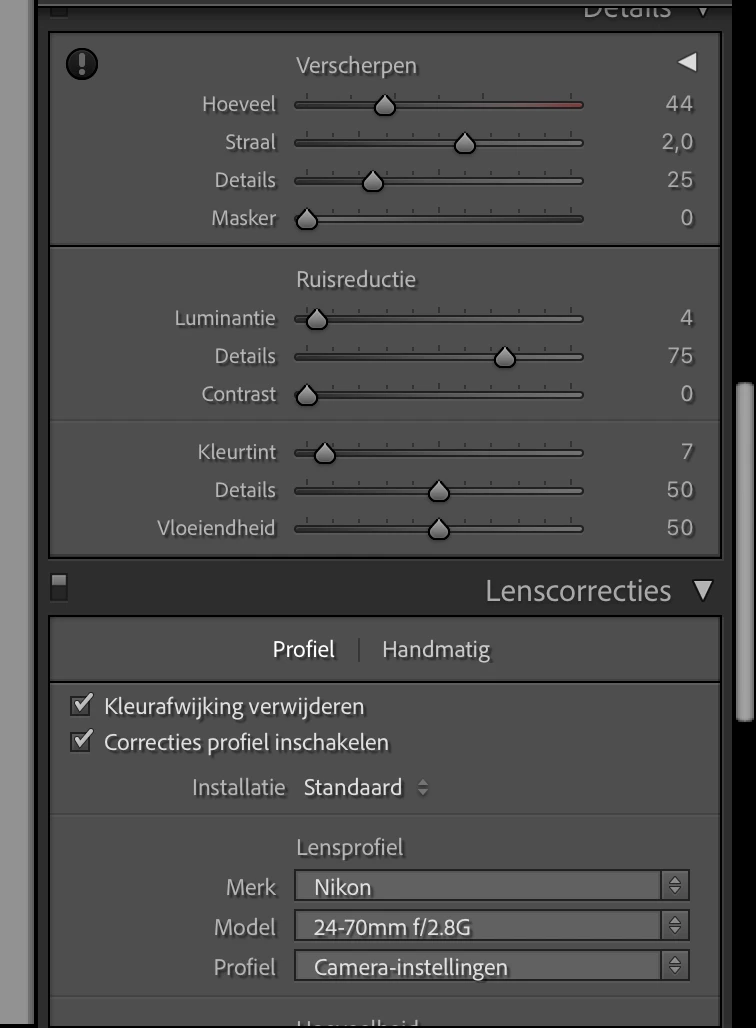
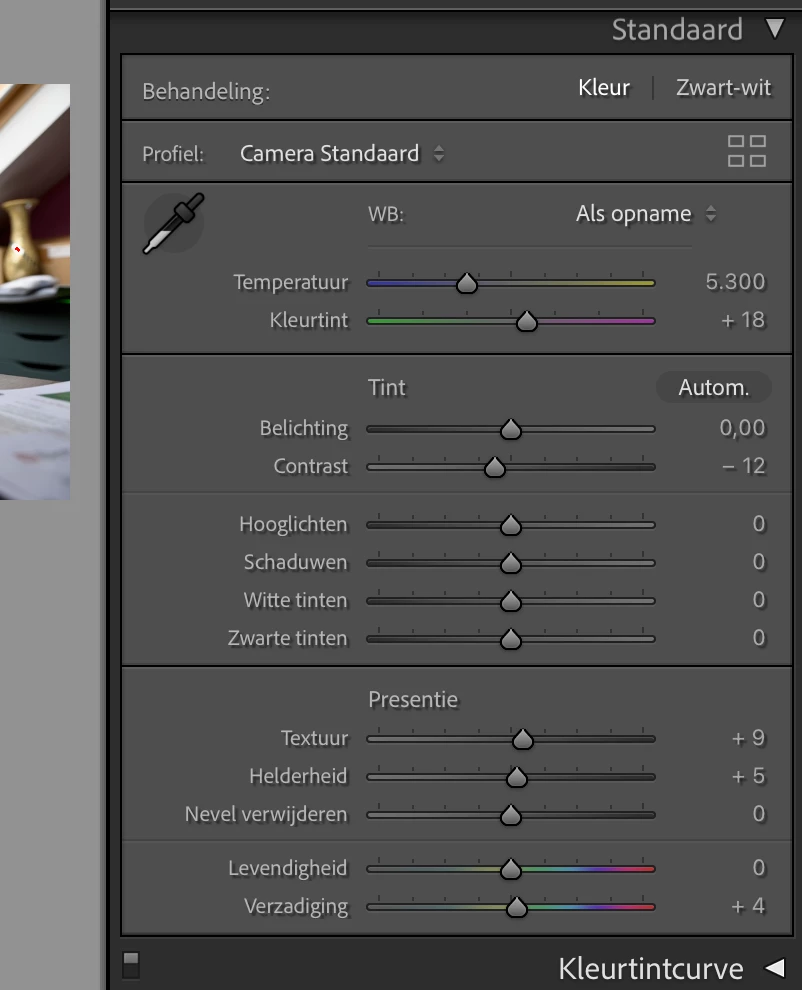
My actions so far:
Nikon Z9
- Picture Control is set to Auto with all settings set to 0
- Active D-Lighting is set to OFF
- high ISO noise reduction is set to OFF
Lightroom Classic
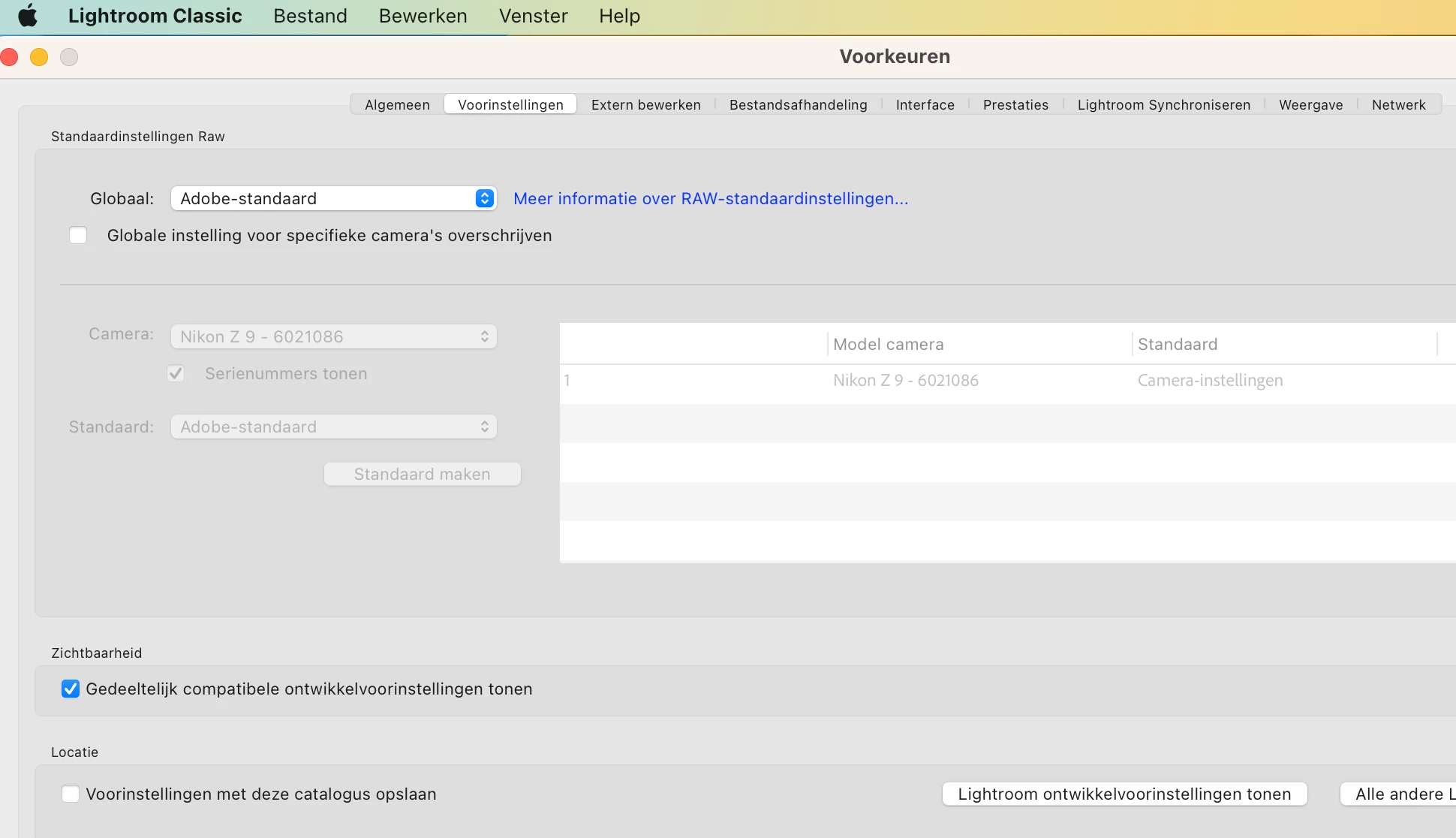
- in the RAW standard settings I have indicated that the camera settings must be followed (cfr screenshot).
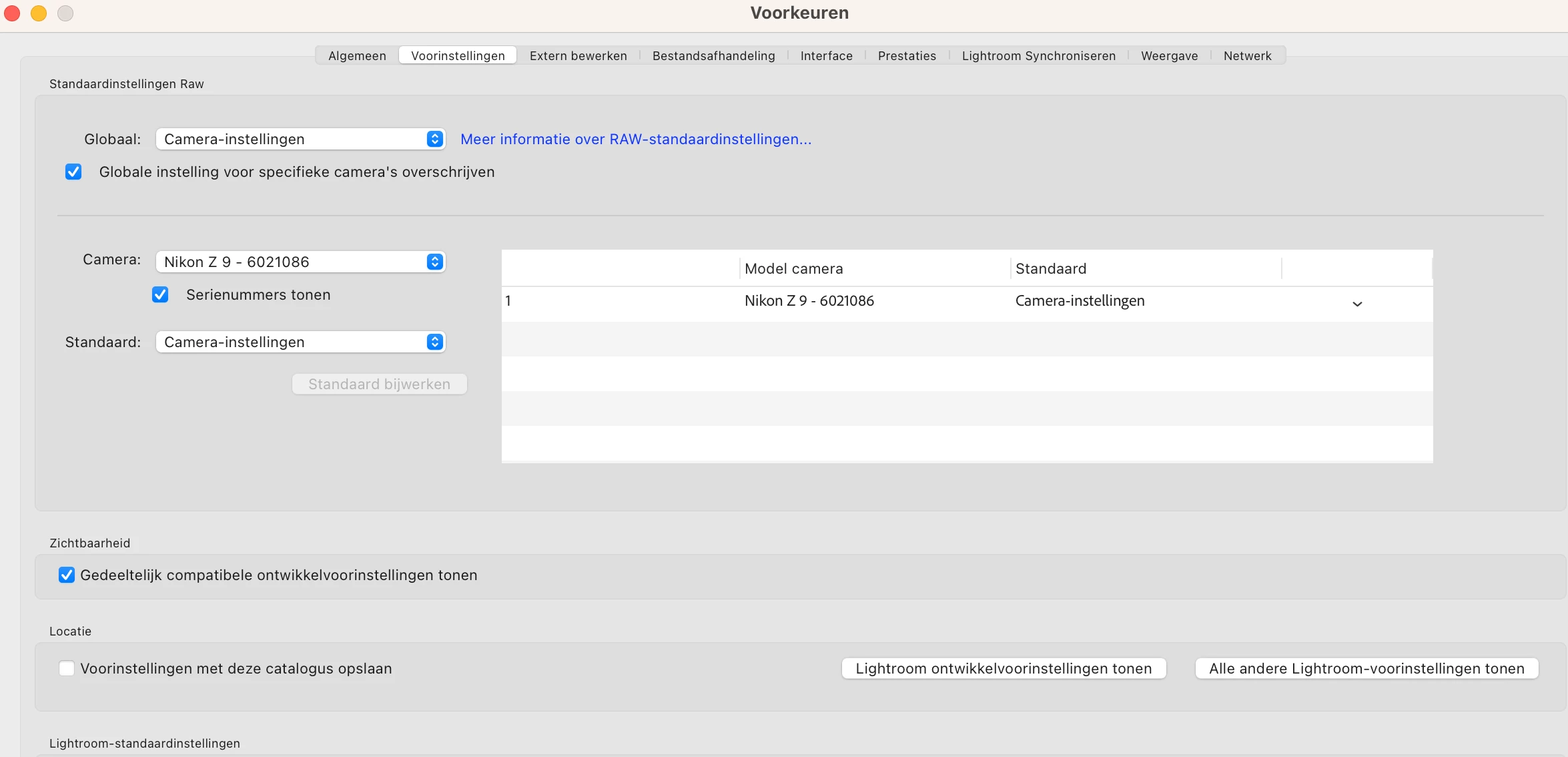
Unfortunately, in LR I still don't see the image/preview that I see on my Z9, the automatic adjustments continue to happen. However, in the library module (with 'fast development') I can set all settings to 0 by clicking 'restore all' (cfr screenshot/yellow arrow). All the automatic adjustments made by LR are now undone and all the settings are on 0 (and this is actually the initial situation I want) .
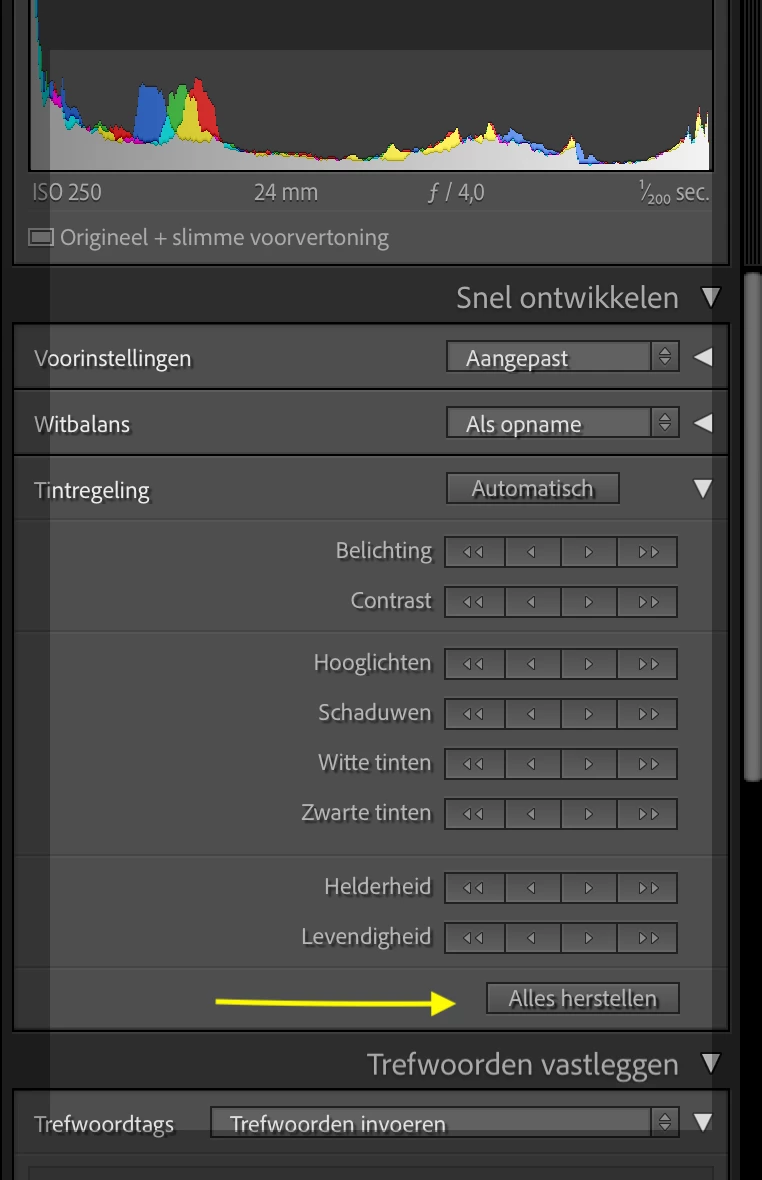
Then I adjusted the RAW standard settings and indicated that the Adobe Standard should be followed (cfr screenshot).
Now when I import photos, all settings are set to 0 (as I want). The color profile in development mode is set to Adobe Color and not Adobe Standard as I would expect but maybe that is normal or indicated elsewhere?
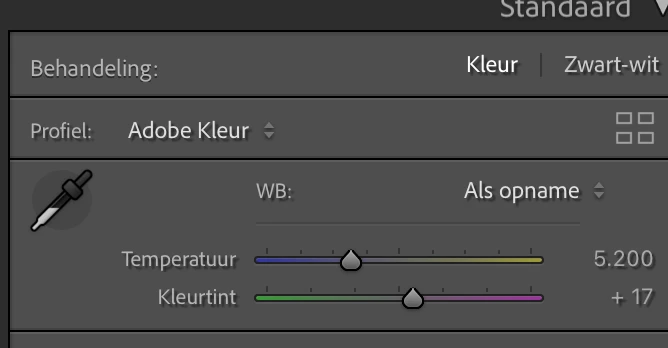
Now I find it strange that the automatic adjustments are made when the camera settings are followed and not when the Adobe Standard settings are followed. I'd rather think it's the other way around.
Does anyone here have an idea as to why this is so I can better understand this issue? Thanks in advance!
Caroline


 AdChoices