
How to Change the Name of a Normal(?)/Special(?) LrC Profile
I successfully used J.R. Ellis’ Fix Presets Plugin for LrC – many tanks to John! Alas, it does not change normal(?)/special(?) profiles, only “creative” ones. I can’t even change the names of these normal (?)/special(?) profiles, what I’d like to do. The creator of about 100 “camera profiles” that I bought did not put any camera name as a part of the profile name – you only find e.g. “aRGB Vivid …” (followed by the name of the producer’s company). When this is shown in LrC or ACR “Profile”, in LrC favorites or LrC History you have to solve a riddle if you own all 12 camera profile groups, the riddle “The profile of which camera did I use with this picture?”. One can change the names of creative profiles easily in Camera Raw (not in LrC - at least not after having used Fix Presets😞 After right-clicking on the profile name an according pop-up menu appears. But you do not have that possibility with these normal (?)/special(?) profiles – another pop-up menu shows up.
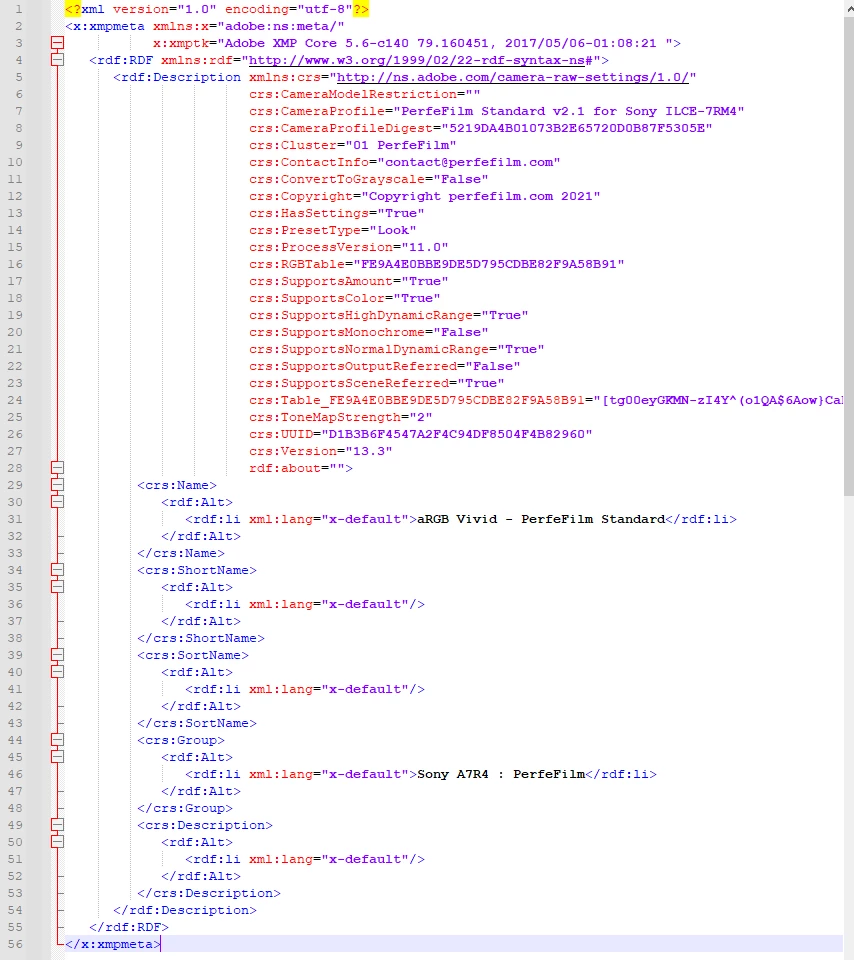
So I tried to change the profile code with Notepad ++, a programming editor. Exchanging the old profile name with one including the camera name – e.g “aRGB Vivid …” with “Sony A7R4 aRGB Vivid,”...(followed by the name of the producer’s company) – stopped the profile from appearing in ACR and LrC, it did not show up anymore. I twice wrote to the creator, firstly he answered to something else than my question, a second answer I did not get. (But at least some of his profiles are really good.)
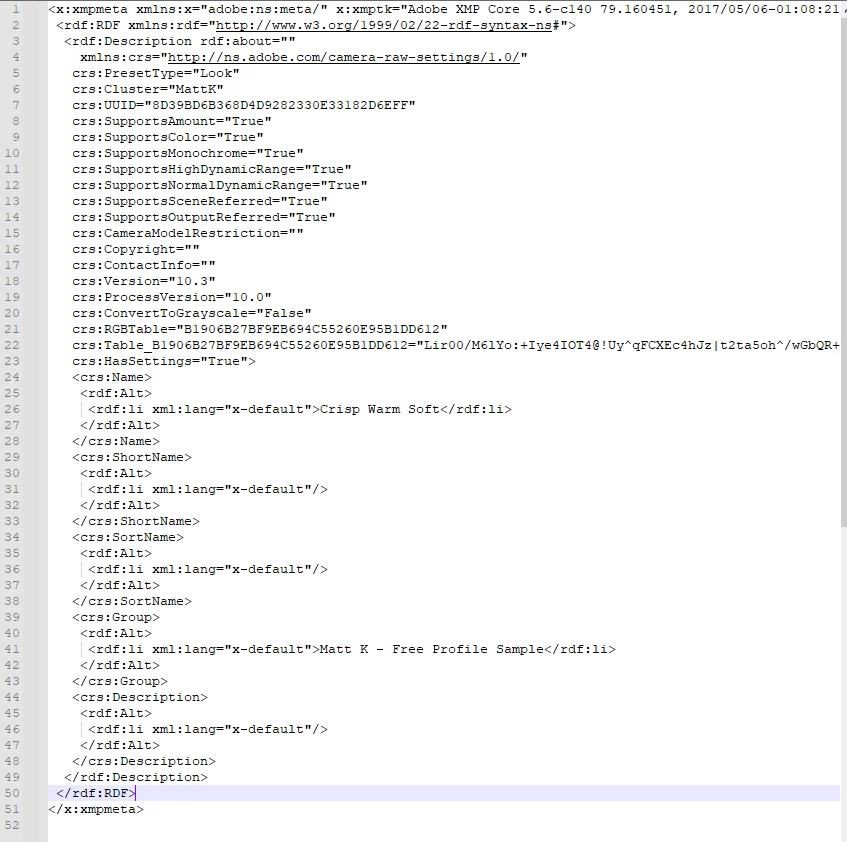
I put 2 screenshots below: #1 is the profile code shown in Notepad ++ of a normal (?)/special(?) profile, of which I cannot change the name, #2 is the profile code shown in Notepad ++ of a creative profile, name changeable. These two profiles I attached to this text. "aRGB Vivid..." is a normal (?)/special(?) profile, of which I cannot change the name, "Crisp Warm soft" is a creative profile, name changeable*. Or you can download them from my account at MEGA’s if you like to help me or find out if your thoughts how to solve the problem are right - Link for downloading: https://mega.nz/folder/QsIjCRZL#xpJRVPPmT3CfZl3HJjMJ7A
Thank you for reading all this - and even more in advance if you will give me a hint or more!
Liw
__________________
*The first profile one also gets in the creator’s free sample, the second is a free profile of Matt Klokowski’s.
1.
2.



 AdChoices