

Question
How to check all the photos to avoid file errors before backup?
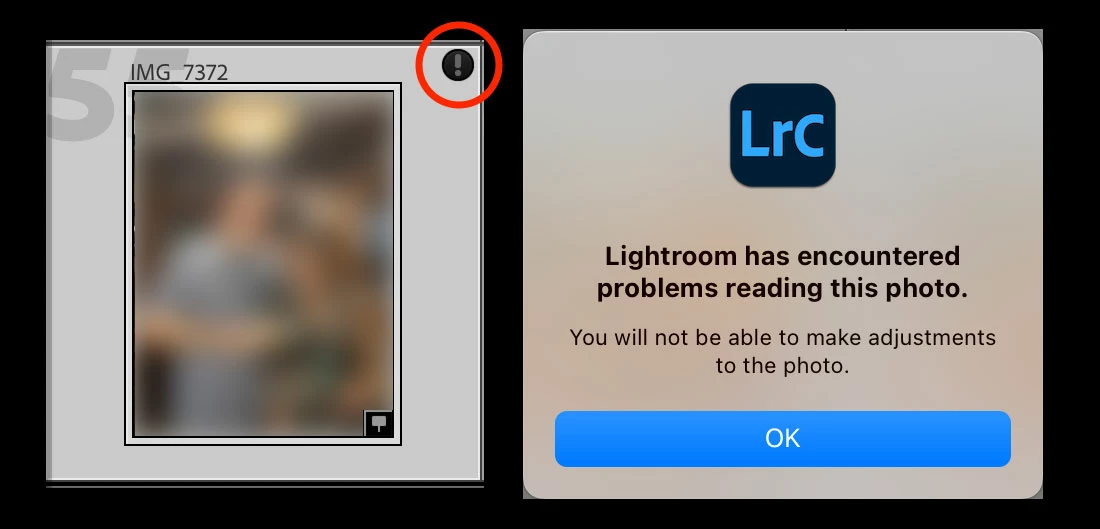
Hi all. Recently I upgraded my SATA 2TB Hard Disk to a NMVe 2TB to use on Lightroom Classic. I always have a mirrored backup of all my photos, synced with the drive origin. Some days ago I tried to open one file and I got a exclamation icon saying that the file is corrupt. Unfortunately I don't have the original files on the Hard Disk before copied to the NMVe. I only have the backup from the NMVe, so my backup has the file corrupted too. Maybe the problem is the NMVe hardware, but my question is simple:
There is a way to select all files from a folder and check if it is corrupted or not? Inside the Lightroom Classic? Generating previews? Or a simple way is available? Just wanna check to see what is corrupted from my catalog. Thanks!


 AdChoices