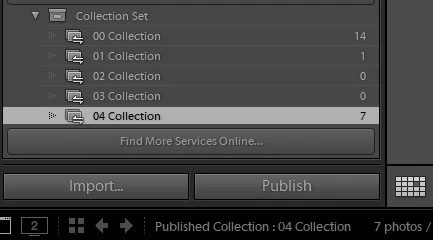
The LrExportContext object passed by LR to your processRenderedPhotos() contains the field "publishedCollectionInfo", which provides information about the LrPublishedCollection being published. I'm not sure what it contains when the user has selected a collection set and click Published. But you could set a breakpoint in the debugger and see what it contains in that instance.
If the information in "publishedCollectionInfo" does allow you to distinguish between when the user has selected a collection versus a collection set, the service's processRenderedPhotos() function can check that, open a message dialog, and then raise an error to terminate the publishing operation.
If "publishedCollectionInfo" doesn't allow you to distinguish when the user has selected a collection, another approach would be to require the user to publish using a Library menu command, e.g. Library > Plug-in Extras > My Publish. This command call catalog:getActiveSources() to determine whether a collection or collection set has been selected, raising an error if a collection is selected. It would then set a global flag and call collection:publishNow() for each collection contained in the selected collection set. The service's processRenderedPhotos() function would check for the global flag -- if it's false, that means the user has clicked on Pubish directly, and you can raise an error.
 AdChoices