
C.Cella
Legend
October 27, 2025
Answered

How to find photos with "Undetected" face region

  • October 27, 2025
  • 1 reply
  • 165 views

I have a "newbie" question.


How can we  find photos with "Undetected" face region i.e. photos in which Ai tagging did run but didn't find any face?

.

Correct answer johnrellis

[This post contains formatting and embedded images that don't appear in email. View the post in your Web browser.]


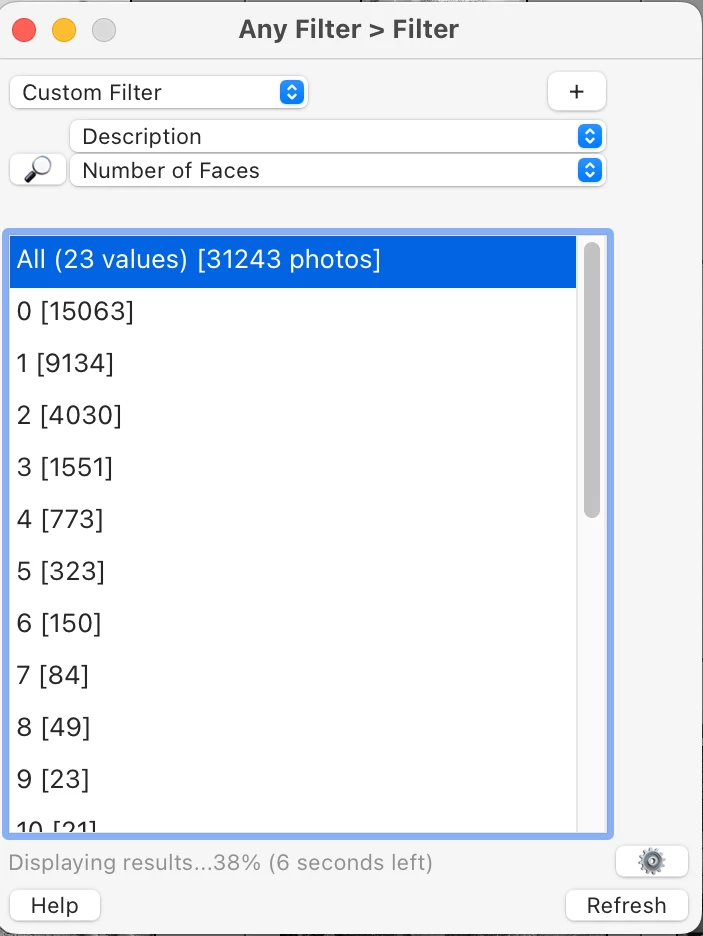
The Any Filter plugin provides the missing functionality.  To find all photos containing no face rectangles:


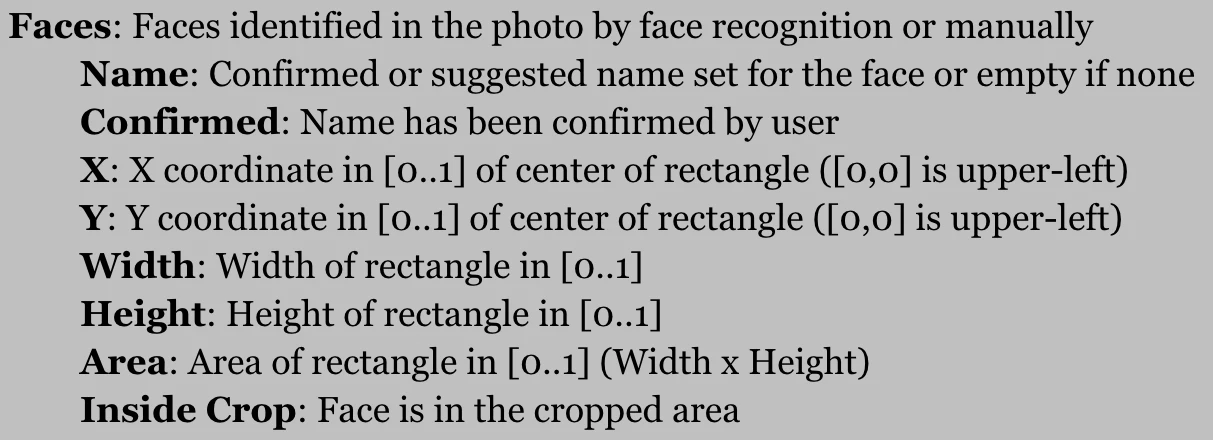
Any Filter accesses all the catalog information for face rectangles:


The Search command has a number of built-in queries to support various parts of the tagging workflow that LR omits.

1 reply

Sameer K
Community Manager
Community Manager
October 27, 2025

Hey, @C.Cella. Thanks for bringing this up.


Lightroom's people view does not support manual tagging, so visibility of this kind is currently unavailable, and the smart album rules only facilitate the 'includes' state.


Sameer K
(Type '@' and type my name to mention me when you reply)

C.Cella
C.CellaAuthor
Legend
October 27, 2025

@Sameer K 

Okay so the problem for me is this face tagging is taking lots of time


Faces are detected but I have to enter manually because we cannot use the already filled in Metadata.

Minutes and minutes wasted on this.


Regularly I end up with Folders in which not all photos have been tagged and I have no idea which one are missing the tagging.

• I would expect all these photos to appear under "untagged" or maybe be marked with no person detected.


So basically I will likely have to: 

1. Sect the photos that have been tagged

2. Inverter selection

3. Open in People Loupe (bugged if alredy in People view) 

4. Draw the face region

5. Aplly to all selected via confirm dialog

6. Then finally enter the name 


All of this while face tagging could simply use existing metadata.

Makes no sense waste time like this.


johnrellis
johnrellisCorrect answer
Legend
October 27, 2025

[This post contains formatting and embedded images that don't appear in email. View the post in your Web browser.]


The Any Filter plugin provides the missing functionality.  To find all photos containing no face rectangles:


Any Filter accesses all the catalog information for face rectangles:


The Search command has a number of built-in queries to support various parts of the tagging workflow that LR omits.