Answered
How to fix “Enhance Error” on Lr?
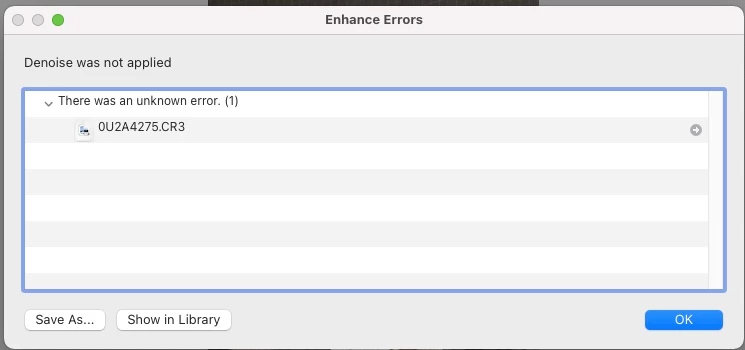
How to fix this Error? I not able to reduce noise with AI.
My computer is 2014 MacBook Air, the "Super Resolution" can be done, but AI denoise can't.
Hope somebody can help me, thank you so much.

How to fix this Error? I not able to reduce noise with AI.
My computer is 2014 MacBook Air, the "Super Resolution" can be done, but AI denoise can't.
Hope somebody can help me, thank you so much.
Your 2014 MacBook Air is using an integrated Intel GPU. This GPU uses the system memory, but it can't access the mimimum amount of memory required by Denoise (i.e. 2GB).
Specification of 2014 MacBook Air https://support.apple.com/en-gb/111944
System Requirements for LrC 13.4 https://helpx.adobe.com/uk/lightroom-classic/system-requirements.html
Already have an account? Login
No account yet? Create an account
Enter your E-mail address. We'll send you an e-mail with instructions to reset your password.


 AdChoices