
carolined69956938
Inspiring
March 6, 2022
Question

How to import only protected photos (with the key button) into Lightroom

  • March 6, 2022
  • 2 replies
  • 2510 views
I have a question about importing protected photos that I have locked in my camera with the key button. I work with a Nikon D850, but I assume there are other cameras where you can 'lock' photos in this way.

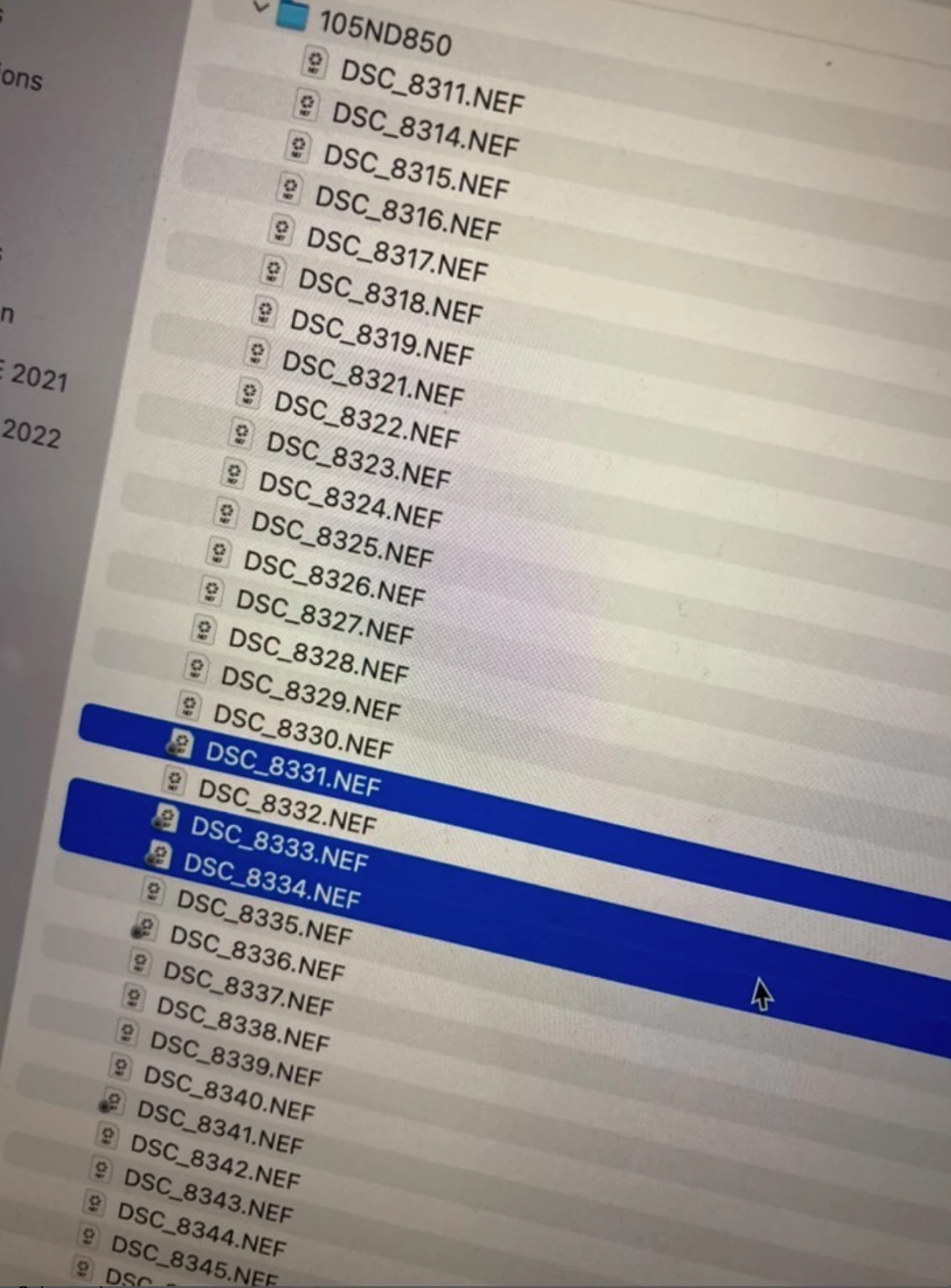
The photo below is from a fellow photographer and apparently she can see these protected photos when she wants to upload them through a card reader.
I import my images directly into Lightroom via a USB cable between my computer (Apple) and my camera. I work with XQD memory cards and don't have a card reader.
Does anyone know if there is a way to see in Lightroom which photos are marked with the key so that you can only import these? 
This topic has been closed for replies.

2 replies

Participant
April 9, 2022

I asked my self same question and find that importing all photo and then delete the import does the job for me , protected photos can not be deleted in batch in Lightroom somehow 

Ian Lyons
Community Expert
Community Expert
March 6, 2022

LrC does not differeniate between protected and unprotected photos before or after import. 

carolined69956938
Inspiring
March 6, 2022

Hi Ian, thanks for your response. So there is no other option to import the protected files from my camera? Maybe with another program and an import afterwards in Lightroom? 🤔 🤔

Ian Lyons
Community Expert
Community Expert
March 6, 2022

Not directly into LrC. However, you should be able to import them into a Finder folder such as your friends by directly connecting you camera to the Mac then use 'Image Capture' (see Mac Applications folder and below screenshot). When images are imported into Finder you can delete/move those you don't want, then import the rest into LrC